 Talli
For membership and trade associations
Run the same seminar in every region without building it twice.
Talli helps associations plan recurring seminars, regional series and annual meetings. Build an event once, copy it to every venue, fit one room layout to each room, invite members from your contact lists, then compare attendance by region.
What gets in the way of a regional series?
The work multiplies with every city you add. Here is where it usually piles up, and what Talli does about it.
Every stop of the series is set up by hand.
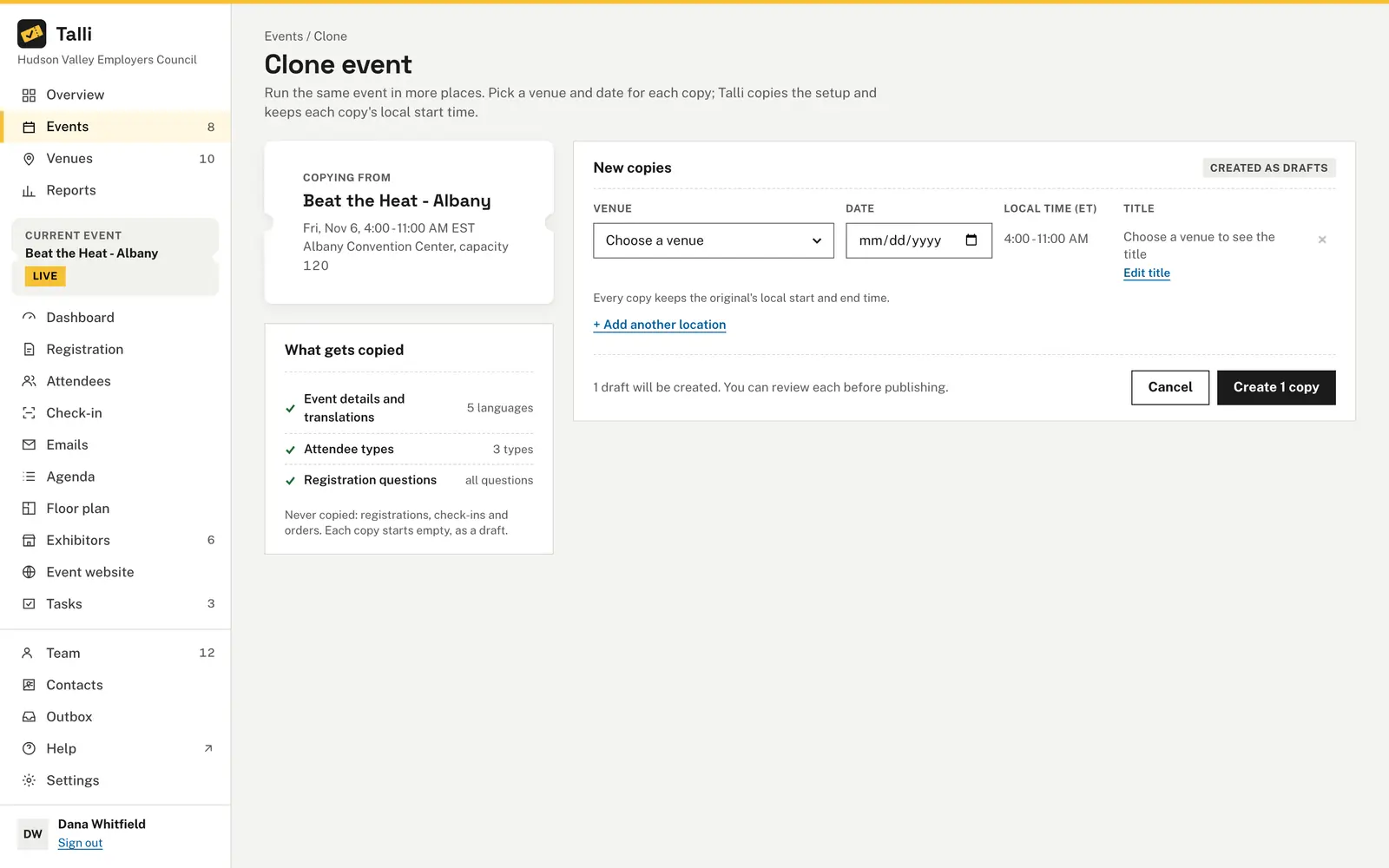
Clone an event to up to 10 venues at once. Each copy is a draft with the description, attendee types, questions, agenda, emails, surveys and tasks of the original, so you only pick a venue and a date.
Each room is different, so the seating plan has to be redrawn.
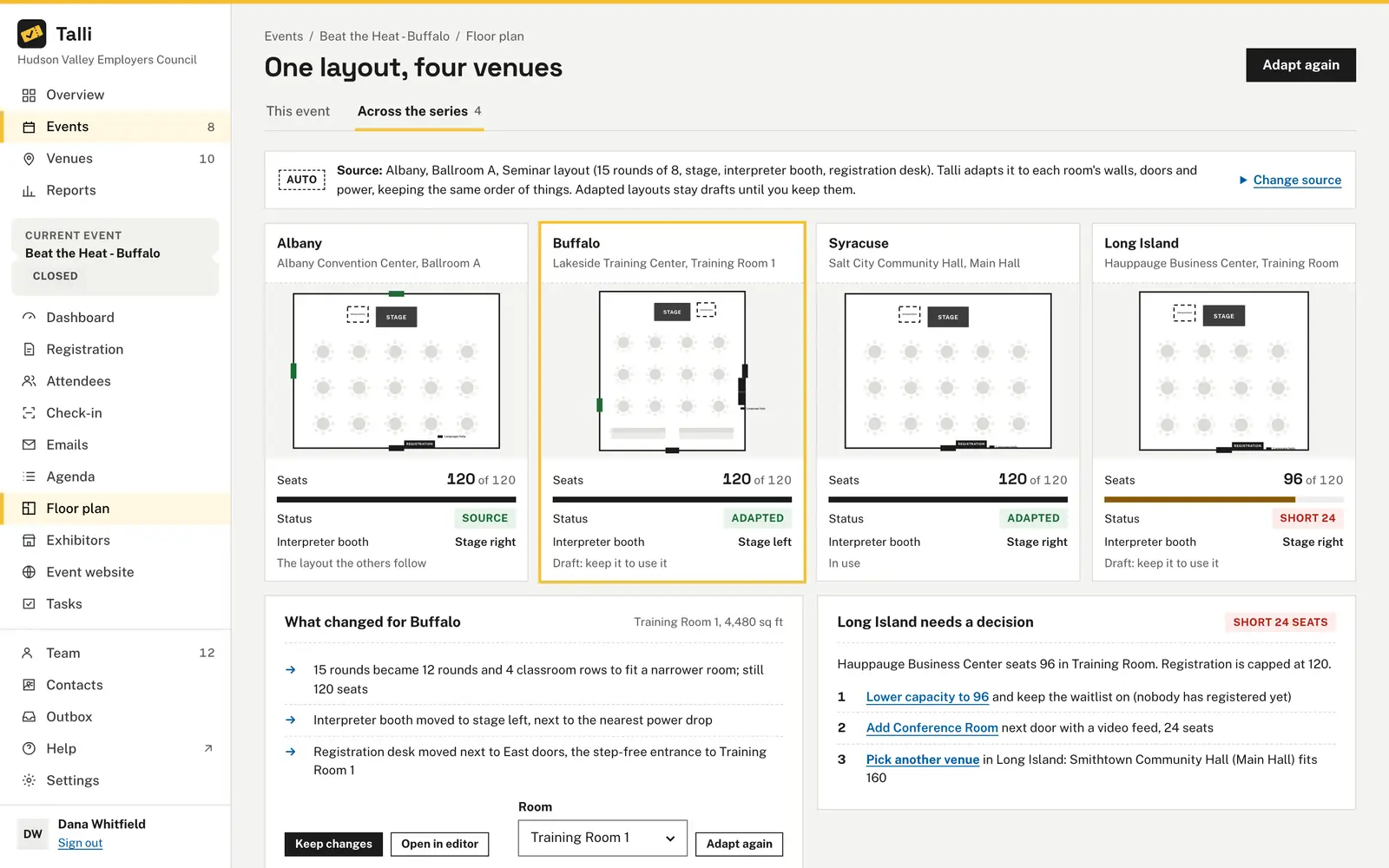
Talli carries one layout to every venue of the series and fits it to each room's walls, doors and power. You read what changed per room and keep the layouts you agree with.
Member lists live in spreadsheets.
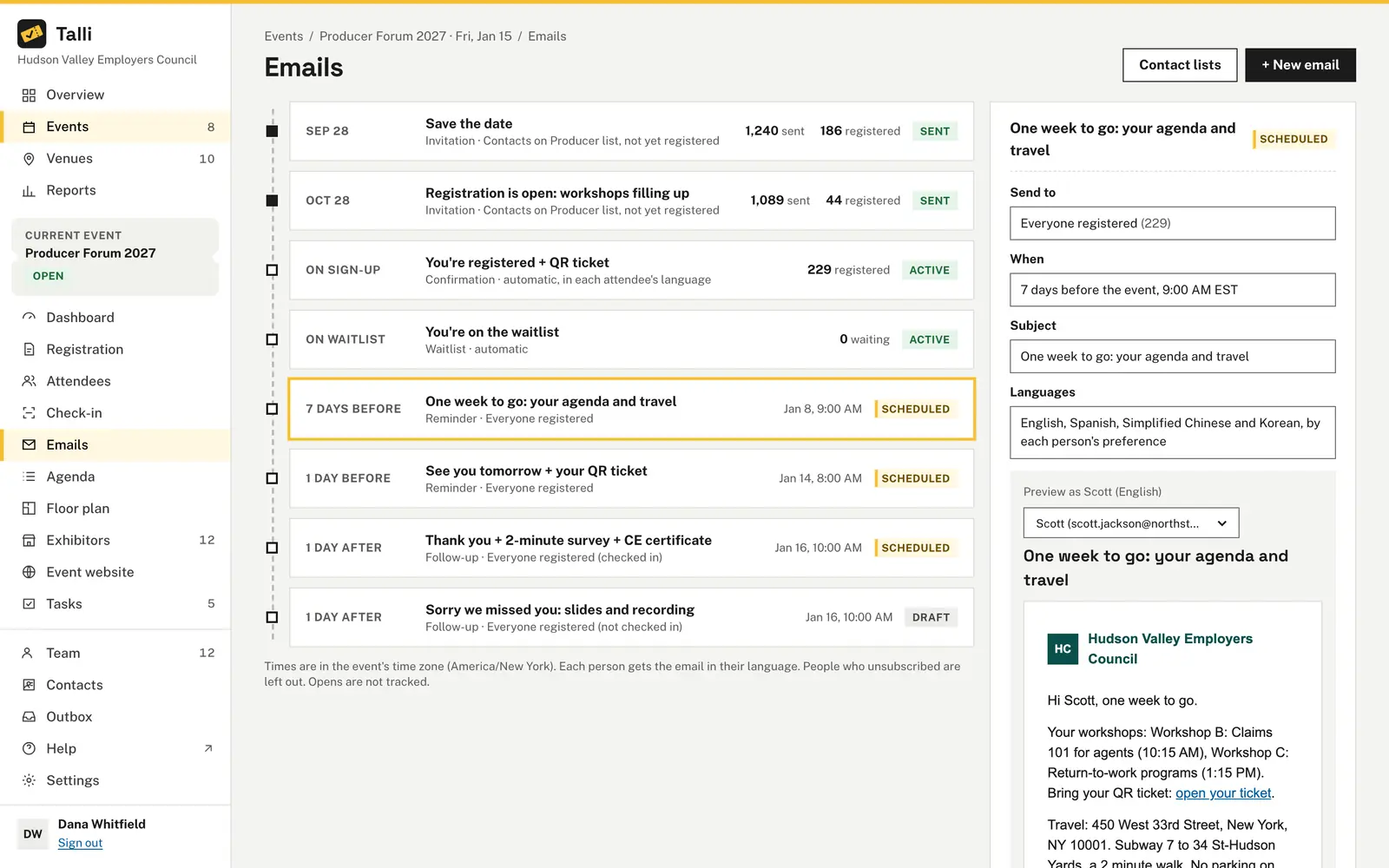
Import a CSV into a contact list, then plan invitations, reminders and follow-ups on the event's email timeline. People already registered are left out of invitations by default.
The board wants numbers by region.
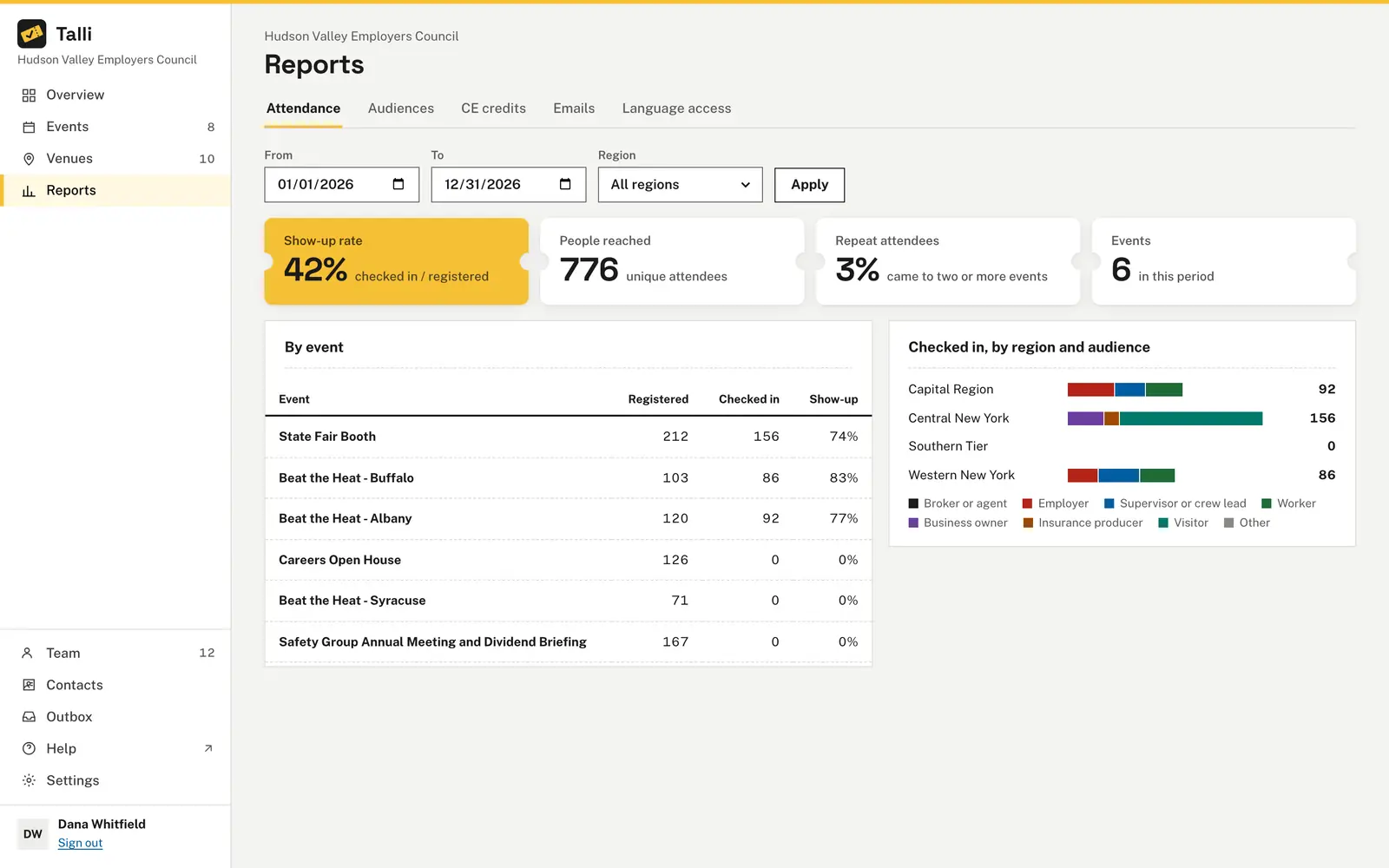
Reports filter by date and region: show-up rate, people reached, repeat attendees and results by event. The Overview compares registrations by region for the year.
Member feedback arrives late, or not at all.
Open a survey after the seminar and send each attendee their own link. Results show the response rate, ratings and comments translated for your team.
How you would plan and run an event with Talli
An example: the fictional Lakeshore Builders Association runs its Spring Code Update seminar in four cities, one morning each, for members and non-members.
Plan
- Add the four venues to the venue library, each with its region and its rooms. Venues
- Choose + New event for the first city, set its capacity and languages, and add the morning's sessions on the Agenda, or bring them in with Import CSV. Events · Agenda
- On the Registration tab, add the attendee types Member and Non-member and your own questions. Registration form
- Choose Clone, add a row with + Add another location for each city, and choose Create 3 copies. Cloning
Open registration
- On Floor plan, open Across the series, choose Adapt to all venues, read What changed for each room and choose Keep changes. Series layouts
- Review each draft and choose Publish. Each city gets its own registration page in your brand color. Registration
- Choose Import contacts to load the member list, then write an Invitation to that list with Leave out people already registered on, and schedule it. Emails
Before the day
- Member companies send several staff with Register a group, and you follow each order on the Orders tab. Orders and groups
- Schedule a Reminder for "7 days before" to people registered. It moves with the event if the date changes. Emails
- Work through each city's task board and checklists, copied from the first event with every task back in To do. Tasks and checklists
On the day
- Door staff open Check-in on their phones and scan tickets, or find people by name. Each ticket counts once. Check-in
- If the venue's signal drops, check-in keeps working and syncs when it is back. Devices and offline check-in
- The event Dashboard shows who has arrived, by attendee type and language, with check-ins every 15 minutes. Dashboard
After
- Open a survey and choose Send reminder to write a follow-up with each attendee's survey link. Surveys
- Write a follow-up only to people who did not check in, for example "Sorry we missed you". Emails
- Open Reports, set the dates and a Region, and compare the show-up rate and repeat attendees across the four cities. Reports
What associations use most
The parts of Talli that carry a series from one city to the next.
Cloning to many venues
Copy an event to up to 10 venues at once, each as a draft on its own date. Registrations and orders are never copied.
One layout across a series
Adapt one room layout to every venue, see what changed, and decide what to do where a room is short of seats.
Emails and contact lists
Invitations, reminders, follow-ups and announcements on one timeline, with merge tags, previews and test sends.
Group registration
One person registers up to 10 people by default, or sends each a link to fill in their own details.
Surveys
One response per ticket, or anonymous. Results with ratings, Would recommend and translated comments, and a CSV export.
Reports by region
Attendance, audiences and language access for any period, filtered by region, with exports of registrations and check-ins.
Frequently asked questions
Can we run the same seminar in several cities without rebuilding it?
Yes. Clone the event to up to 10 venues at once; each copy is a draft with the original's setup, agenda, emails, surveys and tasks. Registrations, orders and check-ins are not copied, so each city starts empty.
What if one venue's room is too small for the layout?
The series view marks that venue as Short, with the number of seats missing. You can lower the capacity and turn on the waitlist, add a room next door with a video feed, or pick another venue in the same region.
Will members who already registered get the invitation again?
No. Leave out people already registered is on by default for invitations to contact lists. Someone on several lists gets the email once.
Can a member company register several people at once?
Yes. The registration page has a group form for up to 10 tickets by default. The buyer can fill in each person's details or send them a link to fill in their own.
Can we compare attendance between regions?
Yes. Each event takes its region from its venue, and Reports filter by date and region to show the show-up rate, people reached and repeat attendees.
Plan your next regional series in Talli
See how one event becomes a series across your venues, or sign in to plan your next one.