 Talli
Venues
Enter each venue once, use it everywhere.
The venue library holds the places where your organization holds events. Each venue's address, rooms, floor plan and documents are entered once and shared by every event held there.
What gets lost between venues and events?
Common problems with venue details, and what Talli does about each one.
Venue details live in old emails
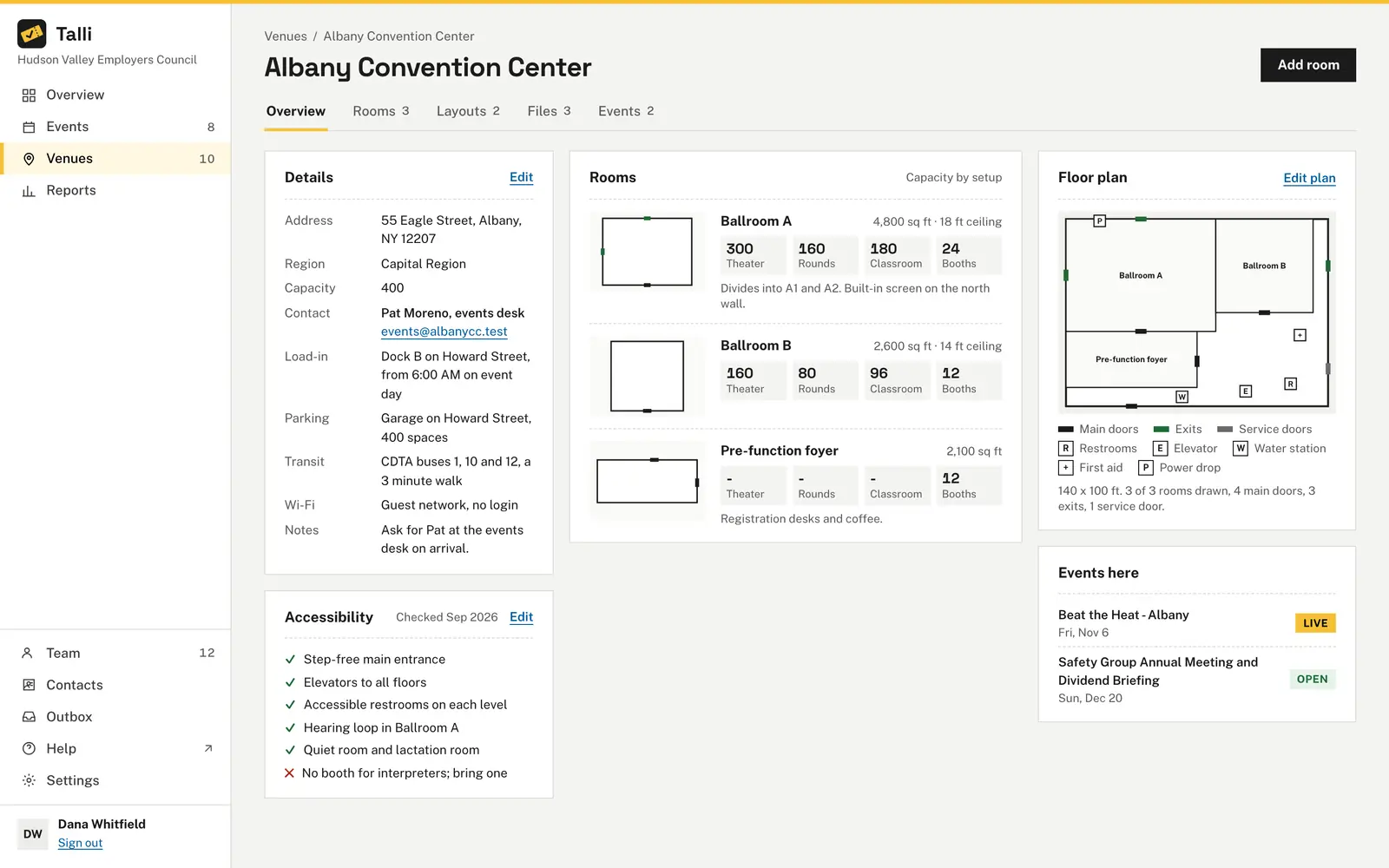
One table lists each venue's name, address, region, rooms, capacity and notes. Each profile adds the venue contact, load-in, parking, transit and Wi-Fi, and lists the events held there with their status.
Nobody knows how many a room holds
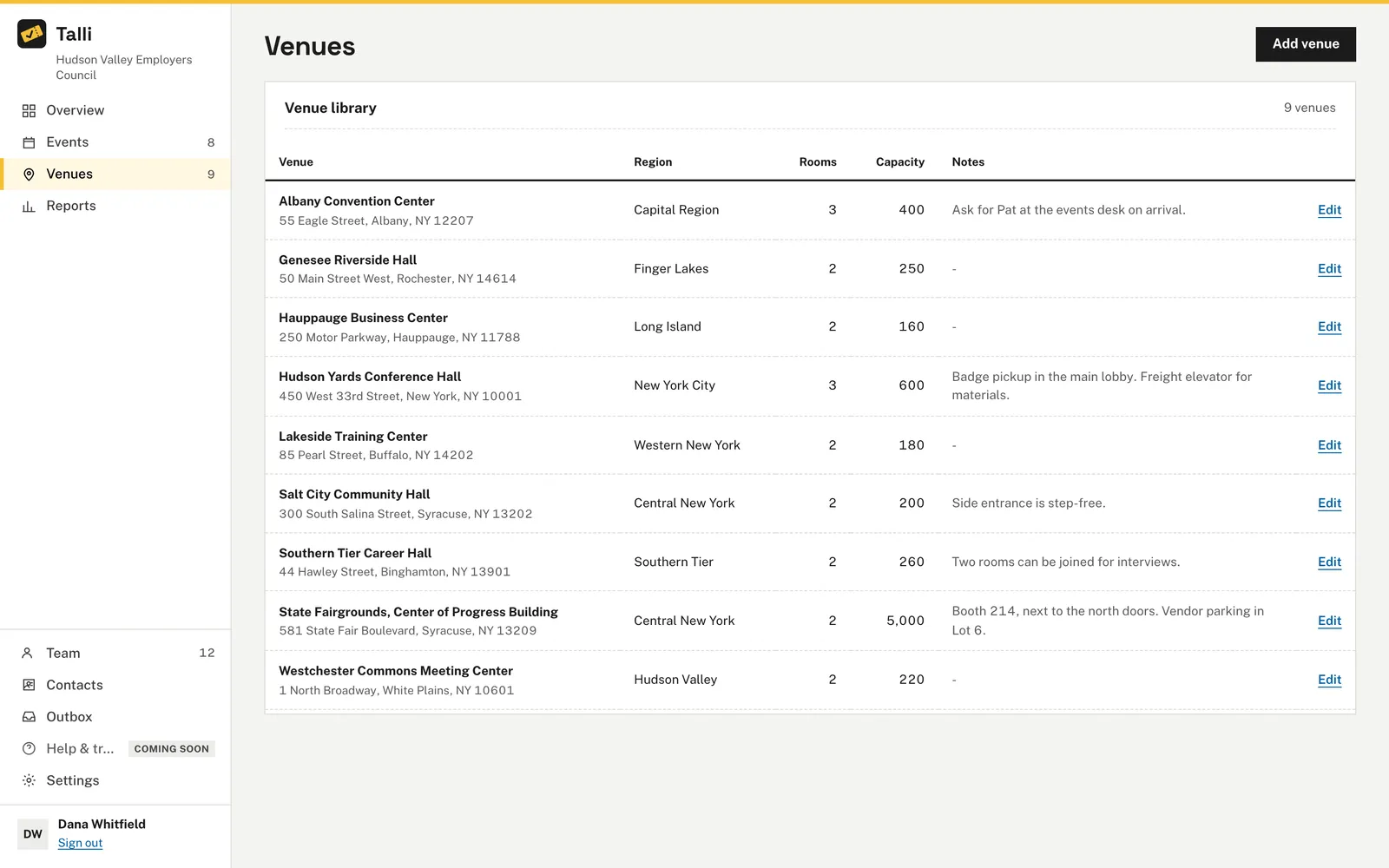
Each room records its capacity for Theater, Rounds of 8, Classroom and 10x10 booths. The agenda checks each session's seats against them and warns you when a session does not fit.
Accessibility is a guess
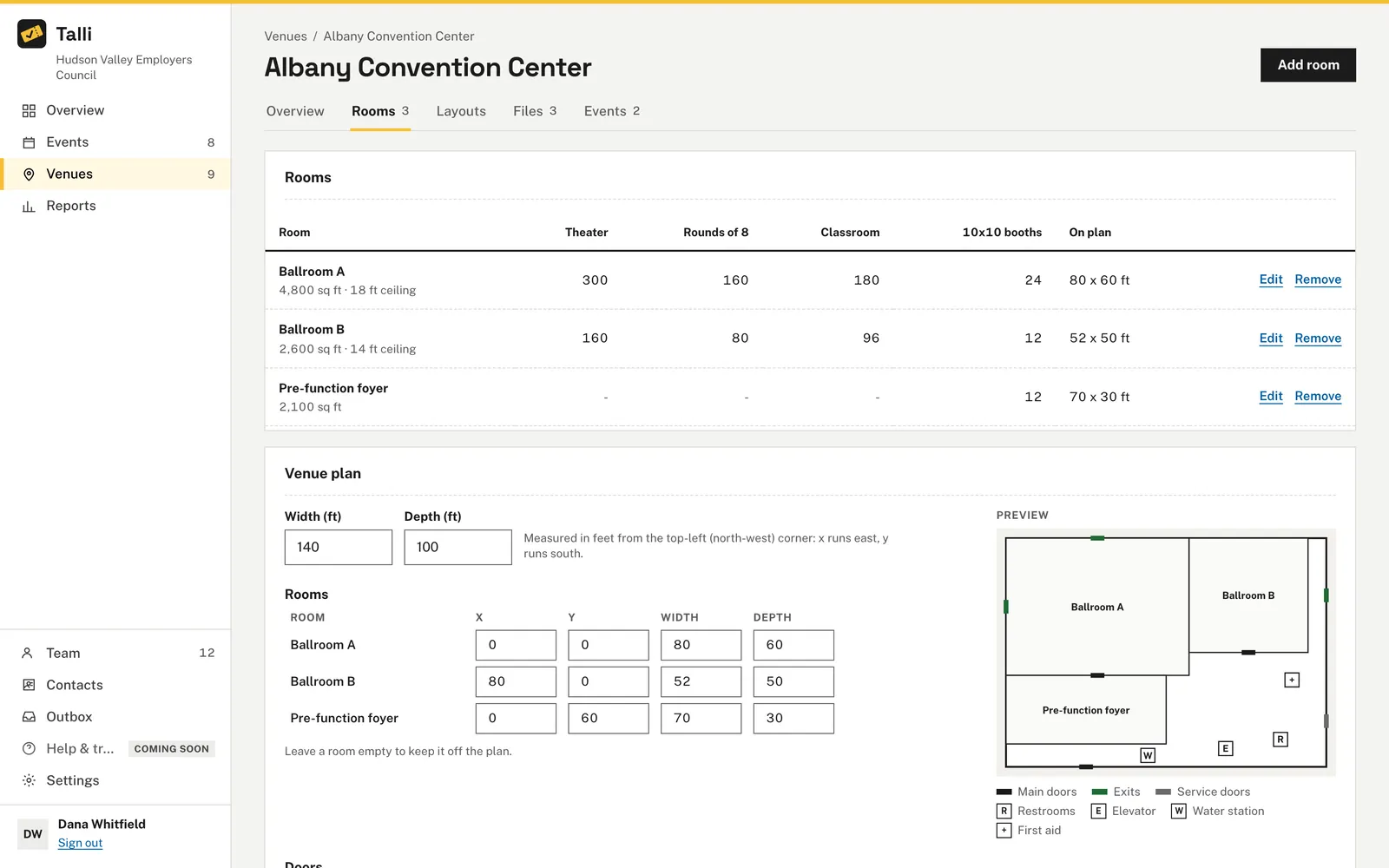
Keep a checklist of what the venue offers, such as a step-free entrance or an accessible restroom. Saving it records the month it was last checked, so everyone sees when someone last confirmed it.
Attendees cannot find their way in
Parking, transit and the accessibility items are translated into the languages of each event held at the venue. Notes for your team are never shown to attendees and never translated.
The floor plan PDF is on someone's laptop
The Files tab keeps the venue's PDFs, PNGs and JPEGs of up to 10 MB in one place. Only people in your organization can download them, and every download checks that.
How it works
Add a venue once and every event there can use it.
Add the venue
On the Venues page, choose Add venue, enter the name, address, region and capacity, and choose Save venue.
Add its rooms
Choose Add room and enter each room's name, size and how many people it holds for each setup.
Draw the plan
Enter the outline, rooms, doors and features such as restrooms, elevators and power drops in feet, with a live preview. Choose Save plan and Talli lists anything to fix.
Fill in the details
Choose Edit on Details and Accessibility to add the contact, load-in, parking, transit and checklist, and upload files on the Files tab.
Frequently asked questions
Are venue notes shown to attendees?
No. Notes are for your team only. They are never shown to attendees and never translated.
What does a venue's region do?
It is the default region of every event held there, and an event can override it. The events list can be filtered by region, and the Overview shows registrations by region.
What files can I upload?
PDF, PNG or JPEG files of up to 10 MB. Talli checks the file itself, not just its name, and refuses anything else.
Can I remove a room that is in use?
No. A room used by an agenda session or a layout cannot be removed. Talli says what still uses it, so you can move those to another room first.
Can staff edit venues?
No. Staff see the library, every profile, its plan and its files, and can download files. Owners and admins make changes.
Put every venue in one place
See how the venue library feeds your agenda, layouts and event pages.