 Talli
For training and continuing-education providers
Award CE credits with a scan, not a sign-in sheet.
Talli helps training providers run course days with limited-seat workshops. Attendees sign up for sessions when they register, staff scan them in at each session to award its credits, and the CE credits report lists everyone with their license number.
What gets in the way of a CE day?
Most of the effort goes into seats, attendance proof and the paperwork afterwards. Here is how Talli handles each part.
Workshops fill up, or two of them overlap for the same person.
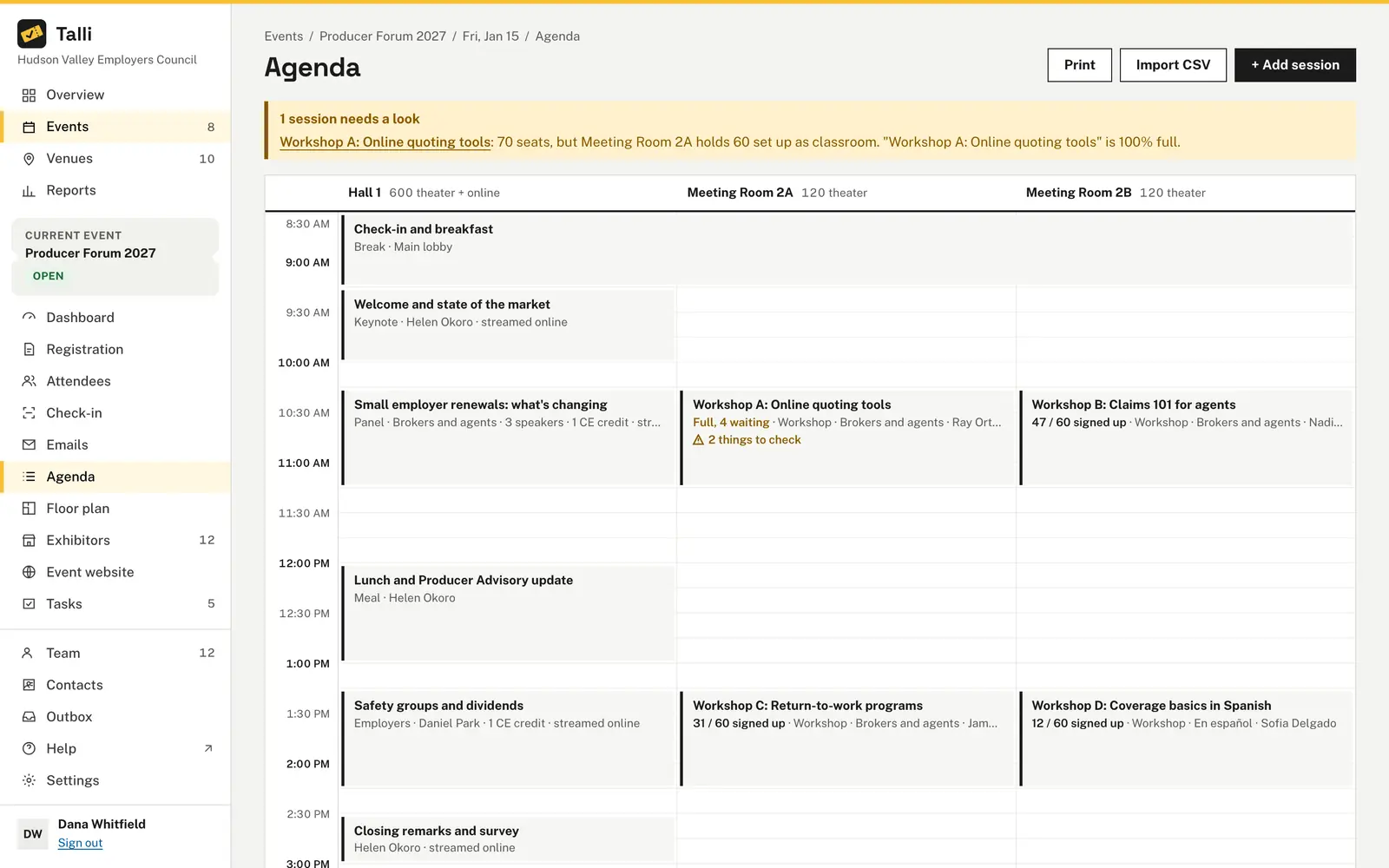
Sessions can take sign-ups with a number of seats and their own waitlist. Nobody can hold two sessions at the same time, and the agenda warns when a session is 90% full.
Paper sign-in sheets at every session.
Staff choose the session's entry point and scan tickets. The first scan awards the session's CE credits, and a second scan awards nothing.
License numbers have to be matched to attendance by hand.
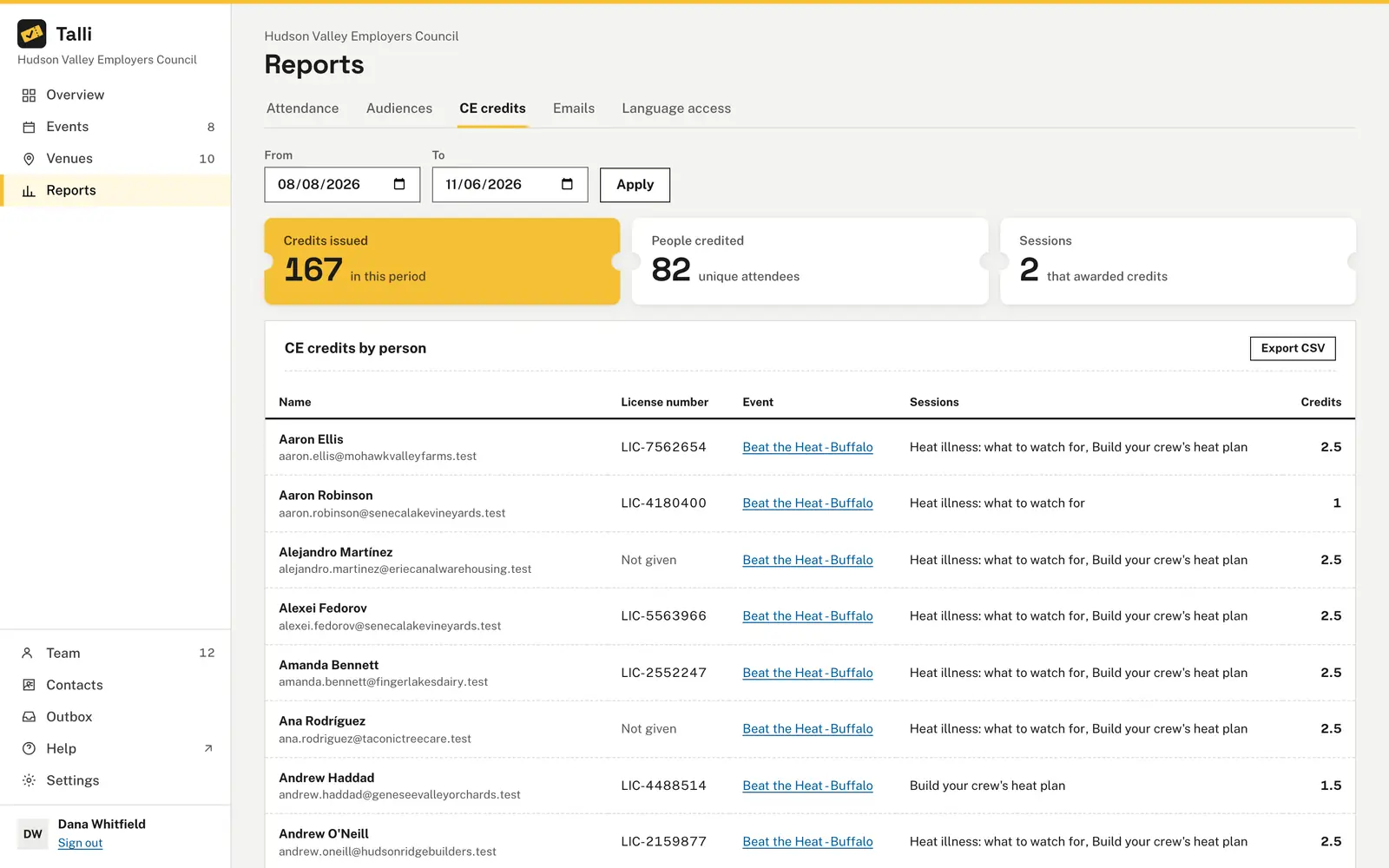
Mark one registration question as the license number. The CE credits report lists each person's answer next to their sessions and credits.
People attend a session they did not sign up for.
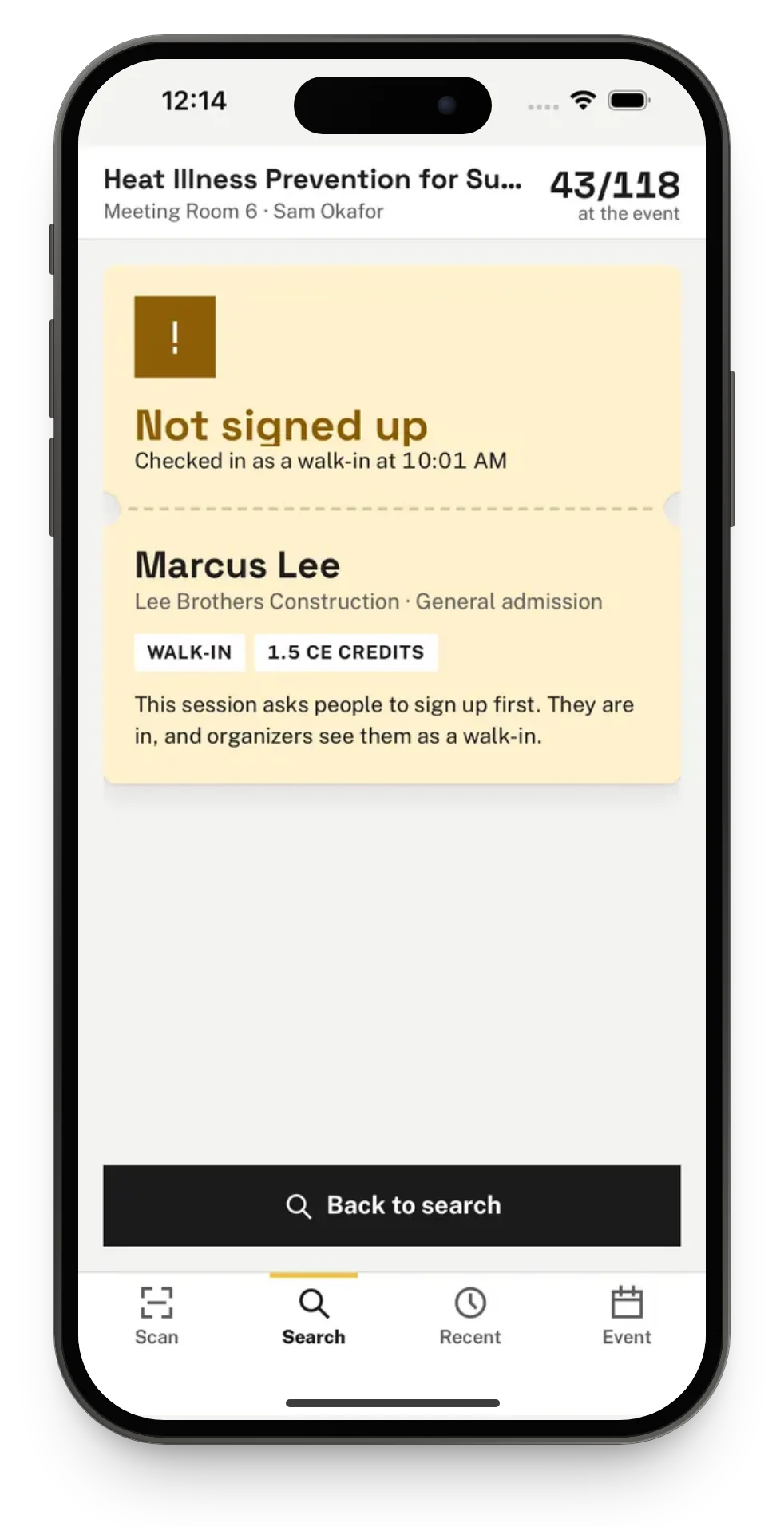
They are still checked in and credited, since they were there. At a session that requires sign-up, the card flags them as Not signed up for this session.
Course feedback is scattered.
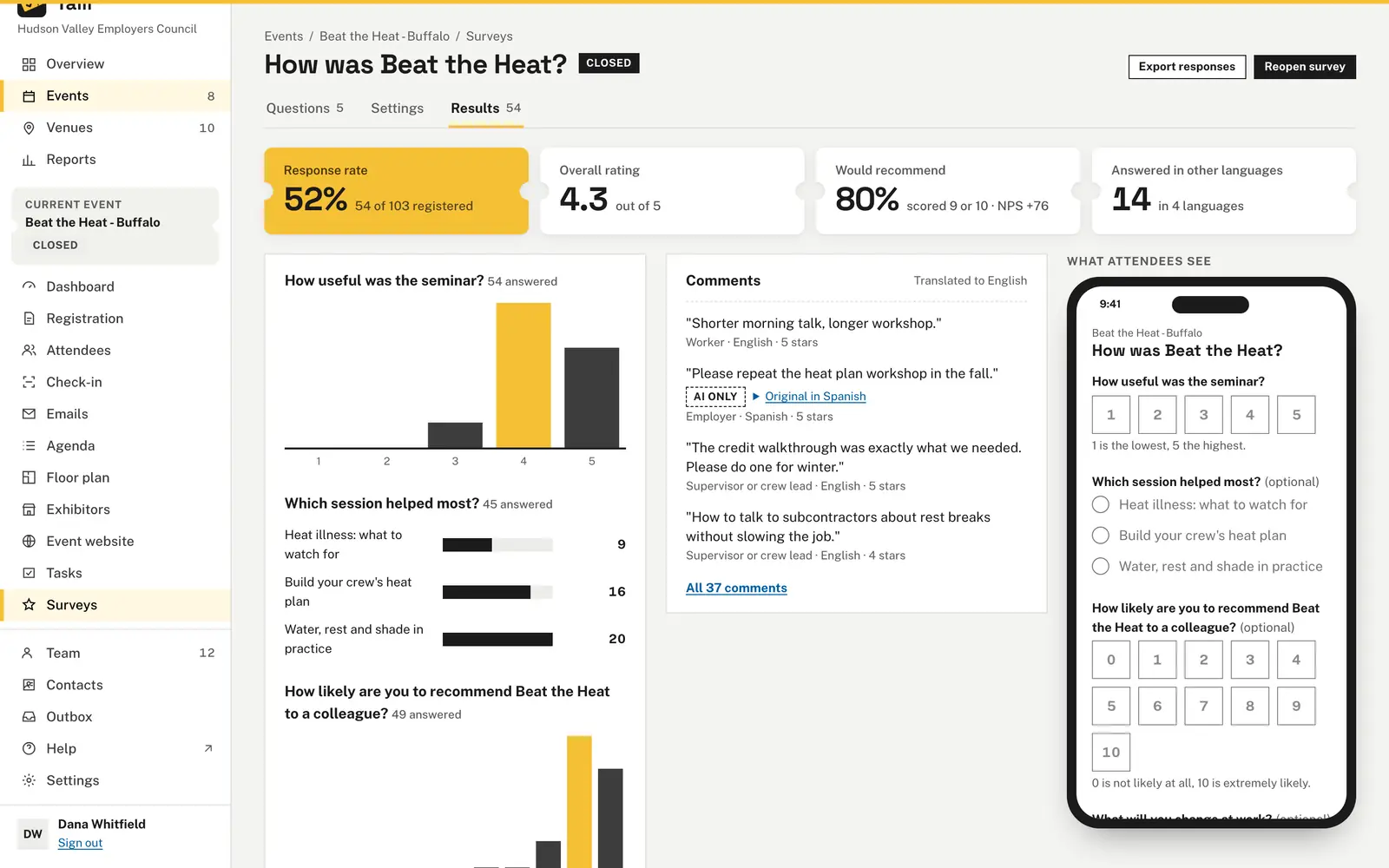
A survey can ask attendees to pick a session from the agenda and rate the day, with one response per ticket and results your team can export.
How you would plan and run an event with Talli
An example: the fictional Harbor Valley Insurance Institute runs a one-day Claims Practice Update with a keynote and four workshops, each worth CE credits.
Plan
- Choose + New event, pick the venue and set the capacity for the day. Events
- On the Agenda, add each workshop with Kind Workshop, a room, Session sign-up set to Sign-up required, its Seats and CE credits, for example 1.5. Agenda
- On the Registration tab, add a short text question such as "State license #" and tick This is the license number. Registration form
Open registration
- Choose Publish. The registration page shows the agenda with each session's CE credits, and lists the workshops under Sessions to tick. Registration
- Attendees change their picks later from Pick your sessions on their ticket page, or join a full workshop's waitlist. Session sign-up
- Each session card shows its sign-ups, for example "52 / 60 signed up", and at 90% full the agenda suggests a larger room that is free, when there is one. Agenda
Before the day
- Schedule a Reminder with the
{{sessions}}merge tag, which lists each person's own sessions and times. Emails - Choose Print on the agenda for a printable copy by day. Agenda
- Each workshop already has its own entry point. Assign staff to the door or to one workshop under Staff assignments. Devices and offline check-in
- Schedule a Reminder with the
On the day
- Door staff scan tickets at Main entrance. Check-in
- At each workshop, staff choose the session's entry point and scan again. The card says, for example, "1 CE credit awarded", and someone not yet checked in at the door is checked in by the same scan. CE credits
- With Talli for iPhone, staff pick the session on the Event tab, and scanning keeps working without signal. Talli for iPhone
After
- Open Reports, then CE credits, set From and To, and read credits issued, people credited and sessions. Reports
- Choose Export CSV for a spreadsheet with each person's email, license number, event, sessions and total credits. CE credits report
- Open a survey with a Pick a session question and a rating, and choose Send reminder to write the follow-up with each attendee's link. Surveys
What training providers use most
The parts of Talli that turn attendance into a credit record.
Session sign-up
Optional or required sign-up per session, with seats from the room or your own number, and a waitlist for each session.
Credits by scan
Each session that awards credits gets its own entry point. One scan checks the person in and gives the credits, once.
CE credits report
Credits issued, people credited and sessions for any period, with each person's license number, and a CSV export.
Agenda with warnings
Sessions by room and time, with warnings for a speaker in two places, a room used twice or a session nearly full.
Talli for iPhone
Check people in at the door or at a session, by scan, typed code or name, with or without signal.
Surveys
Ratings, Would recommend, a session pick and comments, answered in each attendee's language, with a CSV export.
Frequently asked questions
Does someone who did not sign up for a session still get the credits?
Yes. Credits go to the person scanned at the session, whether or not they signed up. At a session that requires sign-up, they are flagged as Not signed up for this session, and still checked in and credited.
Can a person get credits twice for the same session?
No. Credits are awarded once per person and session. A second scan at the same session shows Already checked in and awards nothing.
How do license numbers get onto the report?
Add a short text question to the registration form and tick This is the license number. The CE credits report lists each person's answer next to their credits.
What is in the CE credits export?
One row per person and event, with their email, license number, sessions and total credits, for sessions that start between the dates you choose. Owners and admins download it with Export CSV.
Can attendees change their sessions after registering?
Yes. From Pick your sessions on their ticket page they can sign up, join a full session's waitlist or cancel their spot, until the session ends.
Put your next CE day on Talli
See session sign-up, credits by scan and the CE credits report on your own course, or sign in to start.