 Talli
Orders and groups
Register a whole group in one order.
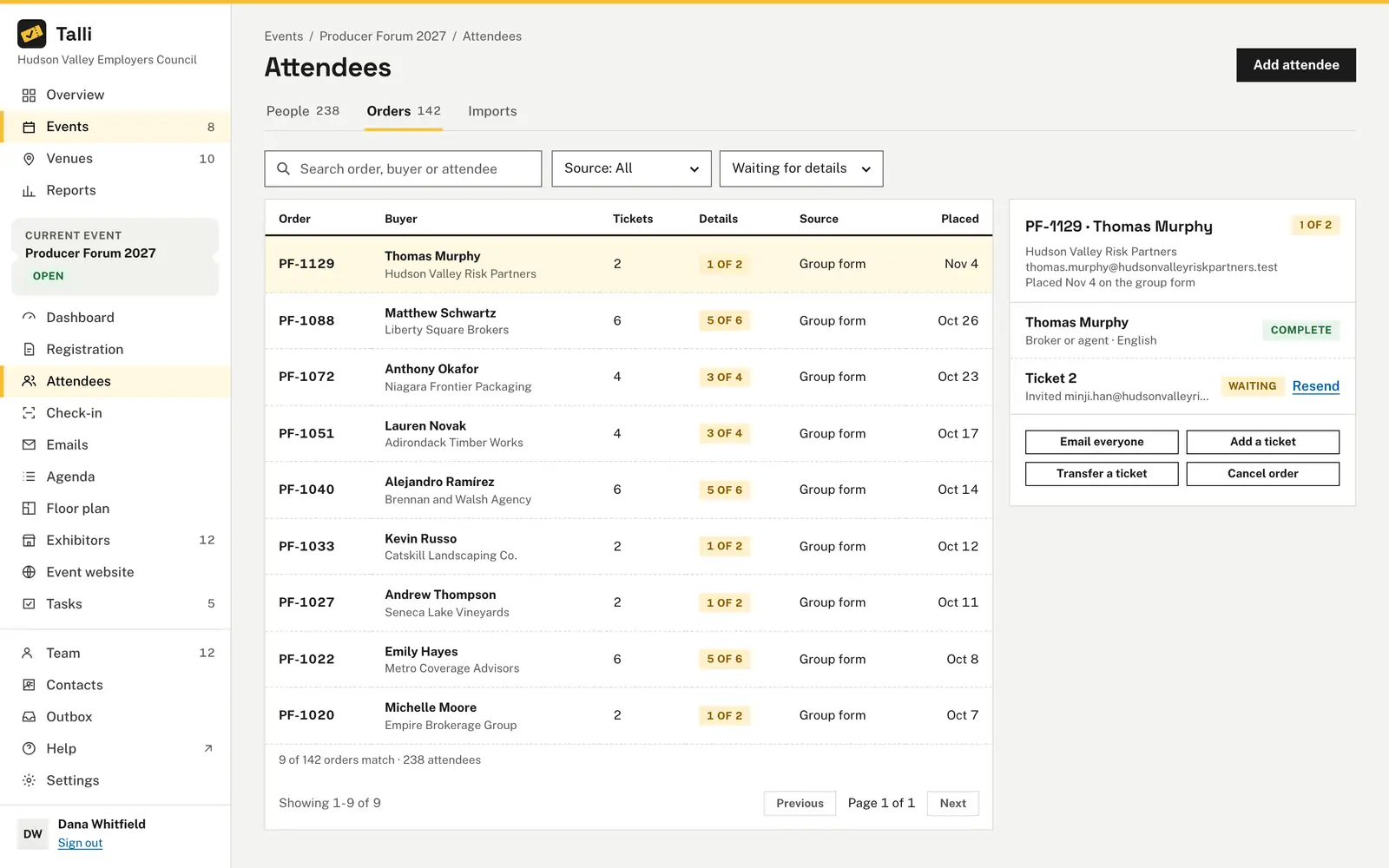
One person can register a team at once, and each colleague gets their own ticket or a link to fill in their details. The Orders tab shows who bought what and whose details are missing. Resend links, add or transfer tickets and cancel whole orders from one place.
What gets in the way of group registration?
Common problems when one person signs up many, and what Talli does about each one.
Every ticket reaches its holder
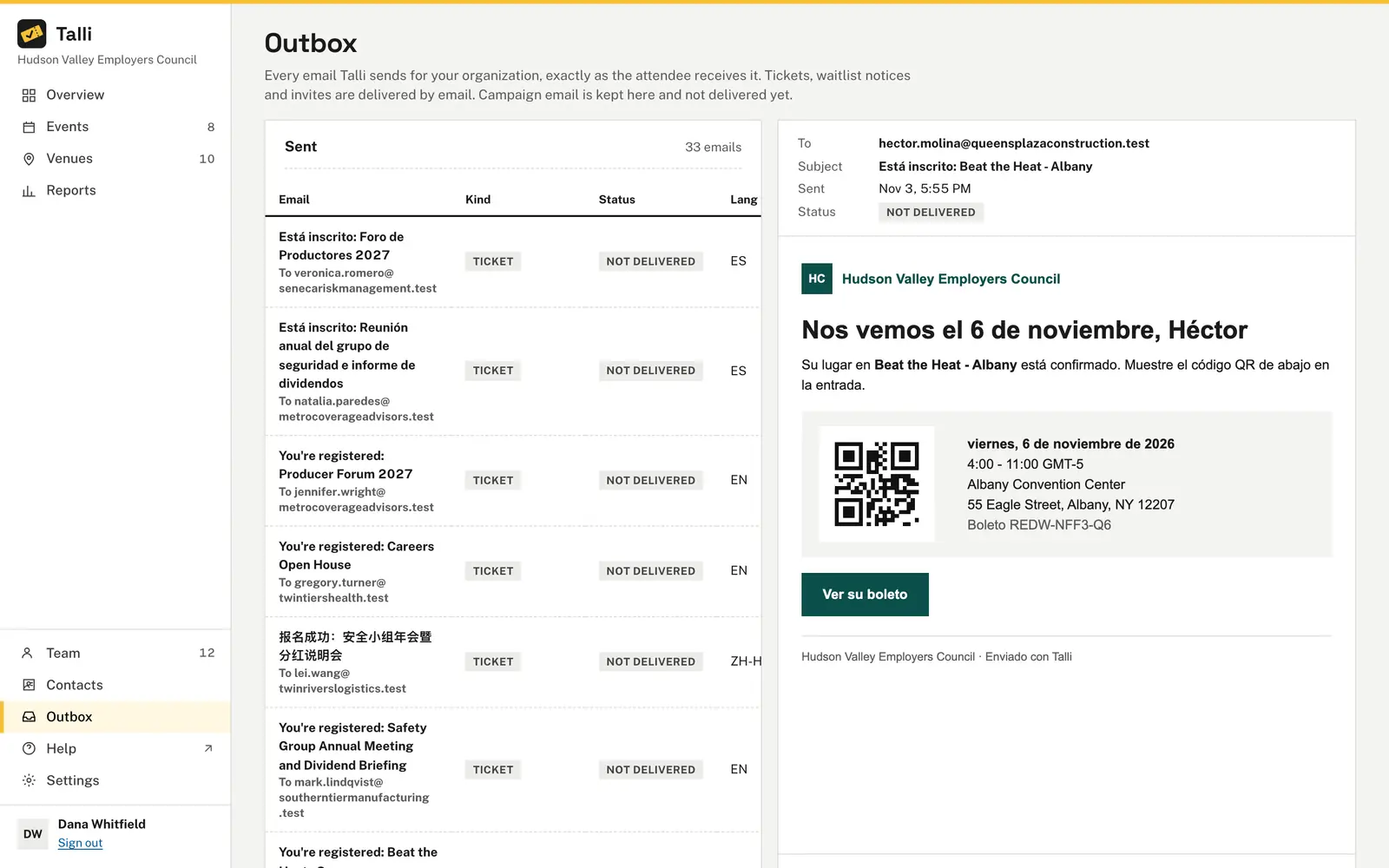
Each person with details gets their ticket by email, in their language. Choose Email everyone to send the buyer an order summary and every holder their ticket again, or a new link for those still waiting. Every email is kept in the Outbox.
The buyer does not know everyone's details
For each ticket, the buyer enters a name or ticks Send them a link to fill in their own details. Each person gets an email with Fill in my details and gets their ticket with Get my ticket. They see only their own email and attendee type, never the rest of the group.
Groups get split when seats run low
The whole group gets seats together, or joins the waitlist together when there are not enough seats left for everyone. A group is never split. People already registered for the event keep the ticket they have.
Plans change after people register
Choose Transfer a ticket to give a ticket to someone else. They get a new ticket code by email, and the old code stops working at check-in. The previous holder's ticket stays in the order as Transferred, with their history.
Attendee lists arrive as spreadsheets
On the Imports tab, choose a CSV file or paste the rows, with columns in any order. Each row becomes its own order under the same capacity rules as registering. Importing the same file again imports nobody twice.
How it works
From a group form to a complete order.
Register the group
On the event's page, choose Registering several people? Register a group, pick the number of tickets and choose Register the group.
Collect missing details
People sent a link fill in their name and choose Get my ticket. Until then, their ticket shows Waiting and their seat stays taken.
Find the order
Open the event's Attendees page and choose Orders. Search by order number, buyer or holder, and filter by Source or Details.
Make changes
Select the order to Resend a link, Add a ticket, Transfer a ticket or Cancel order. Talli asks you to confirm before it emails anyone.
Frequently asked questions
How many tickets can one order hold?
Up to 10 by default. An event can allow a different number, from 1 to 50.
Does the buyer have to attend?
No. The buyer gets the order confirmation and does not need to hold a ticket themselves.
Can someone check in before filling in their details?
No. A ticket waiting for details cannot be checked in: the scan says the details were not filled in, and the person does not show in check-in search.
How long does a details link work?
A details link works once, stops working when a newer one is sent, and expires after 30 days or when the event ends, whichever comes first.
How large can a spreadsheet import be?
An import takes up to 1,000 rows and 1 MB per file. First name, last name and email are required; ticket type and language are optional.
Make group registration simple
Ask us for a demo, or sign in to see your event's orders.