 Talli
Docs / Events
Events
An event is one gathering with a date, a venue, a number of seats and a registration page. Every event starts as a draft that only your team can see.
The events list
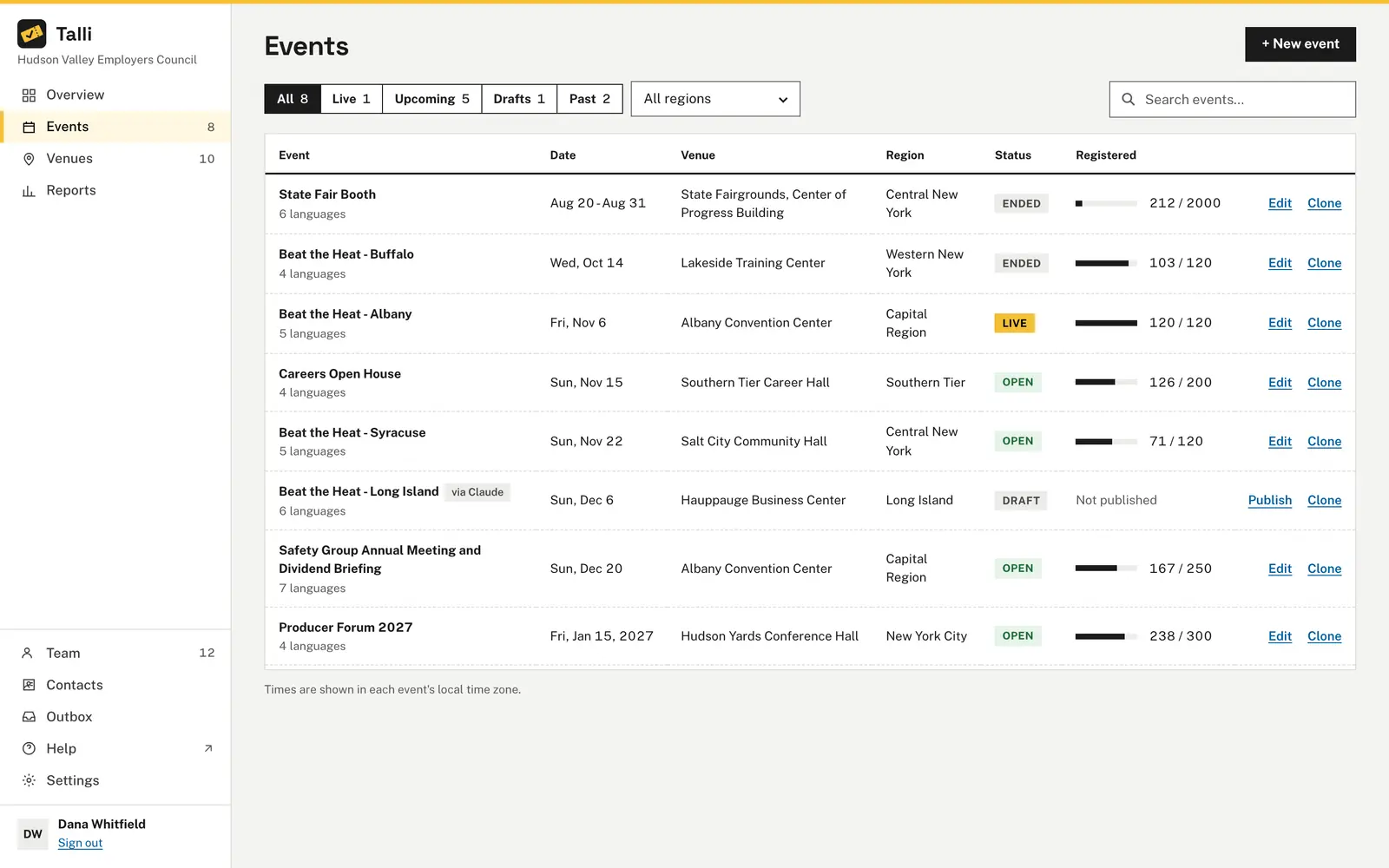
Open Events in the left sidebar. Each row shows the title, date, venue, region, status and how many seats are taken. You can narrow the list in three ways:
- The tabs: All, Live (happening now), Upcoming, Drafts and Past, each with a count.
- The Region menu.
- The search box, which matches words in the title.
Dates are shown in each event's own time zone. Events with more than one language show how many languages they offer.
Which of our upcoming events are still drafts, and how many seats are taken at each published one?Select the prompt and copy it into Claude or ChatGPT connected to Talli. Uses find_events, get_event. Connect an assistant
Create an event
Owners and admins:
- Choose + New event. If you have no venues yet, Talli asks you to add one first.
- Fill in the form.
- Choose Create event.
The event is created as a draft, with one attendee type called "General admission", and its page opens with a message confirming it. Nobody can see or register for a draft.
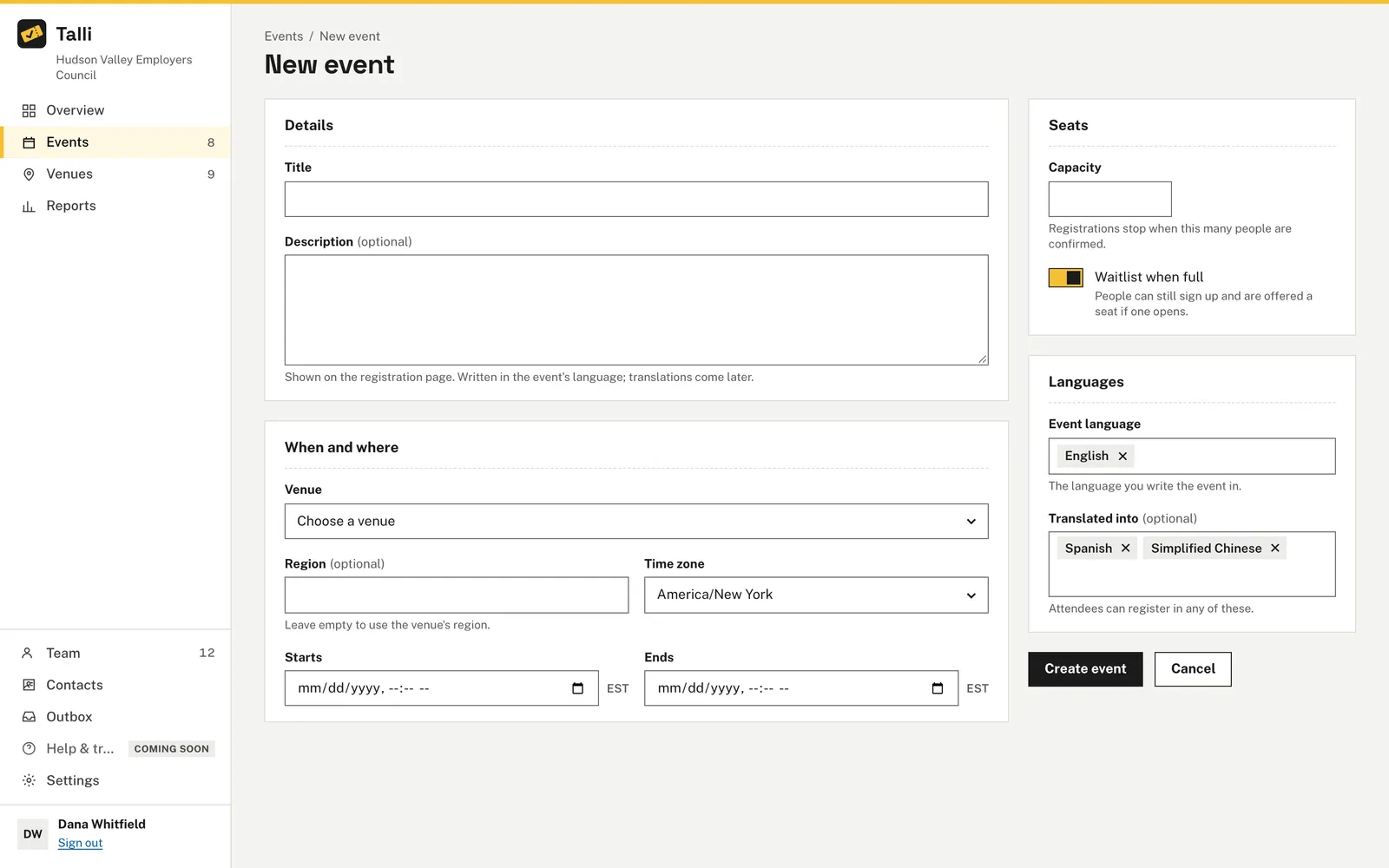
The form
| Field | Required | Notes |
|---|---|---|
| Title | Yes | Up to 200 characters. |
| Description | No | Shown on the registration page. Write it in the event's language, or draft it with Write with AI on the edit page; see Write with AI. |
| Venue | Yes | Chosen from your venue library. If you have only one, it is already selected. |
| Region | No | Leave empty to use the venue's region. |
| Time zone | Yes | Starts as Eastern time (New York). |
| Starts, Ends | Yes | Entered as local time in the chosen time zone. The end must be after the start. |
| Capacity | Yes | A whole number of at least 1. Registrations stop when this many people are confirmed. |
| Waitlist when full | No | On by default. People can still sign up and are offered a seat if one opens. |
| Event language | Yes | The language you write the event in. |
| Translated into | No | Languages attendees can register in. New events start with your organization's default languages. Talli translates the event into each of them automatically; see Languages and translation. |
Talli shows a message next to every field that needs fixing.
The event's web address
Each event gets a web address name made from its title, for example "Spring Safety Seminar" becomes spring-safety-seminar. If your organization already has an event with that name, Talli adds a number. The address never changes, even if you rename the event later, so links you have already shared keep working.
New events start with your organization's checklists that are added by themselves, and an event offered in another language also gets the Multilingual event checklist; see Tasks and checklists.
Create a draft event called Spring Safety Seminar at Lakeside Training Center on April 14, 2027, 9:00 to 12:00 Eastern time, for 120 people, written in English and translated into Spanish.Select the prompt and copy it into Claude or ChatGPT connected to Talli. Uses list_venues, create_event. Connect an assistant
Edit an event
Choose the event's title or Edit in the list. Change anything in the form and choose Save changes. Changing the time zone changes how the start and end are read, so check the times afterwards.
For a published event, View public page opens its registration page.
To draft the description, choose Write with AI under it. Talli fills in the date, time, venue and capacity from the event and flags anything else to check; nothing is saved until you choose Keep. See Write with AI.
Clone an event
Choose Clone in the events list or on the event's page to copy an event to one or more venues. See Cloning events.
Statuses
| Status | What it means |
|---|---|
| Draft | Not public. Only your team can see it. |
| Published | The registration page is live and anyone with the link can register. |
| Closed | The page stays online but nobody new can register. |
| Cancelled | The event is called off. This is final. |
In the list, a published event is labelled by time: Open before it starts, Live while it runs and Ended afterwards.
Change an event's status
The buttons at the top of the event page depend on its status.
| From | You can |
|---|---|
| Draft | Publish or Cancel event |
| Published | Close registration, Unpublish or Cancel event |
| Closed | Reopen registration, Unpublish or Cancel event |
| Cancelled | Nothing. The event can never be published again. |
Draft events also have a Publish link right in the list.
Confirmation
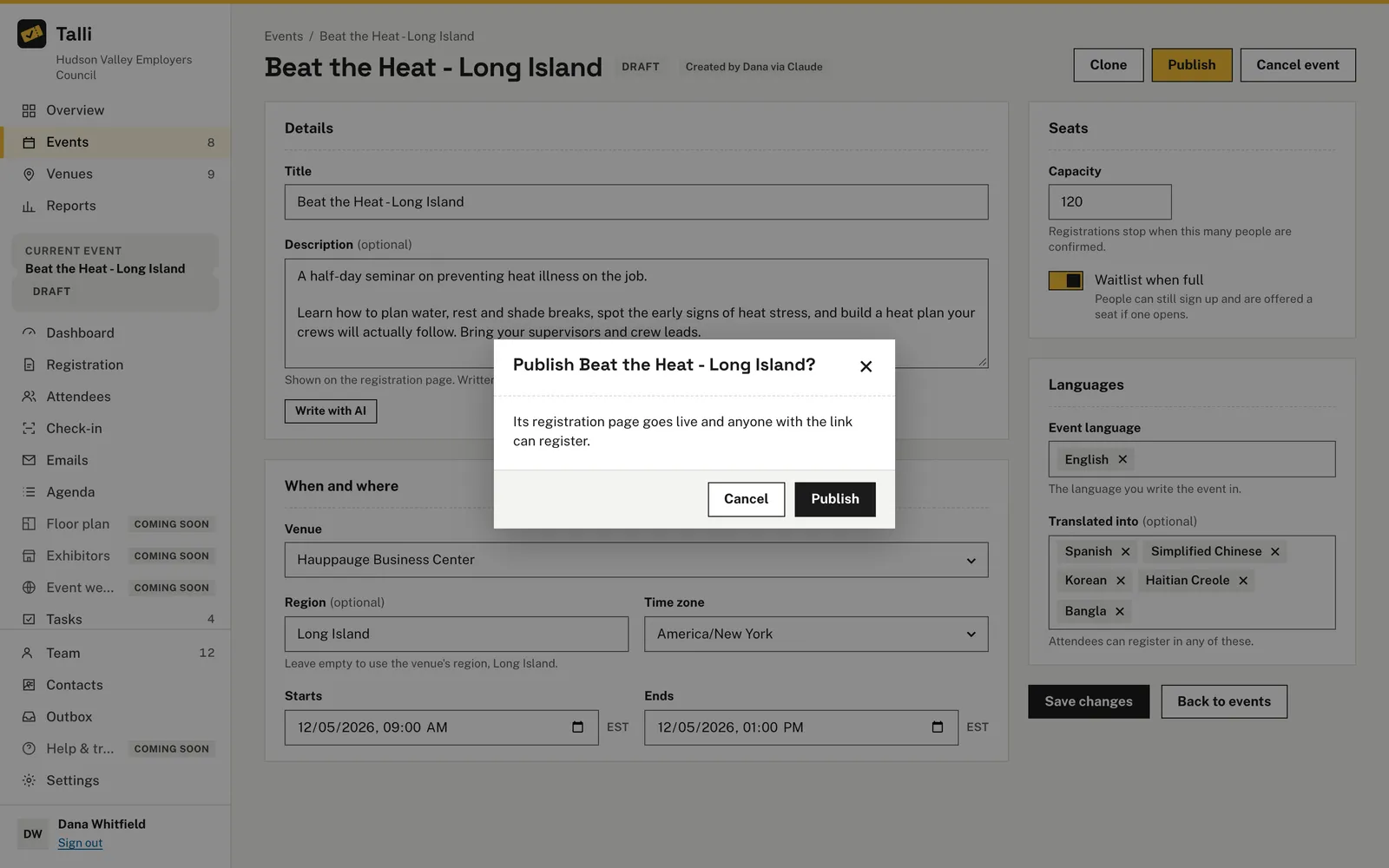
Publishing, unpublishing and cancelling ask first. The question names the event, for example "Publish Spring Safety Seminar?", and says what will happen:
- Publish: the registration page goes live and anyone with the link can register.
- Unpublish: the page goes offline until you publish it again. Existing registrations are kept.
- Cancel event: registration closes and the event is marked cancelled. This cannot be undone. Its scheduled emails, but announcements, are cancelled too (see Emails and contact lists).
Closing registration happens right away, without a question, because you can reopen it at any time. Registrations are never deleted when an event is closed, unpublished or cancelled.
If a change is not allowed (for example publishing a cancelled event), Talli explains why.
Publish the Spring Safety Seminar.Select the prompt and copy it into Claude or ChatGPT connected to Talli. Uses publish_event. Connect an assistant
Who can use it
Owners and admins create and edit events and change their status. Staff can see the events list and Overview but cannot open an event's edit page or change it.
Coming soon
- Choosing which parts of an event are translated automatically.
From an AI assistant
find_eventswith{ q?, status?, region? }:qmatches words in the title,statusis a list ofdraft,published,closedorcancelled.get_eventwith{ eventId }: the event with its venue, ticket types andopenTasks, how many tasks on its board are not done.create_eventwith{ title, venueId, startsAt, endsAt, timezone, capacity, sourceLanguage, description?, waitlistEnabled?, targetLanguages?, region? }(owners and admins).startsAtandendsAtare wall-clock times in the event's time zone asYYYY-MM-DDTHH:mm,timezoneis an IANA zone such asAmerica/New_York, and languages are BCP 47 tags such asenores. The event is created as a draft.update_eventwith{ eventId }and any of the create fields, plusregistrationIntro(the welcome text above the registration form, up to 1,000 characters) (owners and admins). A new time that puts scheduled emails in the past is refused onscheduledEmailsToDraftuntil it is sent again withscheduledEmailsToDraft: true, after the person agrees; those emails go back to draft.publish_event,unpublish_eventandcancel_eventwith{ eventId }(owners and admins) always wait for the person's OK.close_eventwith{ eventId }closes registration (owners and admins).clone_event: see cloning.draft_copydrafts a description to keep withupdate_event, andcheck_copychecks text against the event's facts: see Write with AI.
An owner can ask for the person's OK before an assistant creates or edits a draft; see AI assistants.