 Talli
For public sector programs
Public events people can read, reach and attend.
Talli runs registration, tickets and check-in for programs that serve the public. Each event can be offered in the languages your community reads, with translations your team reviews, step-free routes checked on the floor plan, and check-in that keeps working without signal.
What gets in the way of an event for everyone?
Common problems for programs that serve the public, and what Talli does about each one.
Residents read many different languages
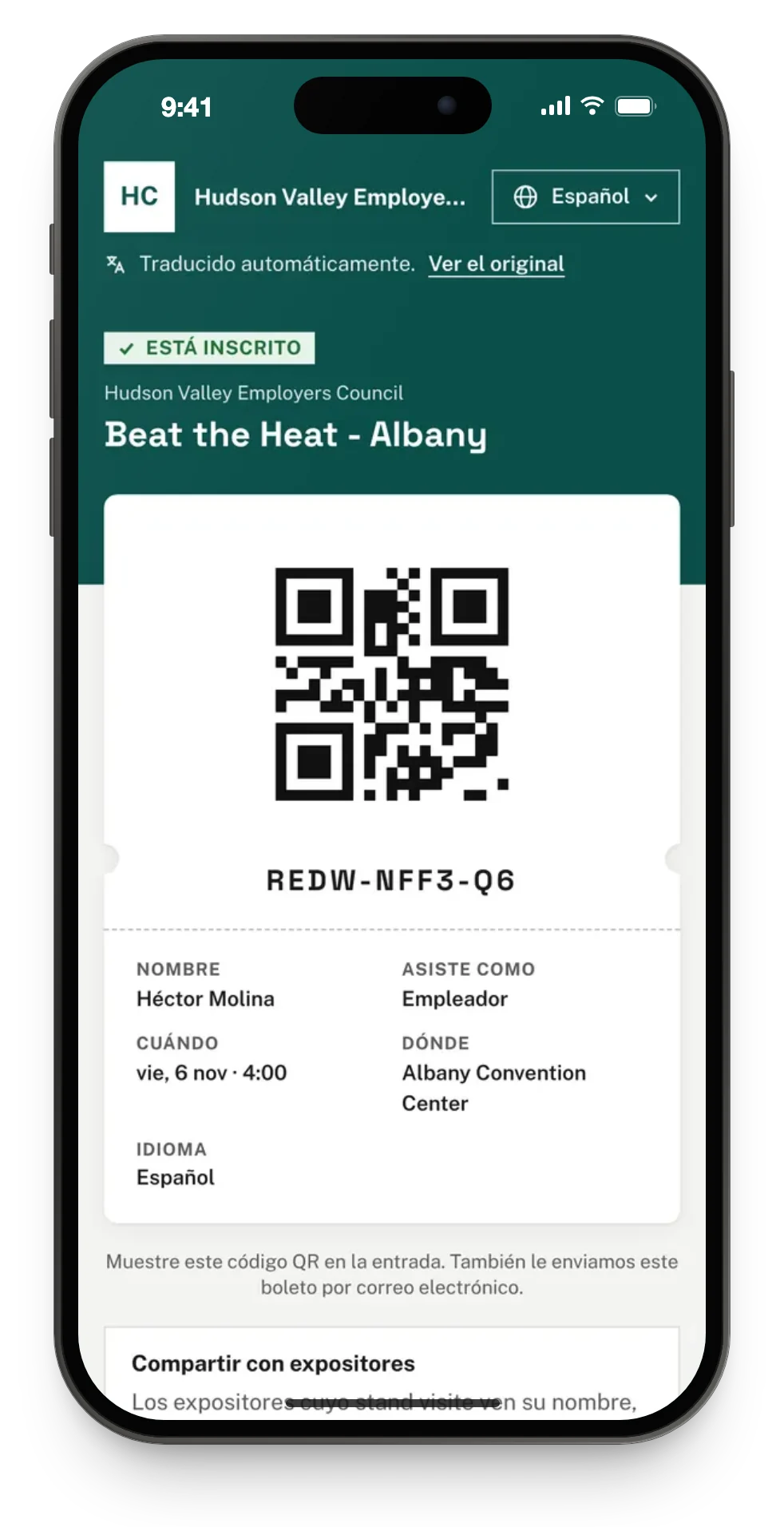
Add any language to an event, and Talli translates its registration page, questions, tickets and emails automatically. Each person gets their ticket and confirmation email in the language they registered in.
You cannot vouch for machine translation
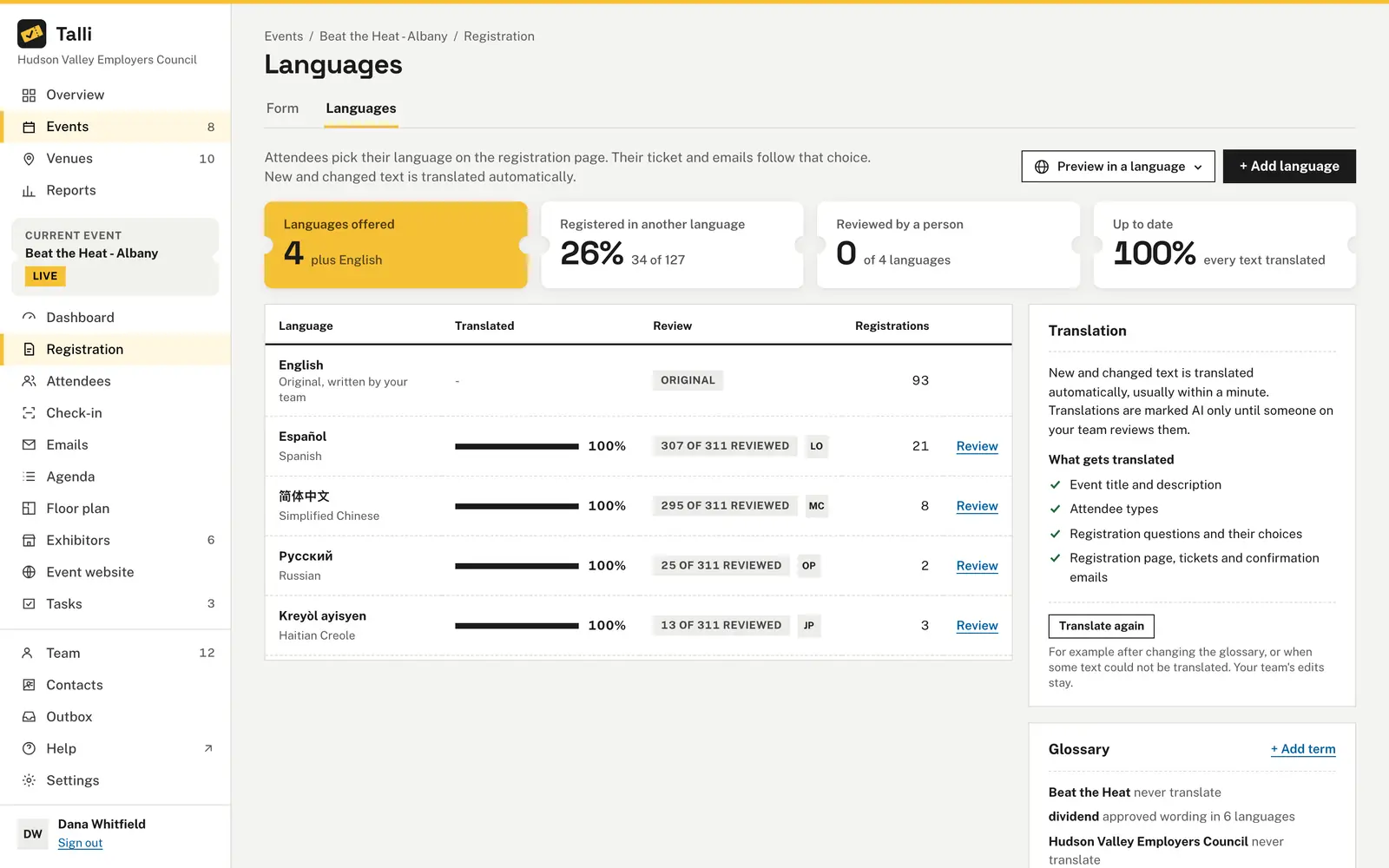
Your team reviews every text side by side with the original and marks it Looks right or edits it. Edits are never overwritten, and unreviewed text carries a "Translated automatically" note with a link to the original.
People need to know they can get in
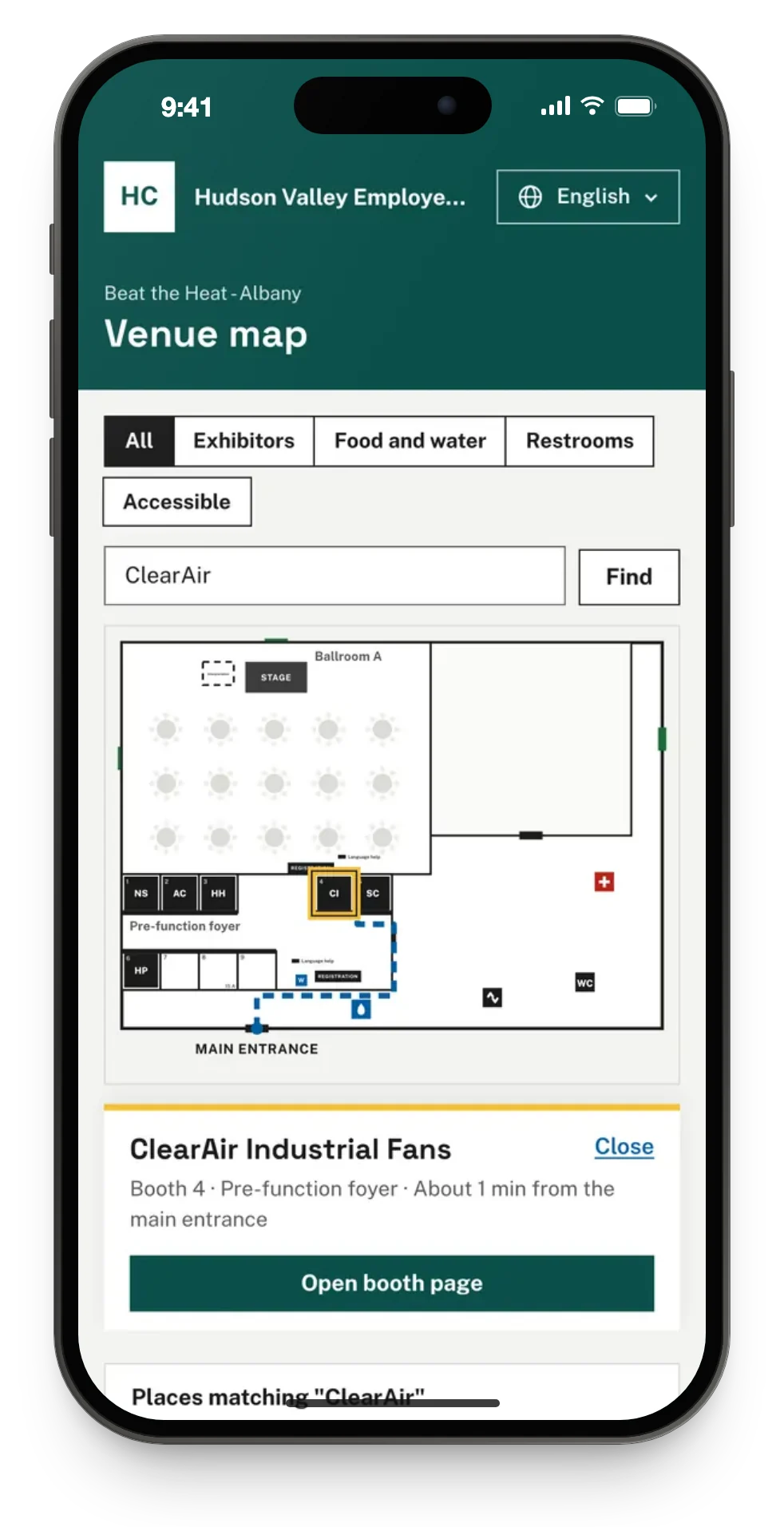
Each venue keeps an accessibility checklist with the month it was last checked, translated for attendees. The floor plan checks for a step-free route, and the venue map shows step-free routes when someone asks.
You have to show who changed what
Talli records every change with who made it, when, and whether it came from the web app or an AI assistant. A change and its log entry are saved together, so no change goes unrecorded.
Community venues often have no signal
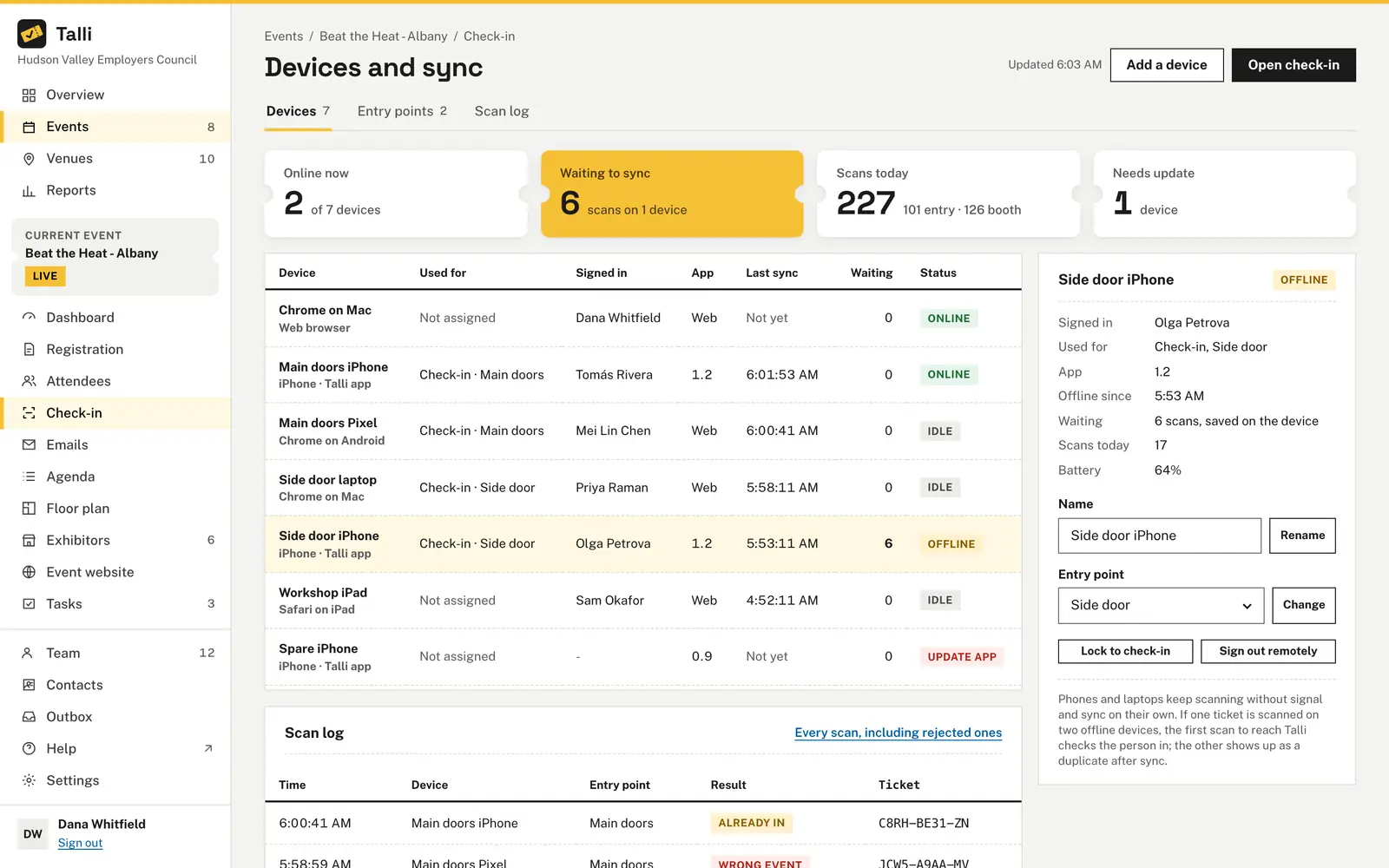
Open check-in while connected and the event's list is saved on the device. Scanning and search keep working offline, and waiting scans sync on their own when the connection is back.
How you would plan and run an event with Talli
Take a fictional program: the Northfield County heat safety workshops, run at three library branches in English, Spanish and Haitian Creole.
1. Plan
- Under Settings, then Languages, choose the languages new events start in and add the program's name to the glossary as Never translate. Glossary
- Fill in each branch's Accessibility checklist, such as a step-free entrance or an accessible restroom. Venues
- Create a layout from the Seminar preset and watch the Step-free route and Language help sign near registration checks. Layouts
- Use Clone and + Add another location to make a draft for each branch, each on its own date. Cloning events
2. Open registration
- On the Registration tab, open Languages, choose + Add language and Save languages. Languages
- Choose Review next to each language and mark each text Looks right or save your edit. Review
- The form asks preferred language, interpreter and accessibility needs. Mark sensitive questions as Private answers. Registration form
- Choose Publish and share the registration page link. Registration
3. Before the day
- Work through the Multilingual event checklist on the Tasks board, from interpreter requests to staff briefing. Tasks and checklists
- Print Directional signs for each entrance, labeled in up to three languages with a QR code to the map. Signs
- Under Devices and sync, assign each staff member to the event or one entry point. Staff assignments
4. On the day
- Open Check-in while there is signal; it says how many people are saved on the device. Offline check-in
- The Welcome! card shows each person's language and whether they asked for an interpreter or have accessibility needs. Check-in
- The event Dashboard shows who is here by type and language, live. Dashboard
What Talli gives public programs
The parts of Talli that matter most when your events are open to everyone.
Any language, up to 30 per event
Registration pages, tickets, confirmation emails, the agenda, surveys and the event website in each attendee's language. Right-to-left languages are laid out right to left.
Reviewed translations and a glossary
See how much of each language your team has reviewed. The glossary keeps program names as written and your approved wording in every language.
Registration that works for more people
The registration page works on phones, with keyboards and screen readers, and without JavaScript. Your brand color must keep white text at WCAG 2.1 AA contrast.
Step-free routes
Layouts check for a 3 ft step-free route to accessible seating. On the venue map, the Accessible filter lists step-free places and every route avoids stairs.
Roles and activity log
Owners, admins and staff each have a role, and staff can look but not change. Every change is recorded with who made it and when.
Offline check-in and devices
Check people in without signal, see every device and the scans waiting on it, and sign a lost phone out remotely.
Multilingual event checklist
Events offered in another language get a checklist by themselves: translated pages, interpreter requests, handouts and a language poster at the entrance.
Language access report
Registrations per language, the share in another language than the event's own, and interpreter requests, for any period and region.
Frequently asked questions
Which languages can we offer?
Any language. If it is not in the list, type its code. An event can be translated into up to 30 languages.
Do attendees see translations nobody has checked?
Only with a note. When some text is an automatic translation nobody has reviewed, the page shows a small "Translated automatically" note with a link to the original.
Is the registration page accessible?
The registration page works on phones and with keyboards and screen readers, and also works without JavaScript. The accessibility needs question keeps its answers private, hidden from AI assistants by default.
What happens if the venue has no signal?
Check-in keeps working. Scans are saved on the device and sync on their own when the connection is back, and each ticket still counts once.
What personal data stays on a check-in device?
The saved list has names, ticket codes, attendee types, languages and check-in times. No emails, phone numbers or answers are kept on the device, and signing out deletes the saved lists.
Plan your next community event in Talli
Ask us for a demo, or sign in to set up your next event.