 Talli
Languages
Welcome everyone in their own language.
Offer each event in any languages your attendees read, and Talli translates its registration page, questions, tickets, agenda and emails automatically. Your team reviews and edits the translations side by side, and a glossary keeps names and approved wording right.
What stops events from reaching every language?
Common problems with multilingual events, and what Talli does about each one.
Translating everything takes weeks
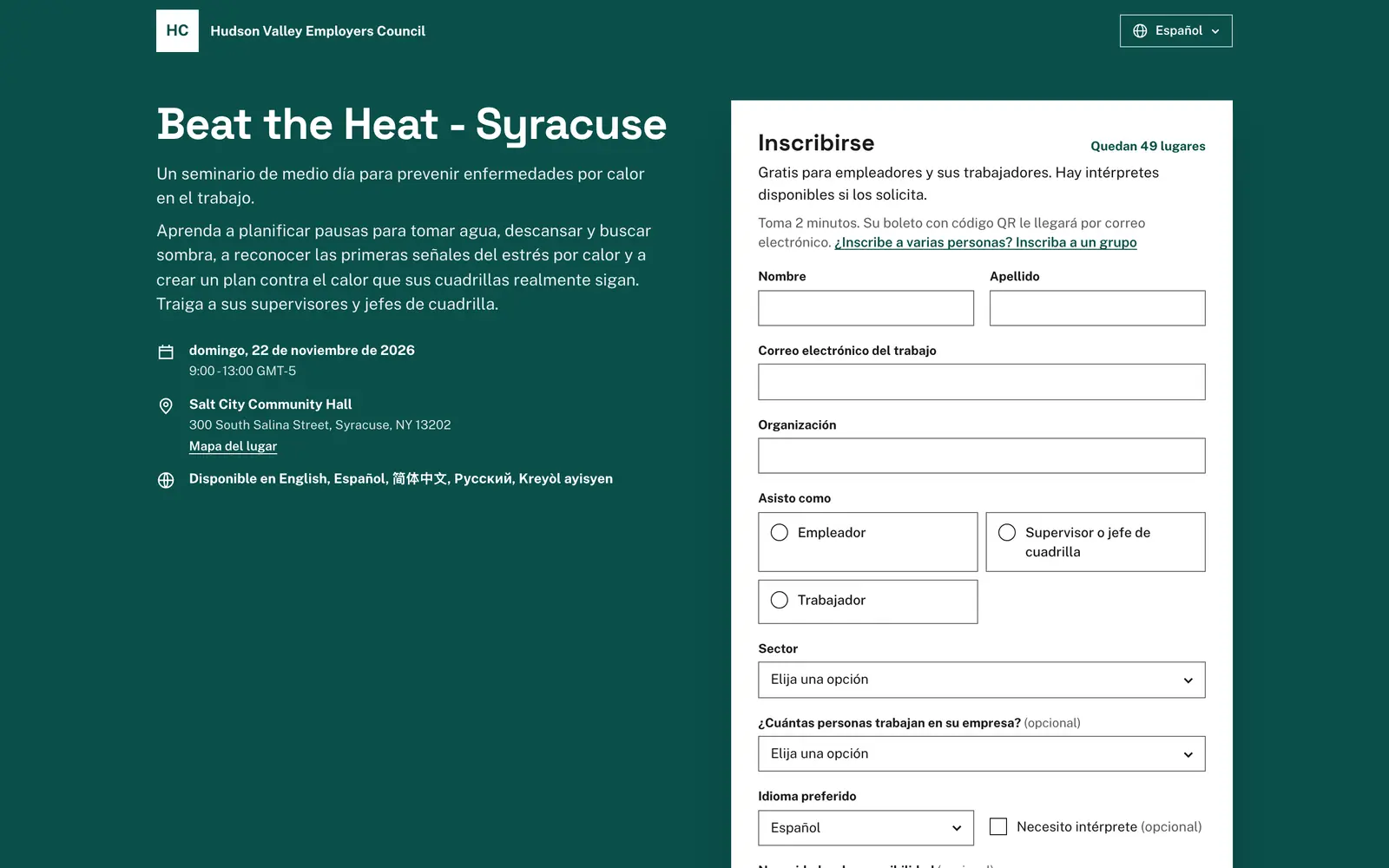
Add a language and Talli starts translating right away, usually within a minute. Any language works, from Haitian Creole to Brazilian Portuguese, and languages written right to left, such as Arabic and Urdu, are laid out right to left.
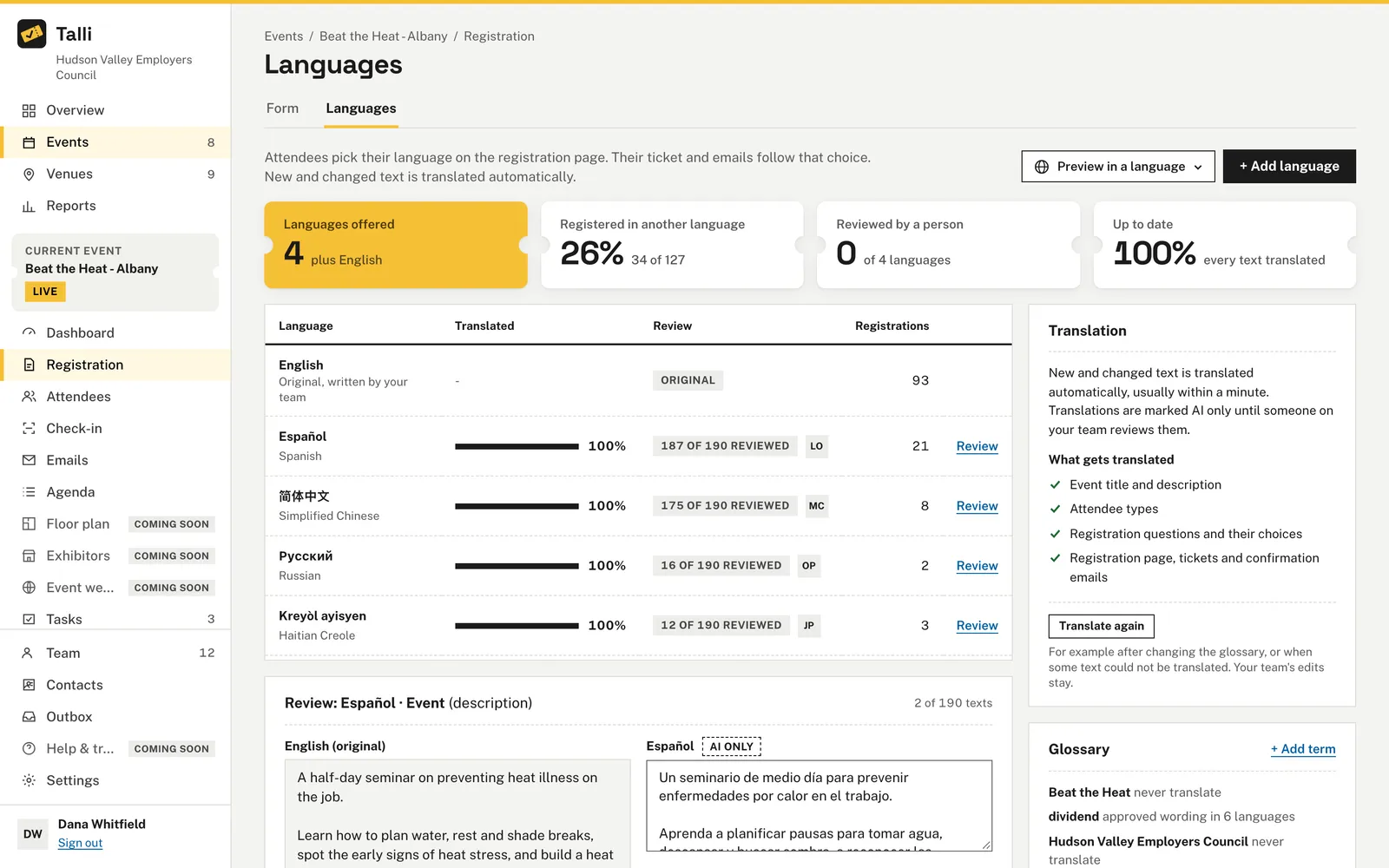
Nobody checks the machine translation
Choose Review next to a language to see each original next to its translation. Choose Looks right to mark it reviewed, or edit it and choose Save edit, and the public page shows your wording at once.
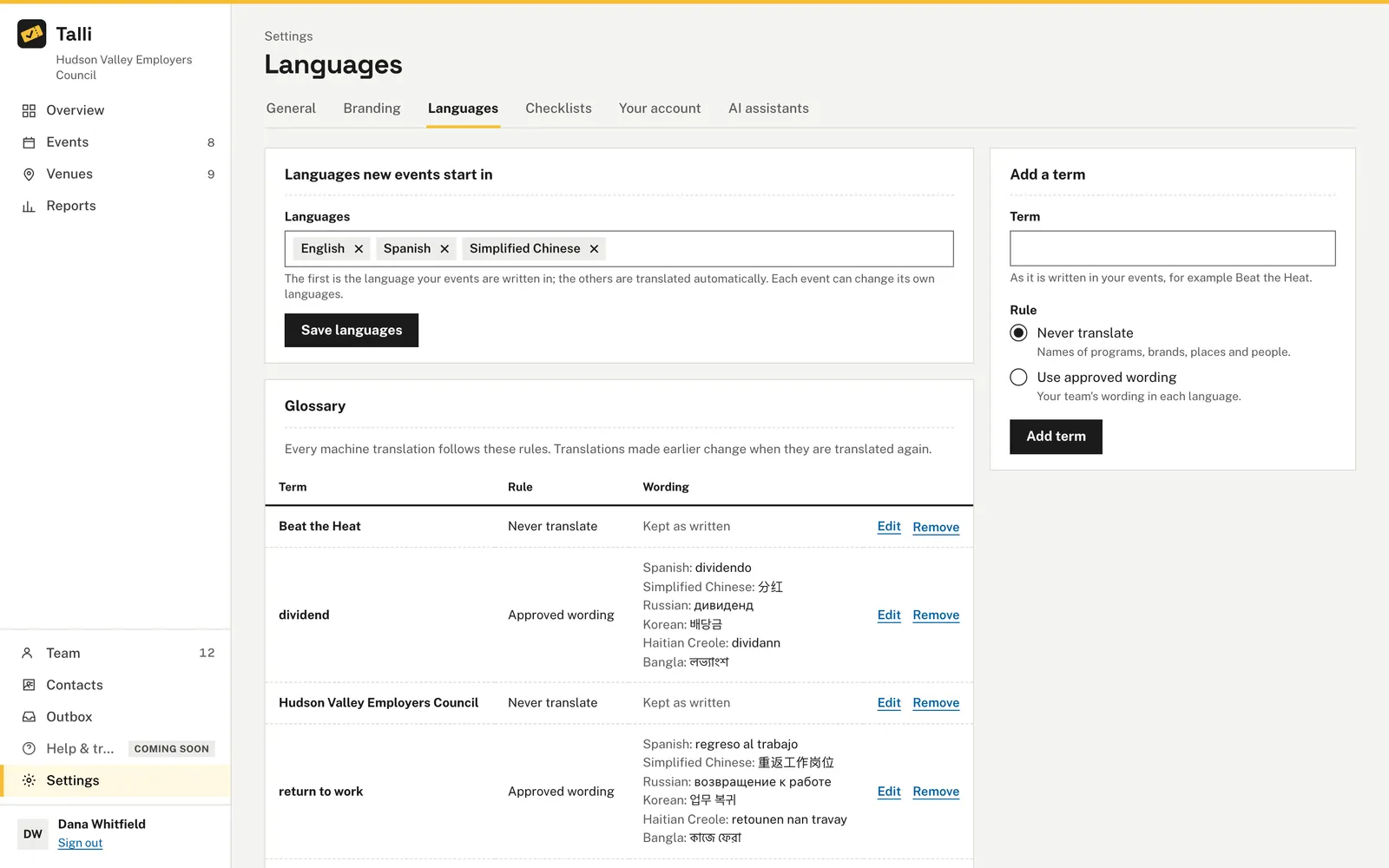
Program names get translated
Add terms to your organization's glossary as Never translate, or give your approved wording in each language. Every new automatic translation follows the glossary.
A change undoes your team's edits
When you change the original text, Talli translates it again. Edited translations are never overwritten: they stay as your team wrote them and are marked Needs review.
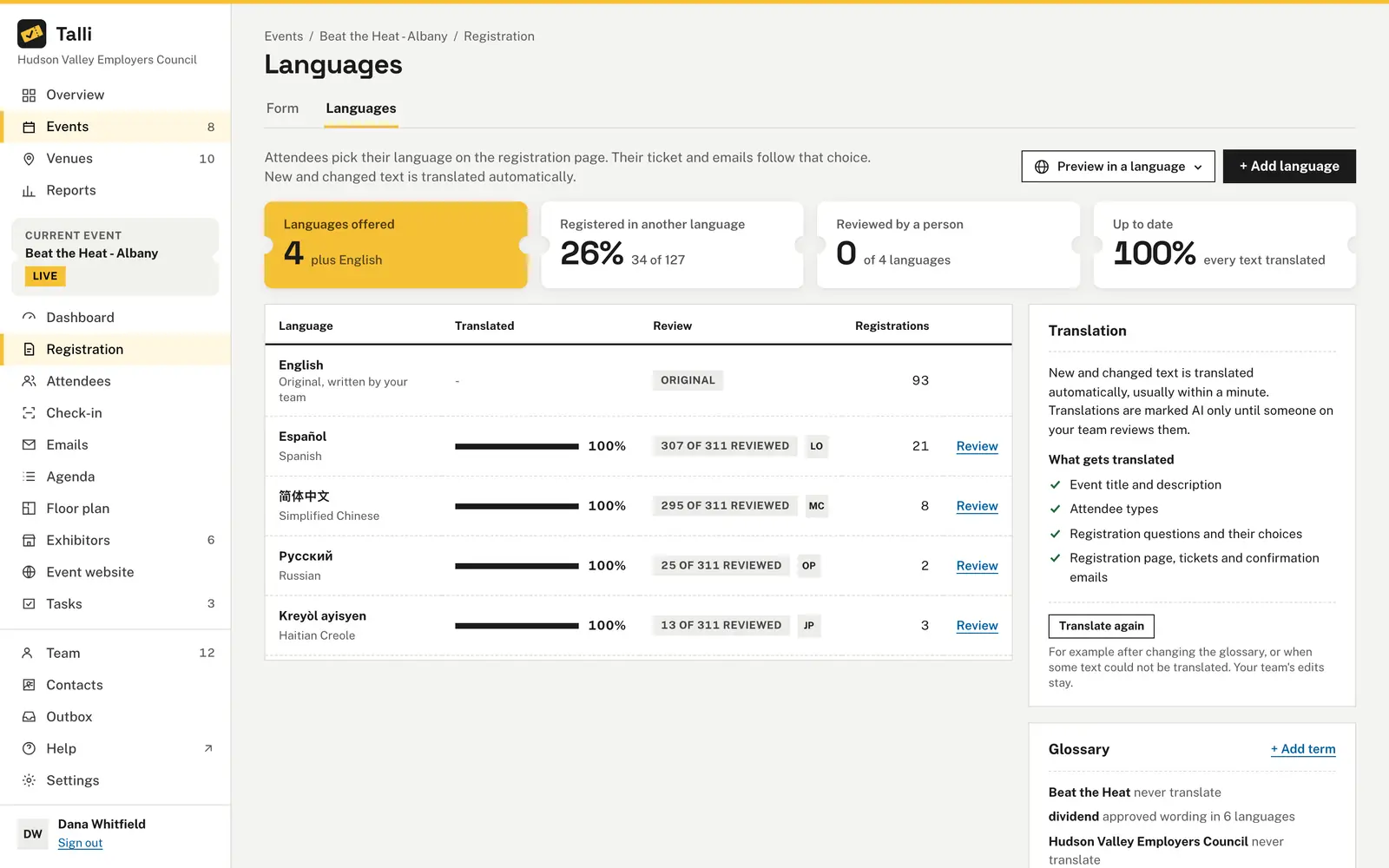
You cannot tell what is ready
The Languages tab shows how many languages are offered, the share of people registered in another language, how many languages are fully reviewed, and how much text is up to date, with a review state for each language.
How it works
From one language to many in a few steps.
Set your defaults
In Settings, Languages, choose the languages new events start in and add glossary terms.
Add languages to an event
Open the event's Registration tab, then Languages, choose + Add language, pick one and choose Save languages.
Review the translations
Choose Review next to a language and go through each text with Looks right, Save edit, Previous and Next.
Attendees pick their language
Attendees choose from the menu at the top of the registration page, and their ticket and confirmation email use the language they registered in.
Frequently asked questions
What does Talli translate?
The event's title and description, attendee types, registration questions, the agenda, the venue's parking, transit and accessibility notes, the registration and ticket pages, the event's emails, surveys, live booth pages and the published event website.
How do attendees know a text was translated automatically?
When text on the page is an automatic translation nobody has reviewed, the page shows a small Translated automatically note with a link to the original.
Are dates translated by AI?
No. Dates and times are written in the attendee's language from the event's data, never translated by AI. Venue names and addresses are shown as you wrote them.
How many languages can an event offer?
An event can be translated into up to 30 languages, and the glossary holds up to 500 terms.
What if a text could not be translated?
Talli translates everything else and attendees see that text in the original language. Choose Translate again, or write the translation yourself in Review.
Reach attendees in every language
See how Talli translates an event and how your team reviews it.