 Talli
Check-in
Check people in from any phone.
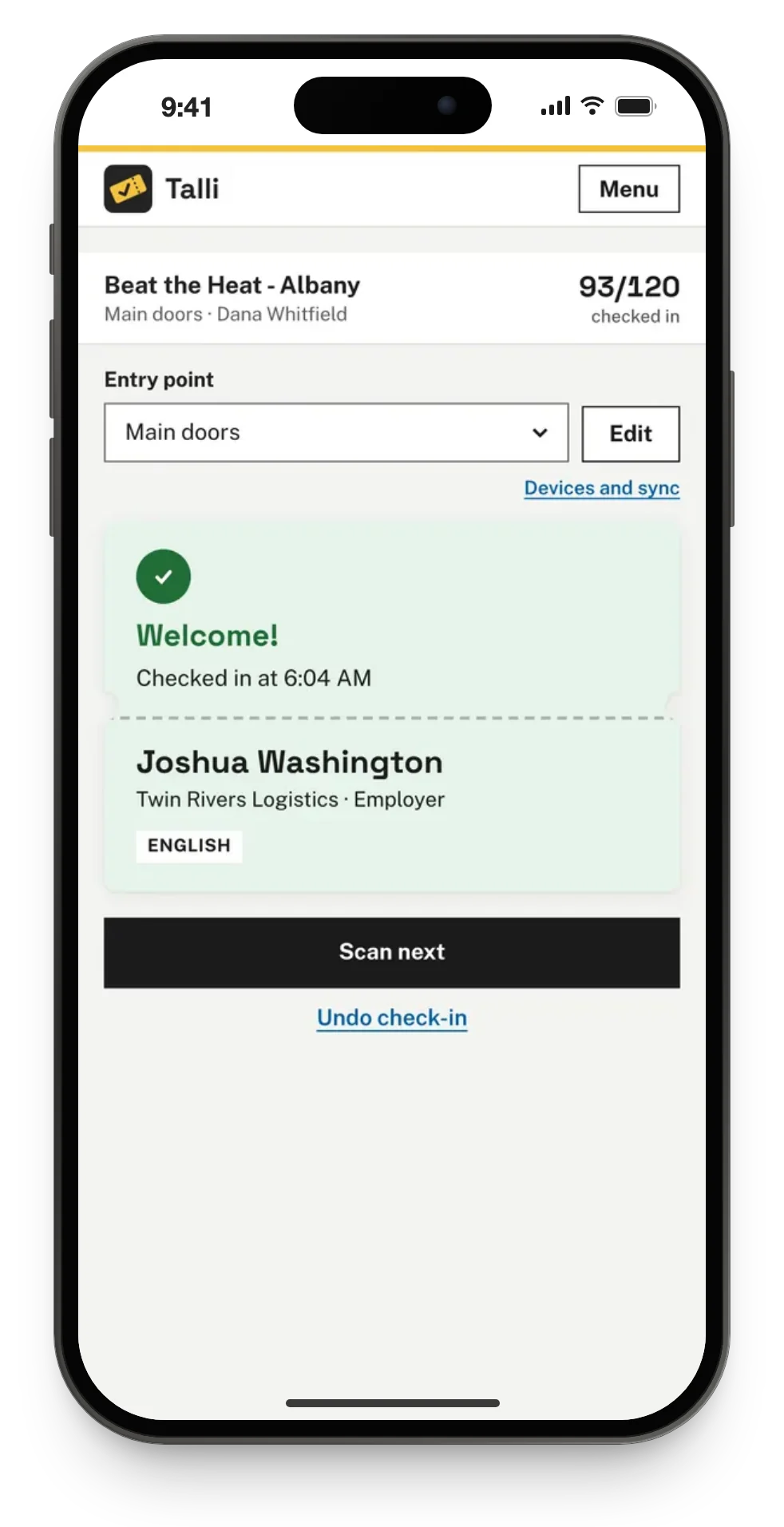
Door staff scan the QR code on a ticket or find someone by name, from a phone browser or the Talli app on an iPhone. Every scan shows a clear result card, and each ticket counts once, whichever phone or door scans it first.
What slows down a door, and what Talli does about it
Common problems at check-in, and how Talli handles each one.
People arrive without their ticket
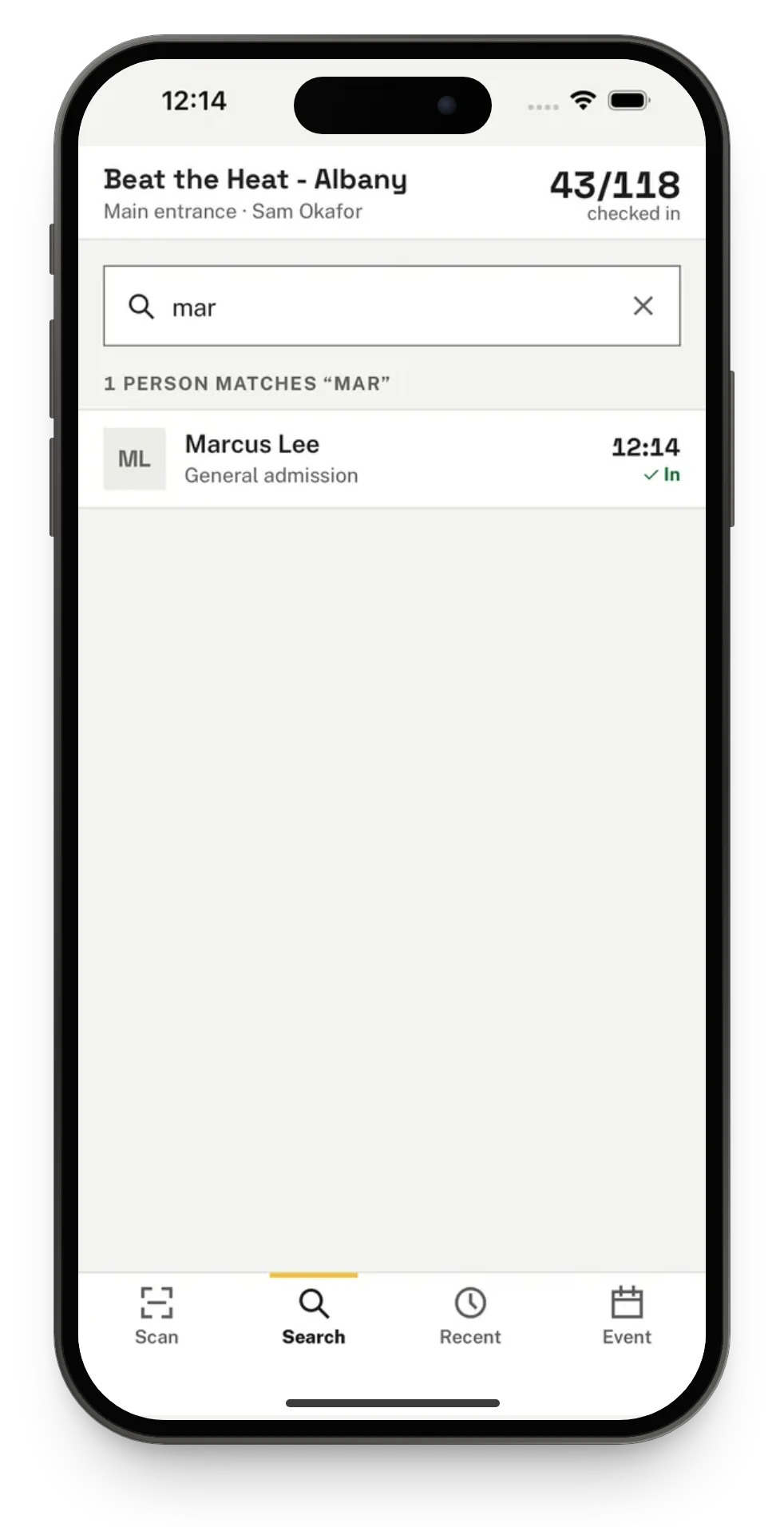
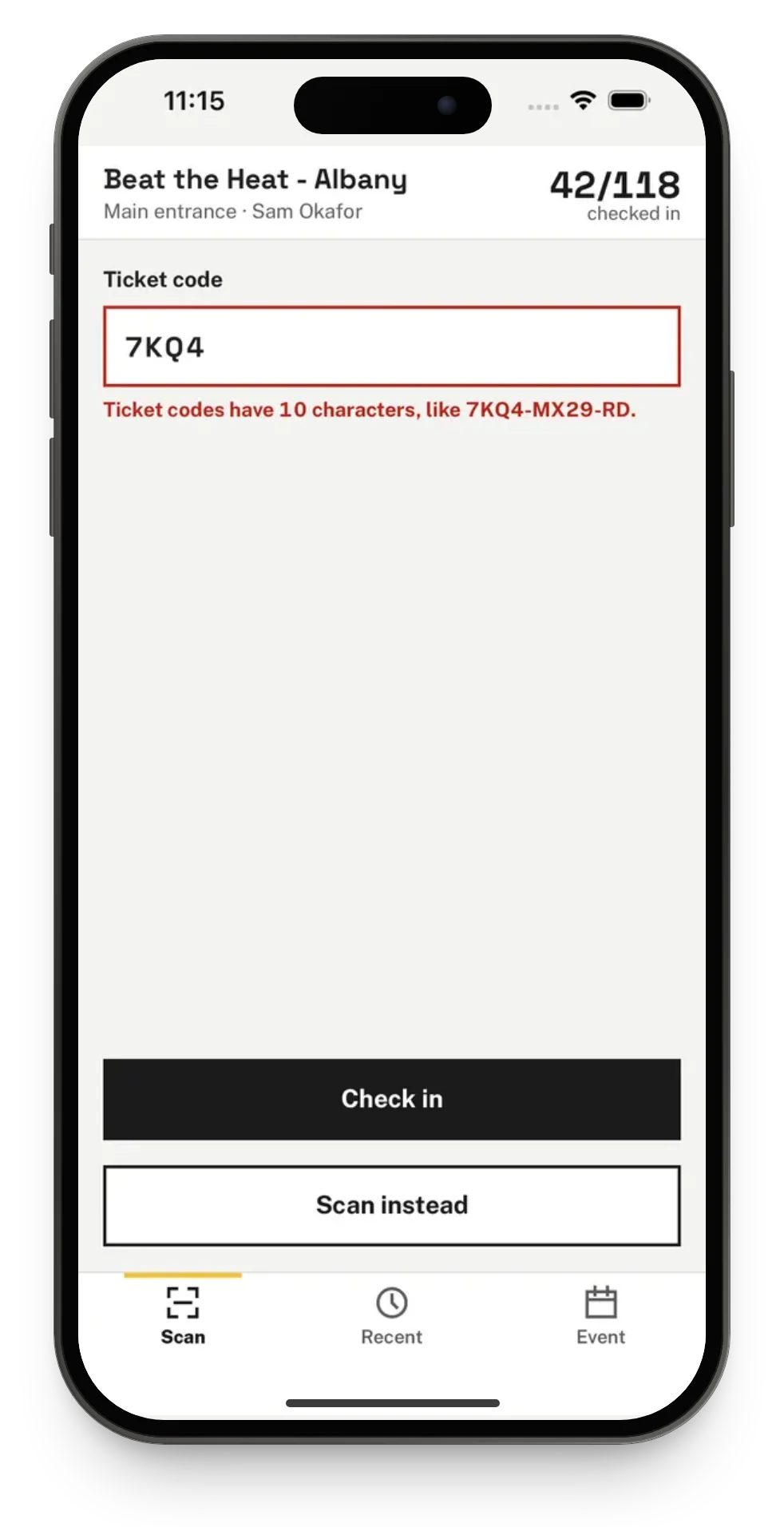
Tap Search and type part of a name, email or organization, or type the code printed under the QR code. Capitals and dashes do not matter, and the same result card appears as for a scan.
Session attendance and credits get tracked on paper
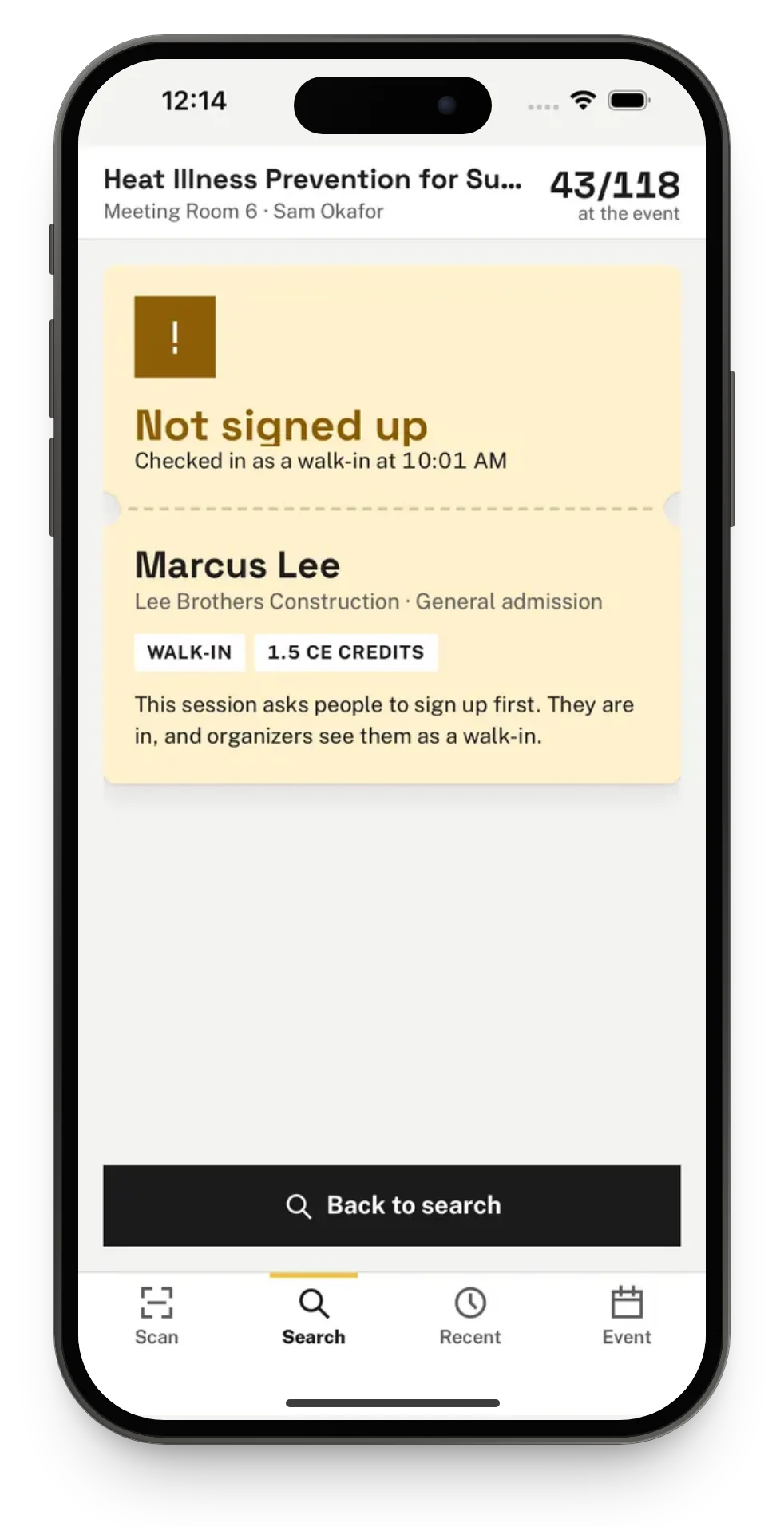
Each session that takes sign-ups or awards CE credits has its own entry point. A scan there checks the person in to the session and shows the credits awarded. Someone without a seat gets an amber Not signed up card and is still checked in and credited, since they were there.
The office cannot see who has arrived
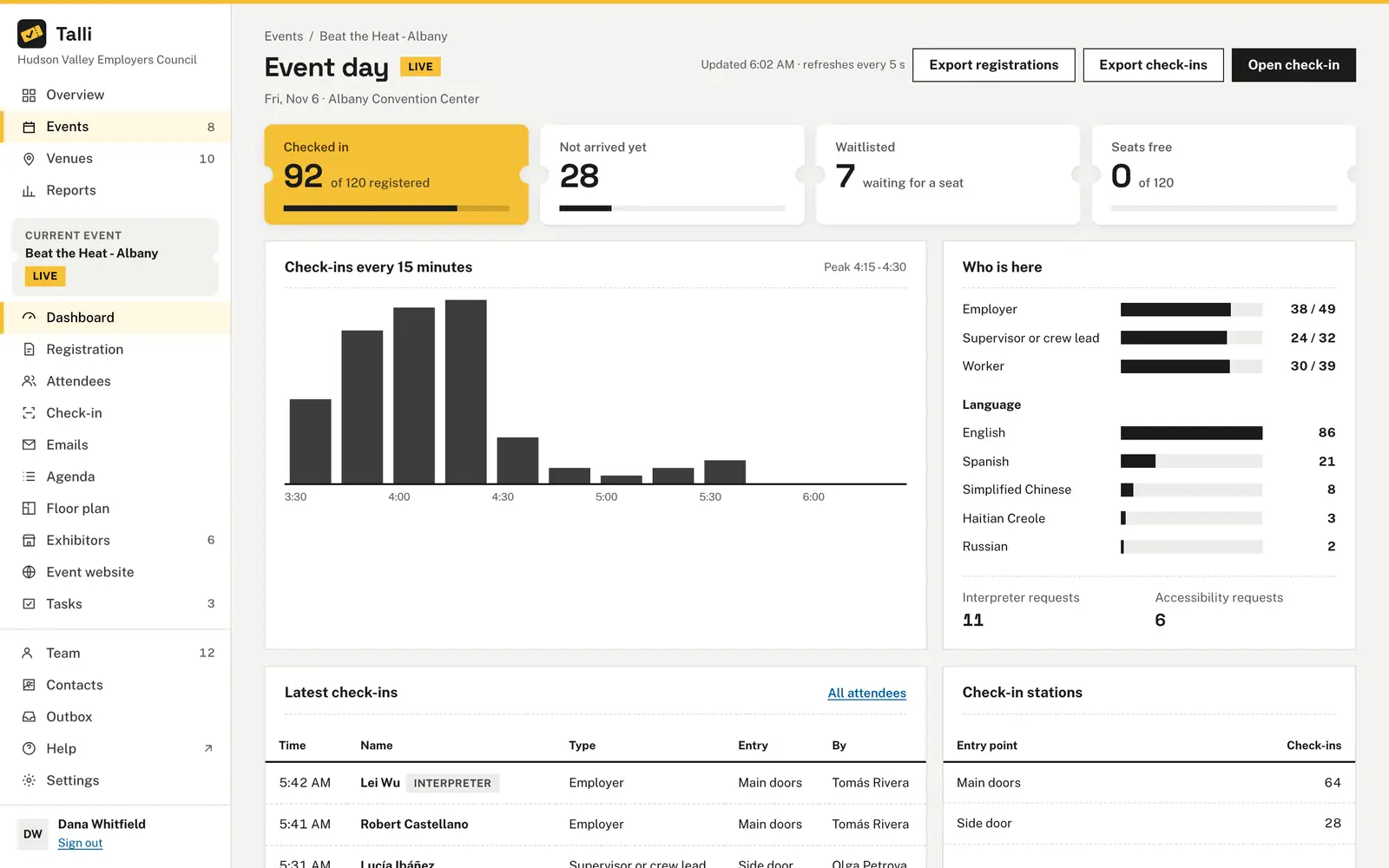
The event's dashboard shows check-ins live, with arrivals every 15 minutes, who is here by attendee type and language, and the latest check-ins with the entry point and who scanned them.
Nobody knows if a ticket was already used
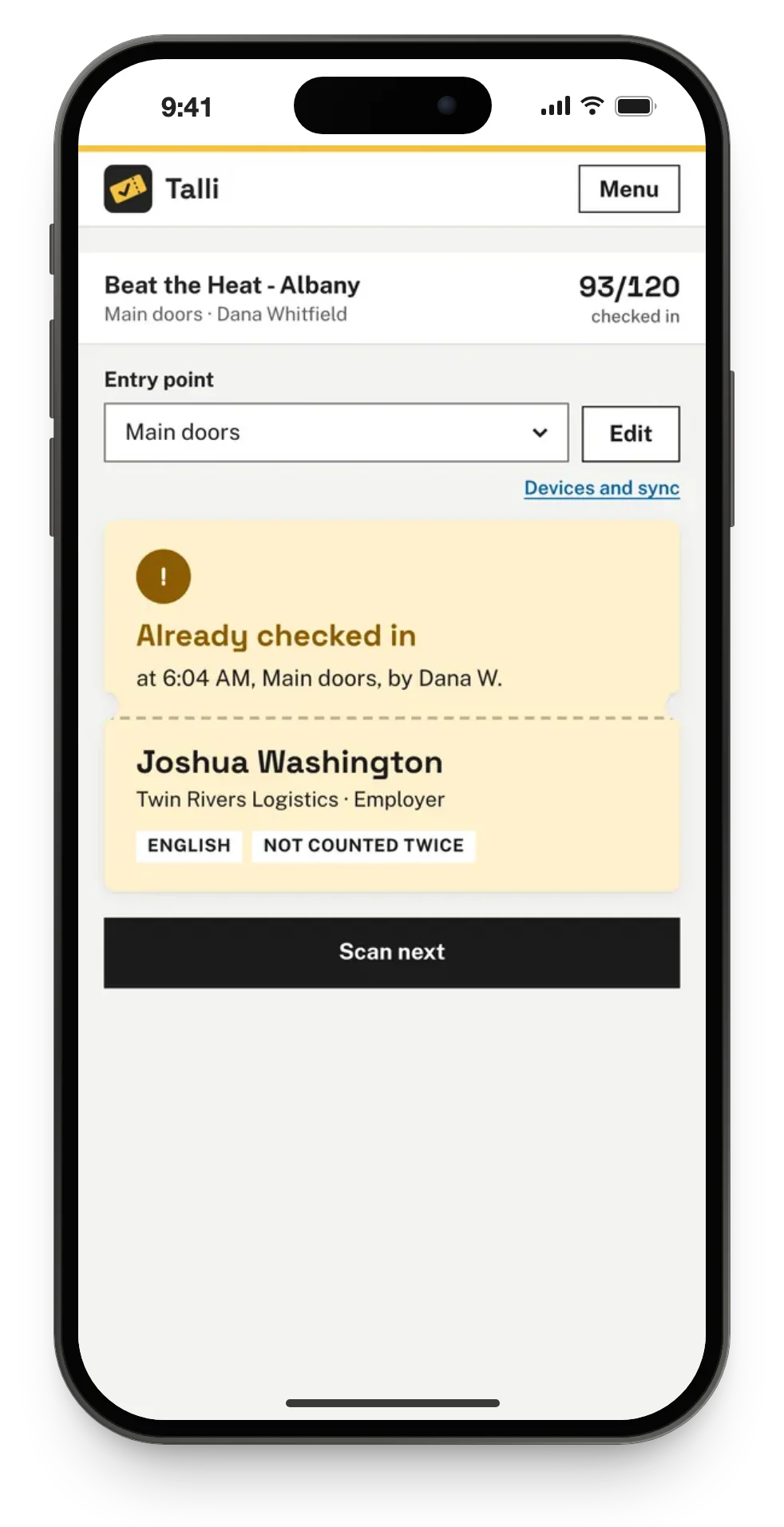
Each registration is checked in at most once, even when two phones scan the same ticket at the same moment. A second scan shows an amber Already checked in card with when, at which entry point and by whom, and it is not counted.
The signal drops when the doors open
Check-in keeps working without a connection. Scans are saved on the device and sync on their own when the connection is back, still counted once per ticket.
How it works
Open check-in on a phone, choose where you are standing and start scanning.
Open check-in
Sign in to Talli on the phone, open the event and choose Check-in. On an iPhone, open the Talli app and tap I'm working the door.
Choose your entry point
Under Entry point, choose where you are standing, for example Main entrance. The phone remembers the choice for the event.
Scan a ticket
Point the camera at the QR code on the attendee's ticket, on their phone or printed, and read the result card.
Scan the next person
Tap Scan next. The camera stays on between scans, and the top of the page shows how many confirmed attendees are checked in.
Frequently asked questions
Do door staff need a special device?
No. Check-in runs in any phone browser, and there is also a Talli app for iPhone. The camera needs a secure (https) link; search by name and typed codes work even when the camera is blocked.
What happens if the same ticket is scanned twice?
The second scan shows an amber Already checked in card with when, at which entry point and by whom, and it is not counted. Each registration is checked in at most once, whichever phone or entry point scans it.
Can waitlisted or cancelled people be checked in?
No. Only confirmed registrations are checked in. A waitlisted or cancelled ticket shows its own result card and is never counted.
Can I set up more than one door?
Yes. Every event starts with Main entrance, and owners and admins can rename, add or remove entry points of the kinds Door, Session room or Booth, up to 30 per event.
What if someone was checked in by mistake?
Owners and admins can tap Undo check-in under a Welcome card. The person counts as not arrived again, and their next scan checks them in.
Get people through the door faster
See check-in on your own event, with your doors and your tickets.