 Talli
AI assistants
Run Talli from your AI assistant.
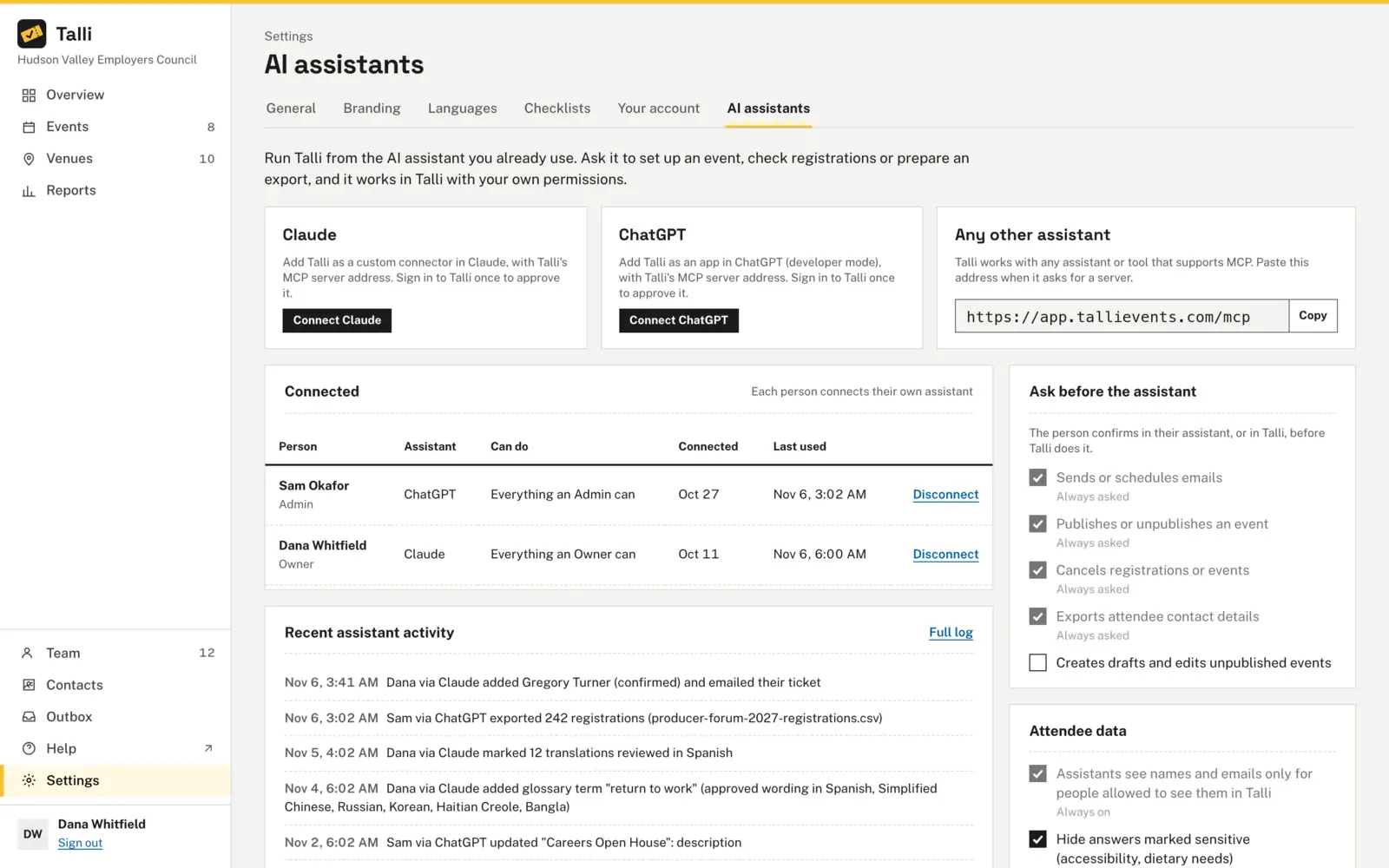
Connect Claude, ChatGPT or any assistant that supports MCP. It works in Talli as you, with your role's permissions, asks for your OK before anything risky, and every change it makes is recorded.
What makes teams wary of AI in their event data
Common worries about letting an assistant act, and what Talli does about each one.
An assistant could do more than you can
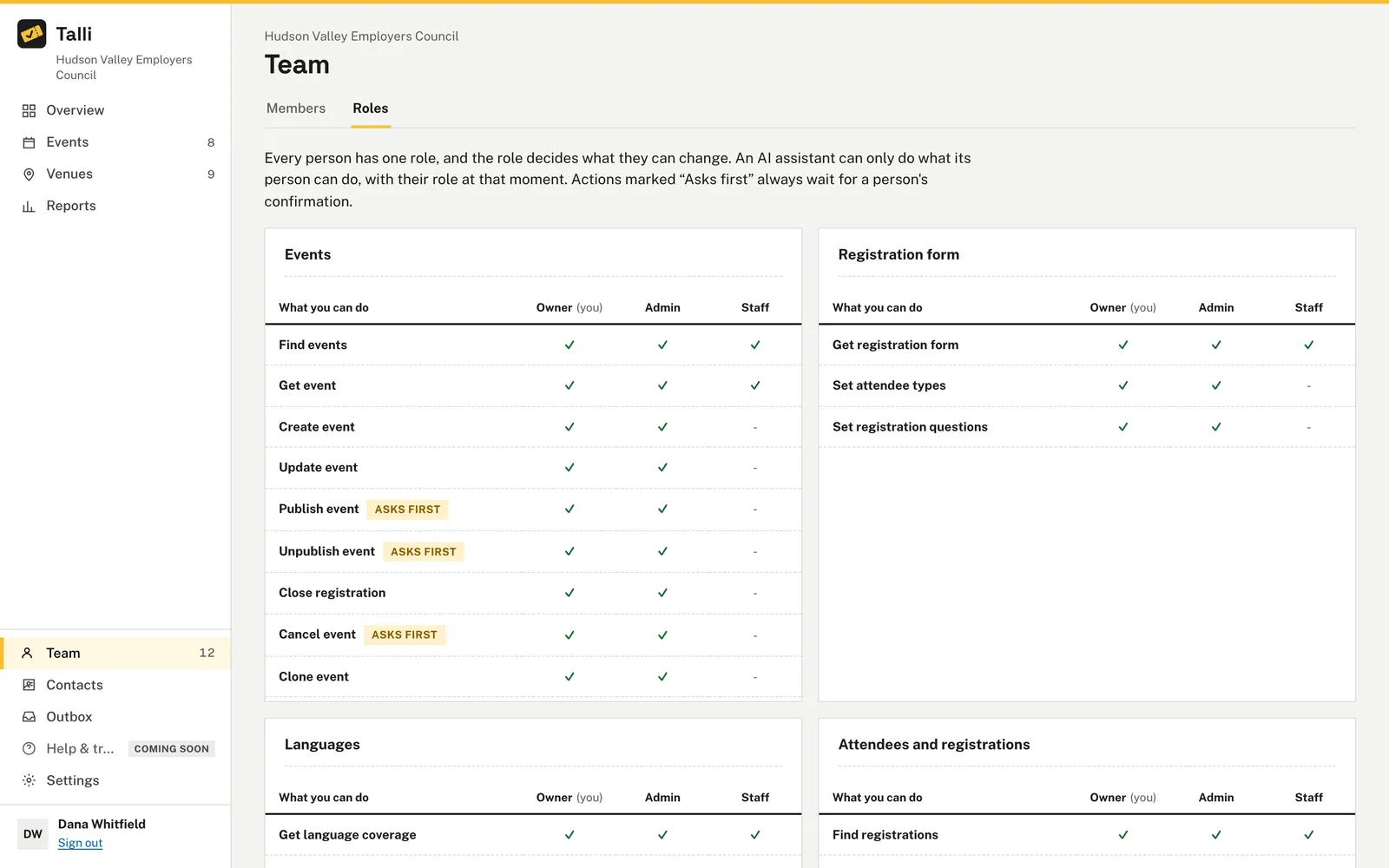
An assistant works as the person who connected it, with that person's role and never more. If someone leaves the organization their assistants stop working, and a role change applies to the next request.
It might send or publish without asking
Sending or scheduling emails, publishing or unpublishing an event, cancelling registrations or events, giving a waitlisted person a seat and exporting contact details always wait for your OK. A saved request expires after 10 minutes and runs at most once.
Some people should only look things up
Choose Read only on the approval screen and the assistant is only offered tools that read. An owner can require read-only connections for all staff.
Sensitive answers could leak into a chat
Answers marked sensitive on the registration form, such as accessibility or dietary needs, are hidden from assistants in attendee details, check-in lists and exports, unless an owner allows them.
Nobody knows what the assistant changed
Every change is recorded with who asked and which assistant did it, and events and attendees an assistant created are labelled "via Claude" in lists. The Connected table shows when each connection was made and last used.
How it works
Each person connects their own assistant in a few minutes.
Copy the address
Open Settings, then the AI assistants tab, and copy Talli's MCP server address from the Any other assistant card.
Add Talli to your assistant
Choose Connect Claude or Connect ChatGPT, or add a server in any other assistant that supports MCP, and paste the address.
Approve the connection
Sign in to Talli, choose the organization and Everything you can do or Read only, then choose Approve.
Ask for what you need
Ask the assistant to look things up or make changes. Confirm risky actions in the chat or on Waiting for your OK in Talli.
Frequently asked questions
Which assistants work with Talli?
Claude, ChatGPT and any other assistant that supports MCP. Each person connects their own assistant, and an assistant works in one organization at a time.
Can an assistant change settings or permissions?
No. An assistant can never do more than the person who connected it, and it cannot change the assistant settings itself.
How do I stop an assistant?
Open Settings, AI assistants and choose Disconnect on its row in the Connected table. It stops working in Talli straight away, and owners can disconnect anyone's assistant.
Does disconnecting undo what the assistant did?
No. Disconnecting stops it from working, and the activity log keeps every change it made.
Put your assistant to work on your events
See an assistant connected to Talli on your own events.