 Talli
For expos and trade shows
One plan for booths, exhibitors and leads.
Talli lays out your expo floor, gives each exhibitor a booth and a portal of their own, and shares visitor contacts only when attendees agree. Attendees find any booth on a venue map in their language, and booth staff keep scanning when the signal drops.
What gets in the way of a good show floor?
Common problems on an expo floor, and what Talli does about each one.
Drawing the booth layout takes days
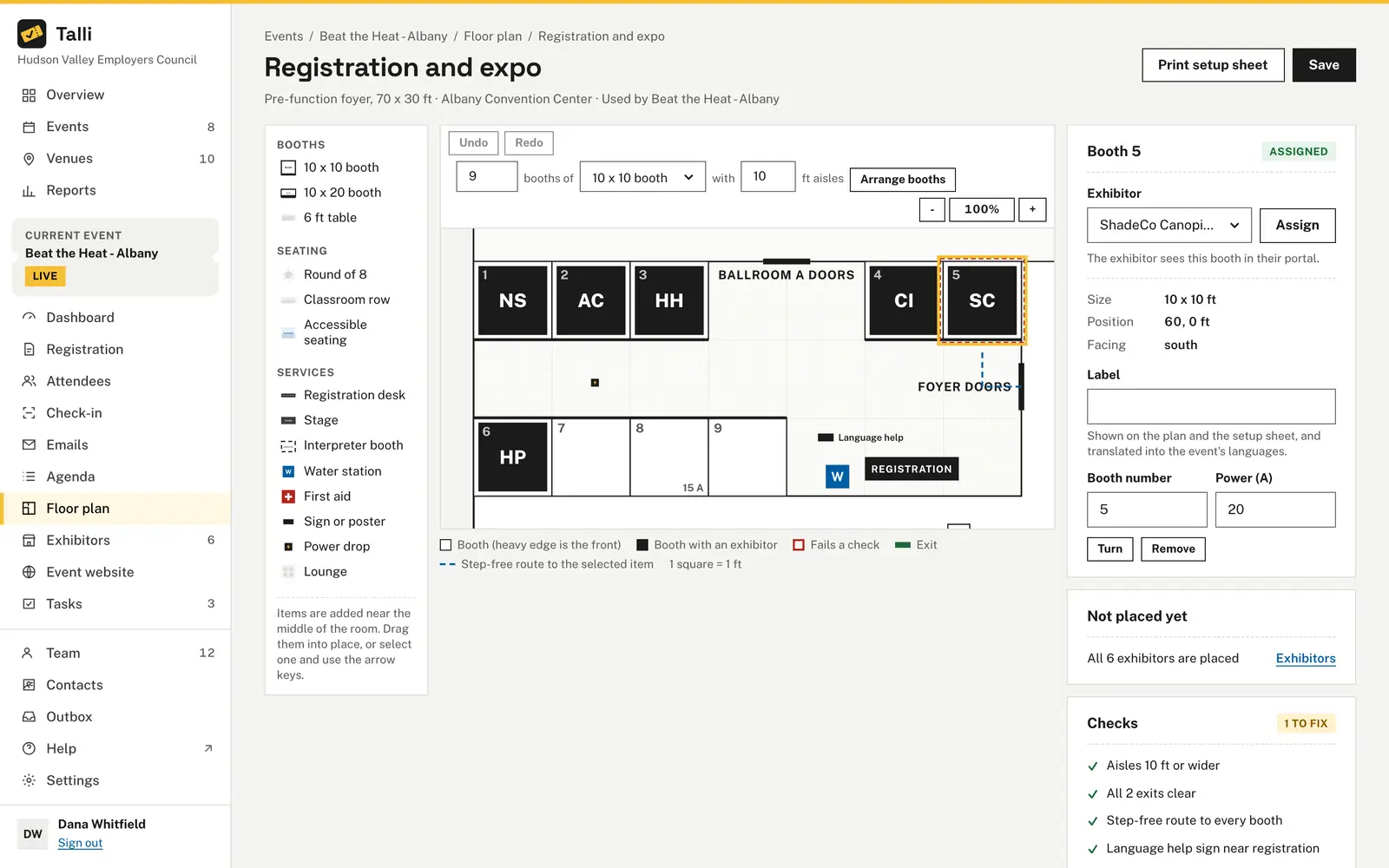
Start a layout from Expo booths, or enter how many booths, their size and the aisle width and choose Arrange booths. Talli proposes rows with the doors kept clear, and nothing changes until you apply it.
Aisles, exits and power get missed
The Checks panel updates as you edit: 10 ft aisles between facing booth rows, 5 ft clear in front of every exit, a step-free route to the front of every booth and a power drop within 30 ft of booths that need one.
Nobody knows who has which booth
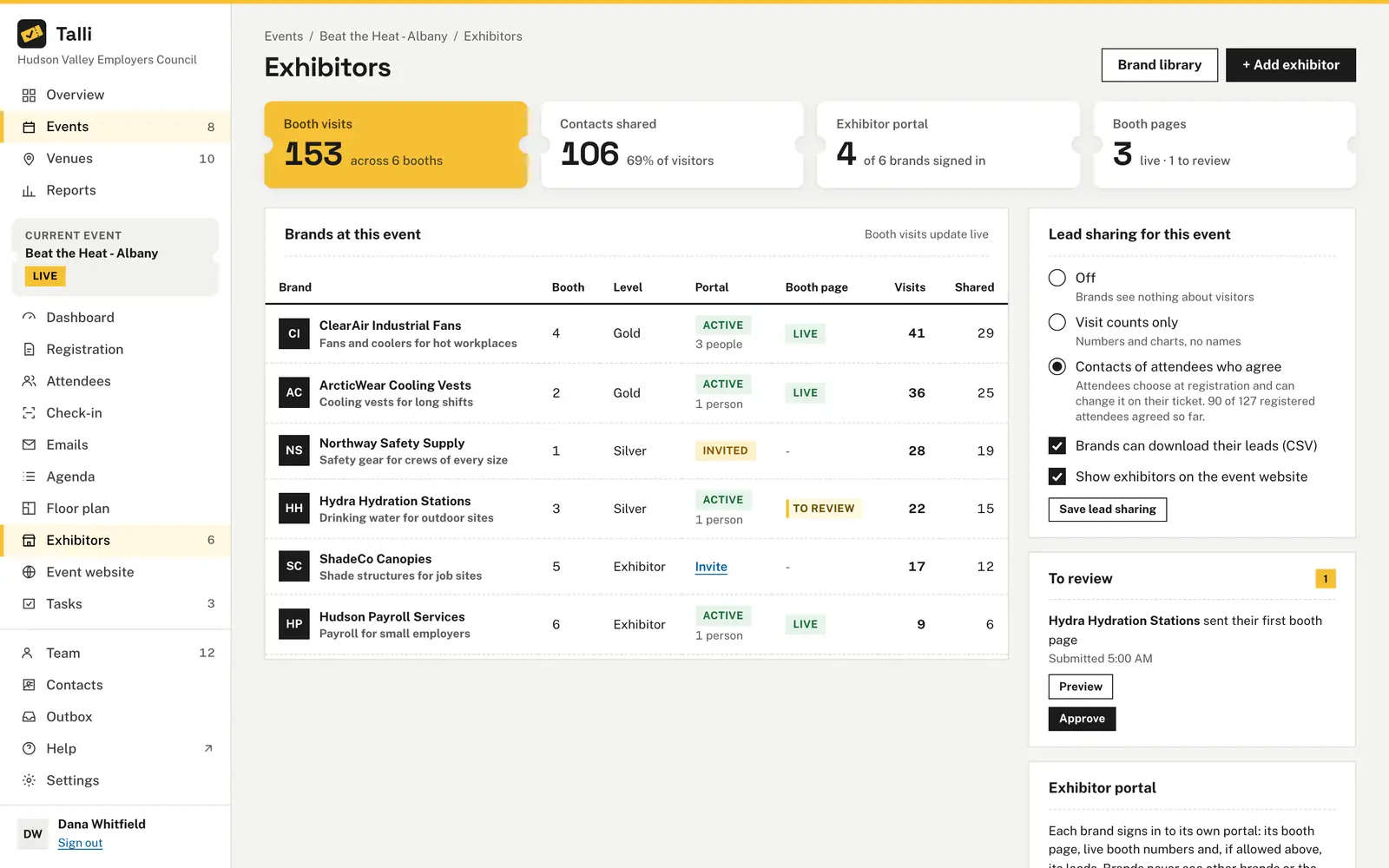
Keep every company in one brand library, add them to an event as Gold, Silver or Exhibitor, and assign booths from the plan. Taken booths show the brand's initials, and Not placed yet lists who still needs one.
Exhibitors want leads, attendees want privacy
Choose what brands learn: nothing, visit counts only, or the contacts of attendees who agree. Attendees opt in with an unticked box and can stop sharing on their ticket page, and Talli checks their choice every time a brand looks.
Hall signal drops when the doors open
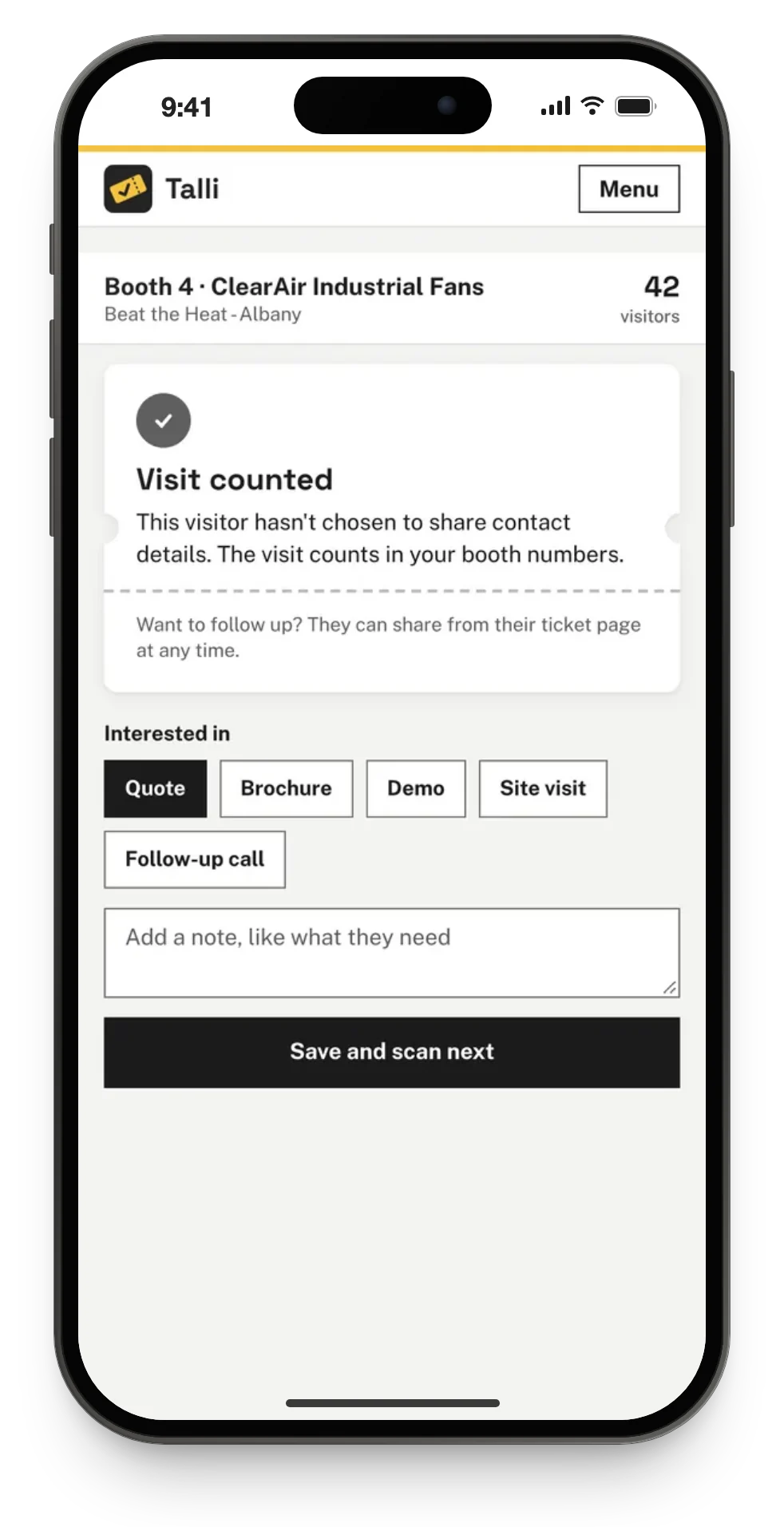
The booth scanner keeps working with no connection. Each scan is saved on the phone and sent when the signal returns, and a scan sent twice is recorded once.
How you would plan and run an event with Talli
Take a fictional show: the Lakeside Home and Garden Show, with 40 exhibitors in one hall and registration in the foyer.
1. Plan
- Put the hall on the venue's plan with its doors, step-free entrances and power drops. Venues
- On the event's Floor plan, choose New layout, start from Expo booths, then use Arrange booths for 40 booths and choose Apply and Save. Layouts
- Add each company to the Brand library with its contact and logo. Exhibitors
2. Open registration
- Choose + Add exhibitor for each brand, set its Level and give it a booth. Exhibitors
- Under Lead sharing for this event, choose Contacts of attendees who agree. The form then asks attendees, unticked, whether to share their name and email. Lead sharing
- Publish the event and its event website, with the exhibitors and venue map sections. Event website
3. Before the day
- Choose Invite on each brand to email its contact a sign-in link to the brand portal. Brand portal
- Read booth pages under To review, then Approve and publish or send them back with a note. Booth pages
- Choose Print setup sheets for the venue crew and Directional signs for each entrance. Venue map and signs
4. On the day
- Door staff scan tickets at their entry point, each ticket counted once. Check-in
- Booth staff open Booth scanner, scan a visitor's ticket, tap Quote, Brochure or Demo and choose Save and scan next. Booth scanner
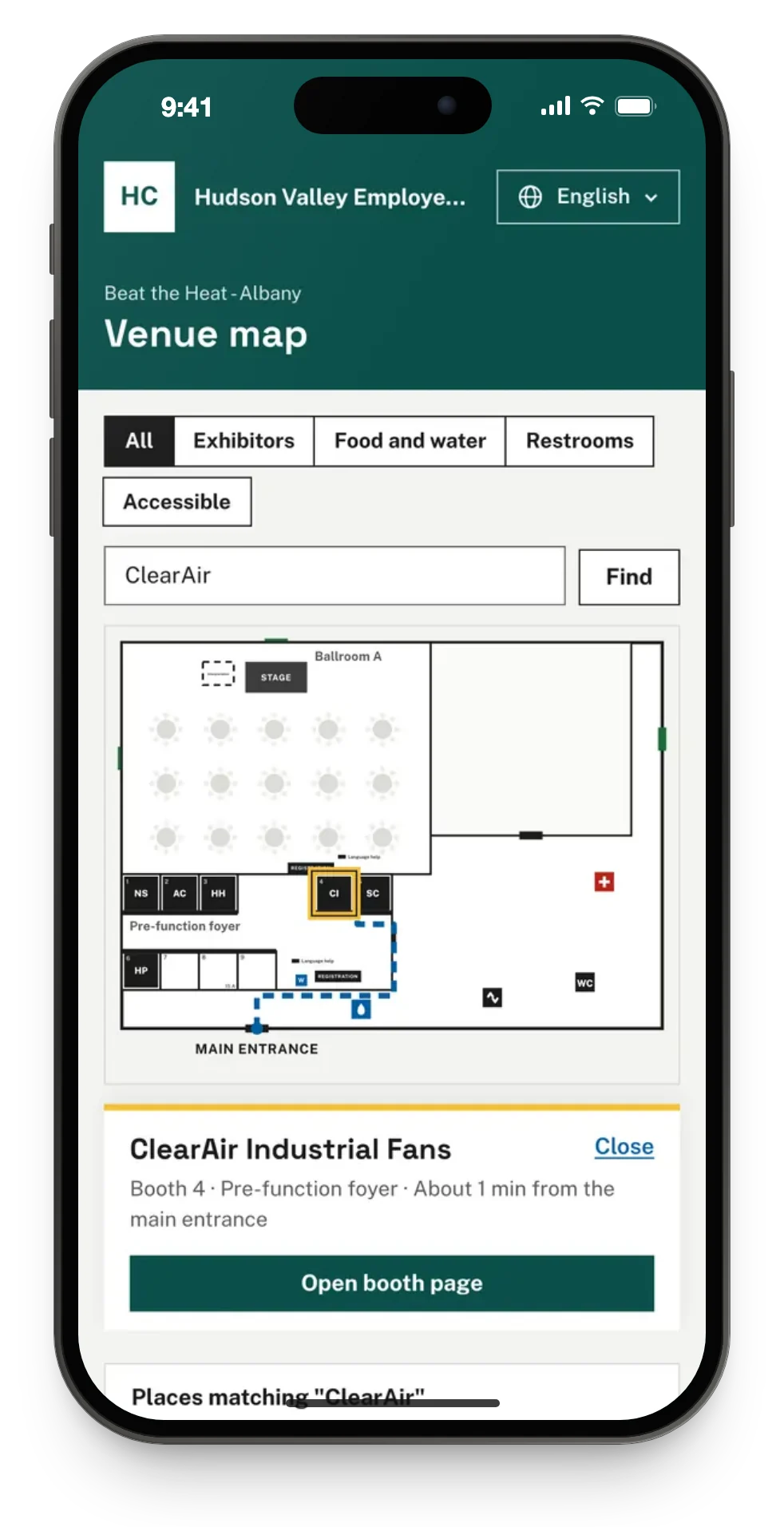
- Visitors open Venue map from their ticket and type a brand or booth number in Find an exhibitor or room. Venue map
5. After
- Brands read their leads in the portal, and use Download leads (CSV) when you allow it. Leads
- Your Exhibitors page shows booth visits and contacts shared for each brand. Exhibitors
- Run the Attendance report or export registrations and check-ins as a spreadsheet. Reports
What Talli gives expo teams
Every part works from the same venue plan, so the layout, the map, the signs and the booth list never disagree.
Floor plans and layouts
Draw a room on a 1 ft grid with booths, services, signs and power drops, check it as you go, and print a setup sheet on US letter paper.
Exhibitors and the brand library
Add a brand once and reuse it at every event, with its level, booth, notes, portal status, booth visits and contacts shared.
Brand portal
Exhibitors sign in with a link, no password, and see their booth, their booth page and their leads. They never see other brands or the attendee list.
Booth scanner
Booth staff scan a ticket QR or type its code, tag what the visitor asked about and add a note, with or without signal.
Booth pages you approve
Brands write a headline, a few paragraphs and an offer. It goes live only when you approve it, translated into the event's languages.
Venue map and signs
Attendees search for a booth and follow the walking route from the main entrance. Each entrance gets a printed sign with arrows to the booths and a QR code for the map.
Frequently asked questions
Do exhibitors need a Talli account or a password?
No. The brand's contact gets a sign-in link when you invite the brand, and anyone at the brand can ask for a new link with their work email. There are no passwords in the portal.
What do exhibitors learn about the people who visit their booth?
It depends on the lead sharing setting you choose for the event: nothing, visit counts only, or the name, organization and email of visitors who agreed to share them. Visitors who did not agree are counted but never listed.
Can an attendee change their mind about sharing their contact?
Yes. Attendees can stop sharing or start again on their ticket page at any time. Talli checks their choice every time a brand looks at or downloads its leads, so a change applies straight away.
Does the booth scanner work without signal?
Yes. Scans are saved on the phone and sent as soon as the signal returns, and a scan sent twice is recorded once. An offline scan shows no name until the server has checked the visitor's consent.
How many booths can a layout hold?
A layout holds up to 600 items, and Talli arranges up to 500 booths at once.
Plan your next show floor in Talli
Ask us for a demo, or sign in to start a layout.