 Talli
Events
Plan an event once, run it anywhere.
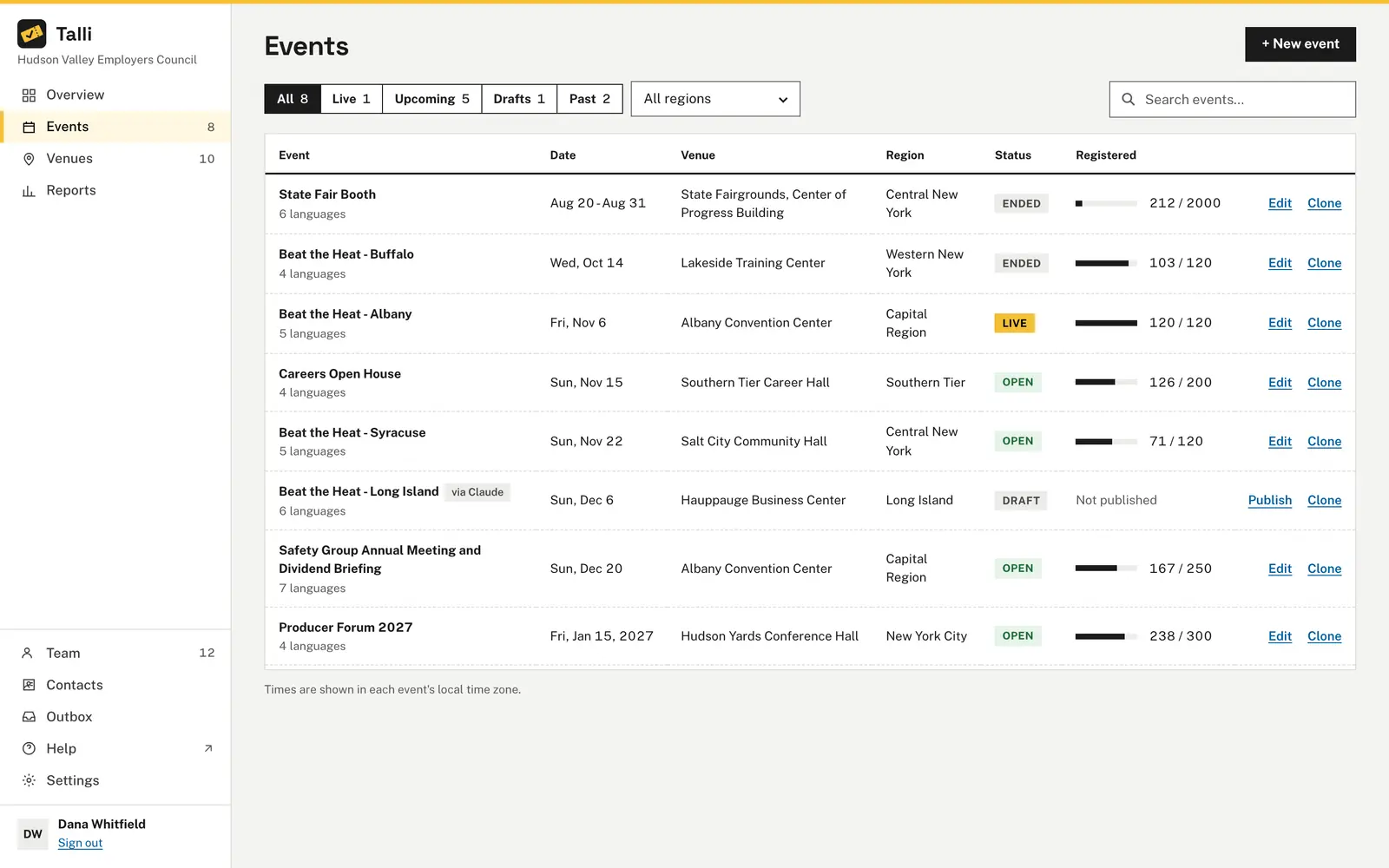
Talli keeps every event in one list, from first draft to the day it ends. Each event starts private, goes live only when you publish it, and can be copied to up to 10 venues in one step.
What makes running many events hard?
Common problems with a full calendar of events, and what Talli does about each one.
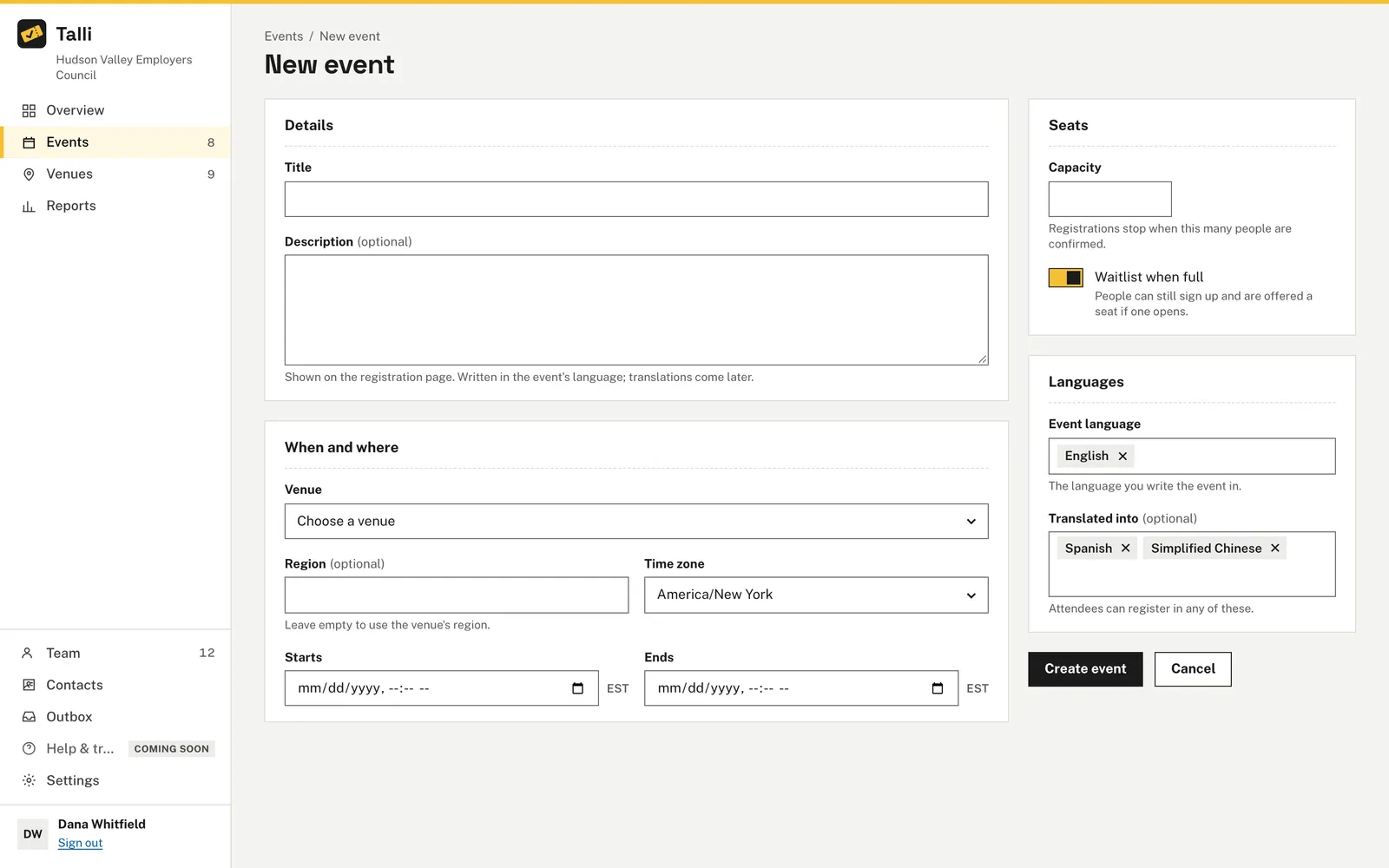
Setting up each event takes too long
One form holds the title, venue, time zone, dates, capacity, waitlist and languages. The event starts as a draft with a General admission attendee type, and new events start with your organization's default languages and checklists.
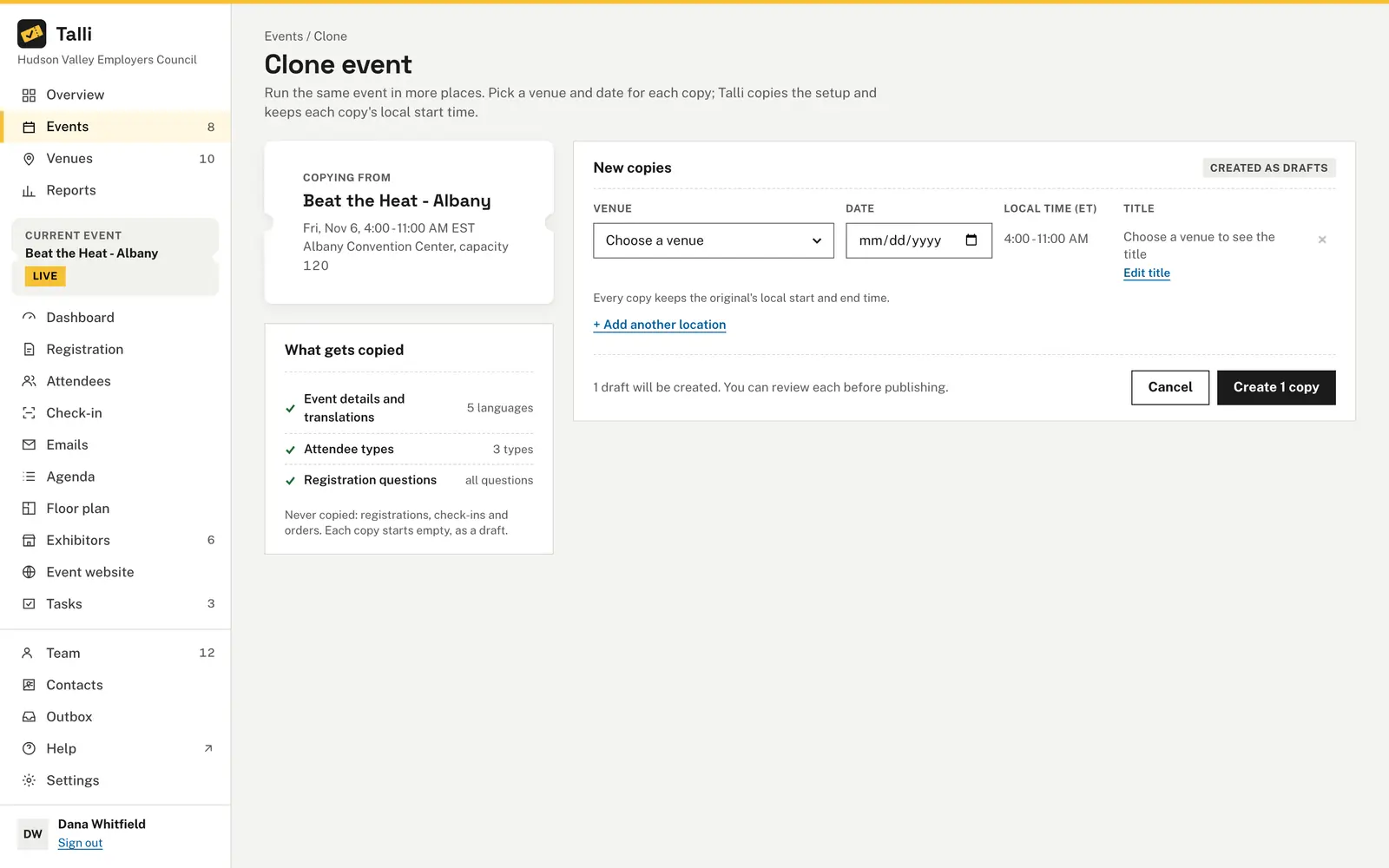
Running the same event in many places means starting over
Choose Clone, pick a venue and a date for each copy, and create them all in one step. Each copy is a new draft with the description, attendee types, questions, agenda, emails, tasks, surveys and translations of the original, but none of its registrations.
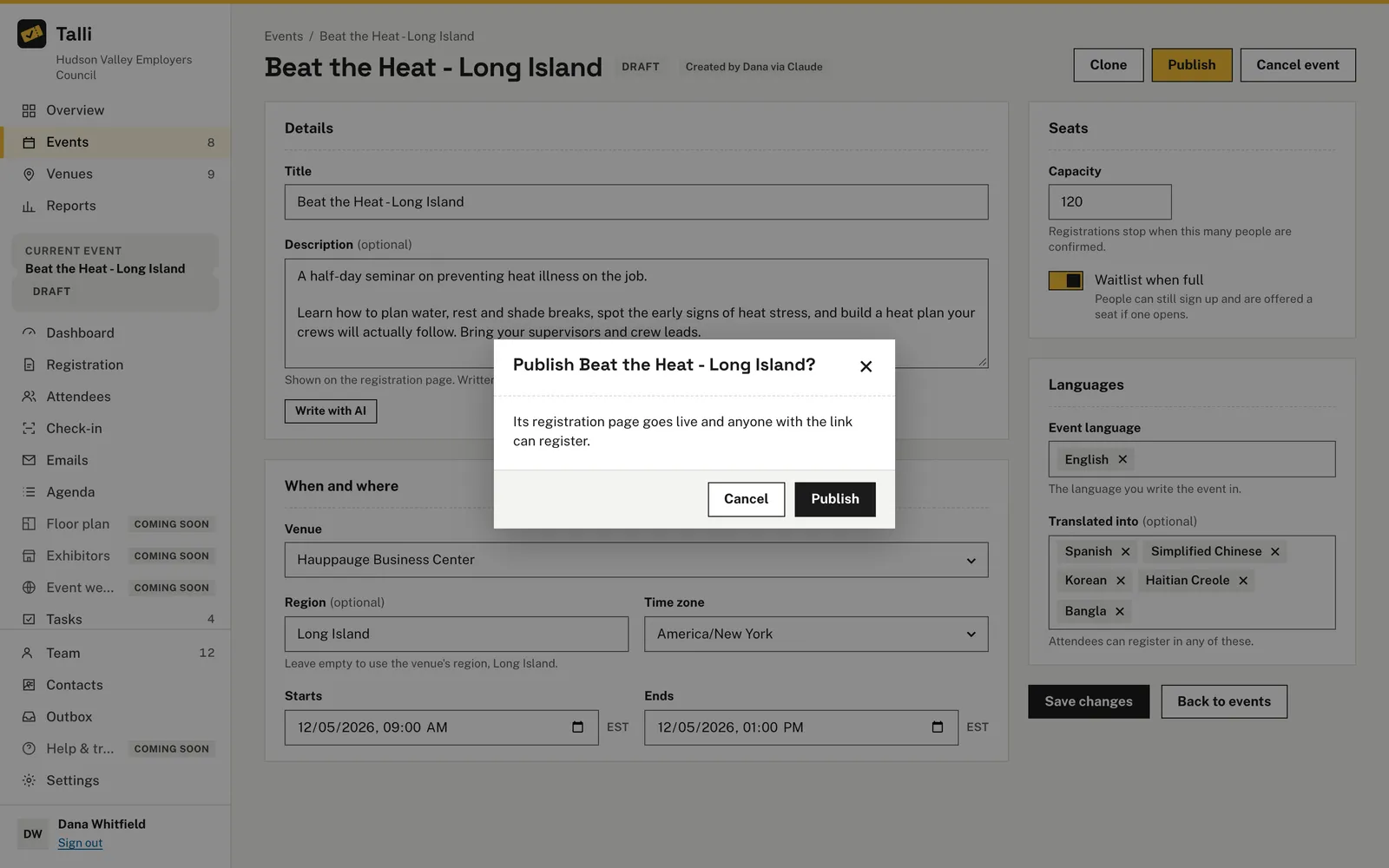
A page goes live by accident
Nobody can see or register for a draft. Publishing, unpublishing and cancelling ask first, naming the event and saying what will happen, and registrations are never deleted when an event is closed, unpublished or cancelled.
Shared links break after a rename
Each event gets a web address made from its title. The address never changes, even if you rename the event later, so links you have already shared keep working.
Times drift across time zones
Start and end are entered as local time in the event's own time zone, and the list shows dates the same way. Copies keep the same local time of day, also when a daylight-saving change falls between the two dates.
How it works
From a new draft to a live registration page in a few steps.
Create the event
Choose + New event, fill in the form and choose Create event. It opens as a draft that only your team can see.
Fill in the details
Choose Edit to change anything and Save changes. Choose Write with AI under the description to draft it from the event's date, venue and capacity.
Publish
Choose Publish and confirm. The registration page goes live and anyone with the link can register.
Close or reopen
Choose Close registration when you are full or done; the page stays online. Choose Reopen registration at any time.
Clone to more venues
Choose Clone, add a row per venue and date with + Add another location, then create the copies. They wait for you under Drafts.
Frequently asked questions
Who can see a draft event?
Only your team. Nobody can see or register for a draft until an owner or admin publishes it.
What happens to registrations when I close or cancel an event?
They are kept. Registrations are never deleted when an event is closed, unpublished or cancelled. Cancelling is final, and a cancelled event can never be published again.
How many copies can I make at once?
From 1 to 10 copies at a time, each with its own venue, date and title. Copies are always drafts, and cloning a copy keeps them linked as one series.
What is not copied when I clone an event?
Registrations, waitlists, check-ins, orders, survey responses, email results and exhibitor booths. Each copy also gets its own web address and starts as a draft.
Can staff edit events?
No. Owners and admins create and edit events and change their status. Staff can see the events list and Overview.
Run your next event series from one list
See how Talli takes an event from draft to live and copies it to every venue.