 Talli
Write with AI
Draft event copy from a few words.
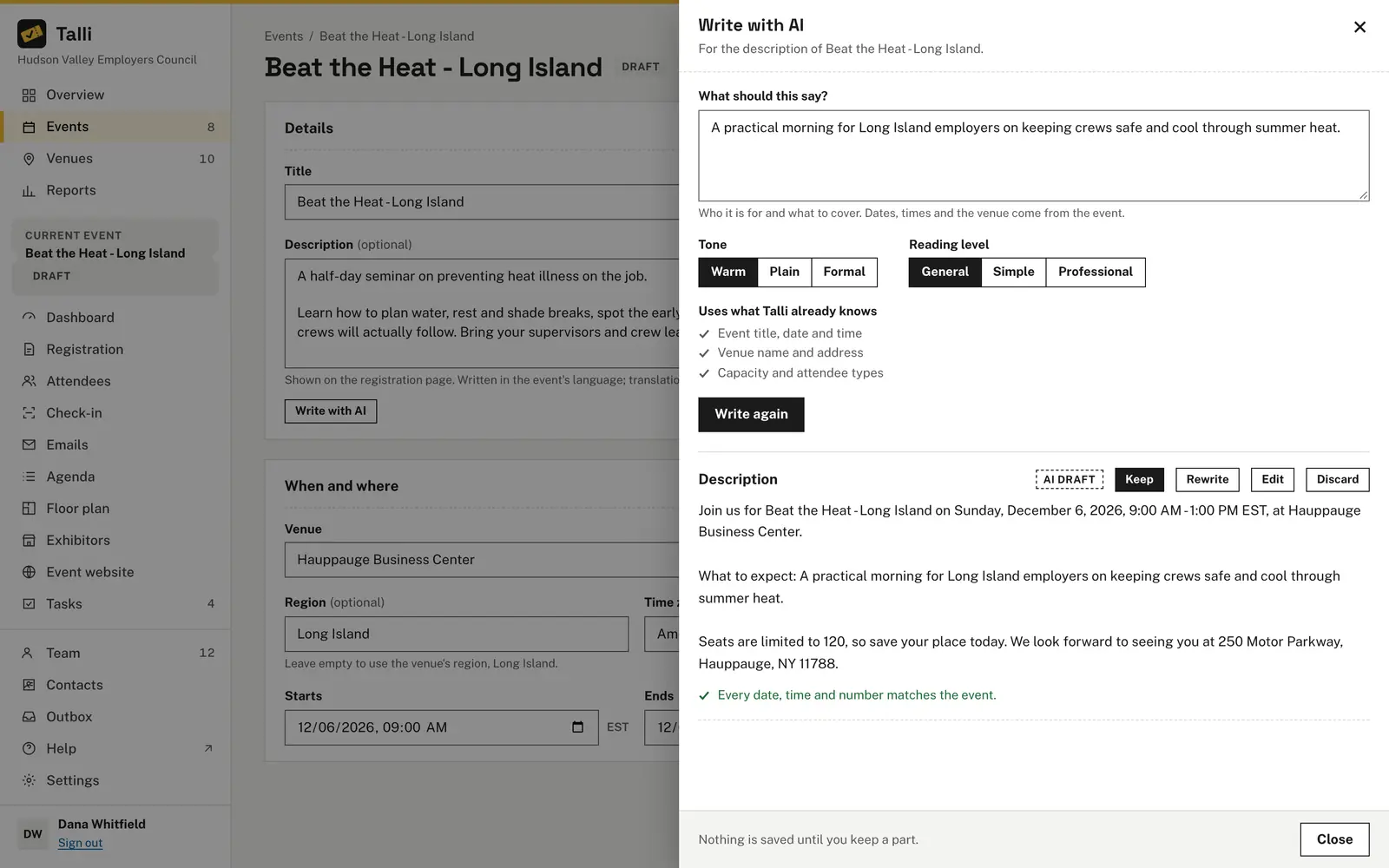
Write a few words about what the text should say, pick a tone and reading level, and Talli drafts it. Dates, times, the venue and the number of seats always come from the event itself, and nothing is saved until you keep it.
What makes writing event copy slow
Common problems with event copy, and what Write with AI does about each one.
The registration page needs a welcome too
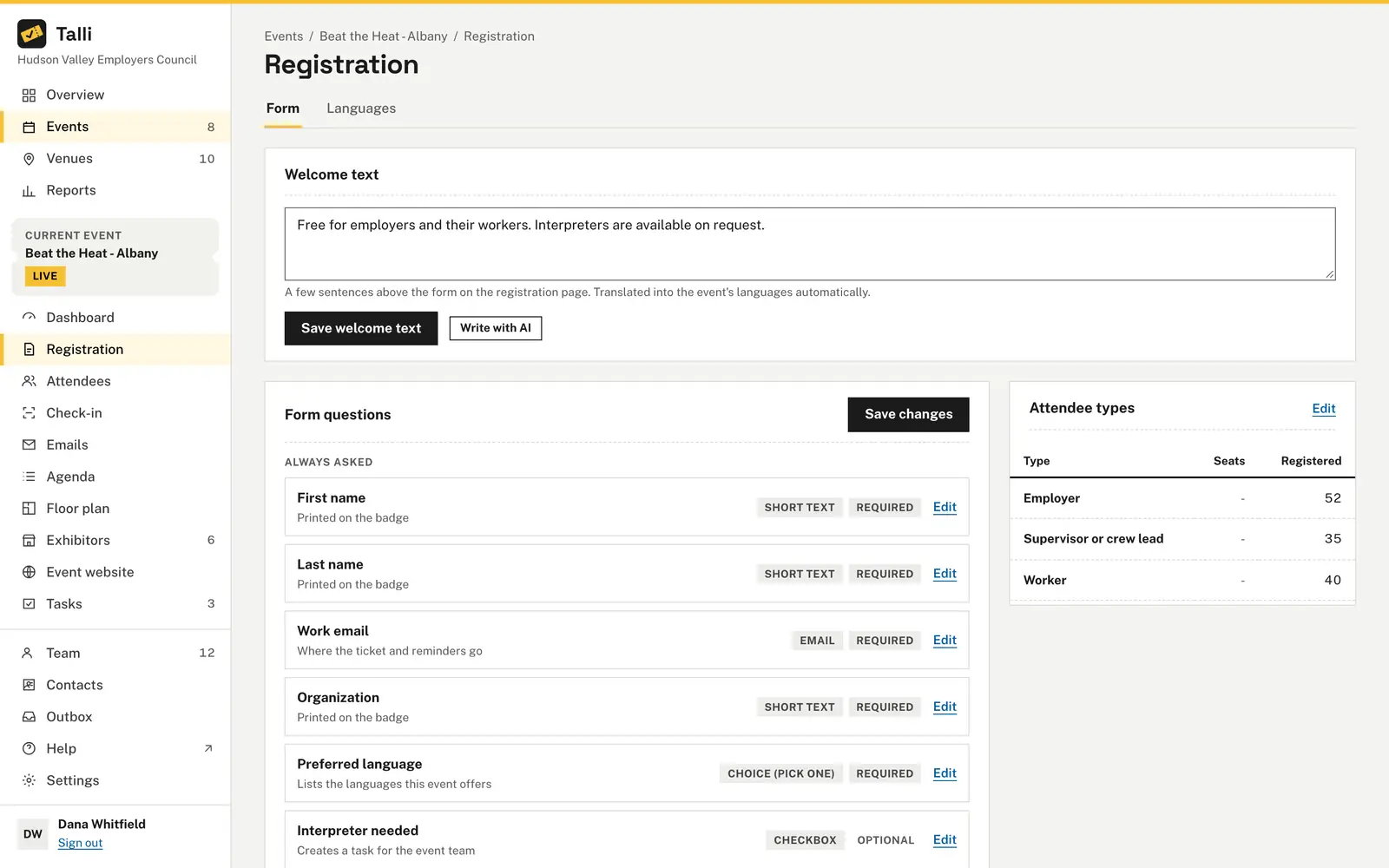
Choose Write with AI in the Welcome text card on the registration Form tab. Keeping the draft saves it as the welcome text above the form right away.
Every language needs its own version
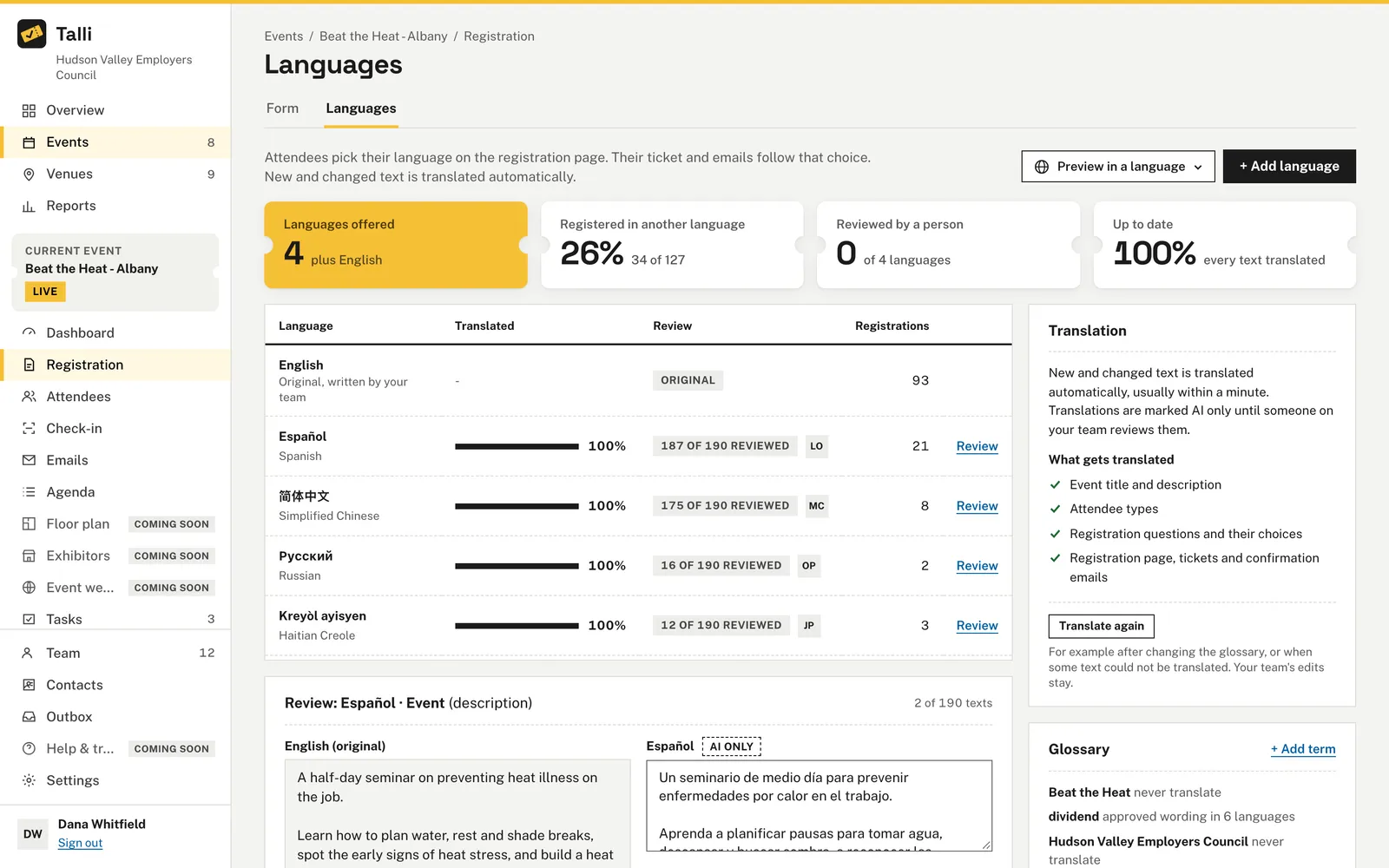
Drafts are written in the event's language. Kept text is the event's source text, and Talli translates it into the event's other languages automatically, like any description you type.
AI drafts get the details wrong
Talli writes the event's title, date, time, venue and capacity into every draft from the event itself. It then flags any other date, time, money amount or number, and Keep stays off until each one is fixed.
Copy reads too formal or too dense
Pick a tone of Warm, Plain or Formal and a reading level of General, Simple or Professional. Change them and choose Write again to redraft every part you have not kept yet.
A draft overwrites what you had
Nothing is saved until you choose Keep. Rewrite, Edit or Discard each part, and closing the panel saves nothing.
How it works
Owners and admins draft from the event's edit page.
Open the event
In Events, choose Edit next to the event, then Write with AI under Description.
Say what it should cover
In What should this say?, write who the event is for and what to cover. Talli adds the date, time and venue.
Choose a tone and reading level
Pick a Tone and a Reading level, then choose Write draft.
Keep what you like
Read the AI draft, fix anything highlighted with Edit, then choose Keep to save it.
Frequently asked questions
What does the AI know about my event?
The event's title, date and time, the venue's name and address, the capacity and the attendee types. It does not see registrations, attendees or anything outside the event.
Where can I use Write with AI?
For the event description and the registration welcome text, for emails and for the event website.
Will it put a wrong date in my description?
Any date, clock time, money amount or number of two or more digits that is not one of the event's details is highlighted, and that part cannot be kept until it is fixed. Talli checks again when you keep a part.
Who can write with AI?
Owners and admins, because keeping a part changes the event. Each organization can write up to 200 drafts with AI a day, and you can always write the text yourself.
Write your next event in minutes
See Write with AI draft copy for your own event.