 Talli
Sessions and credits
Credits awarded the moment people arrive.
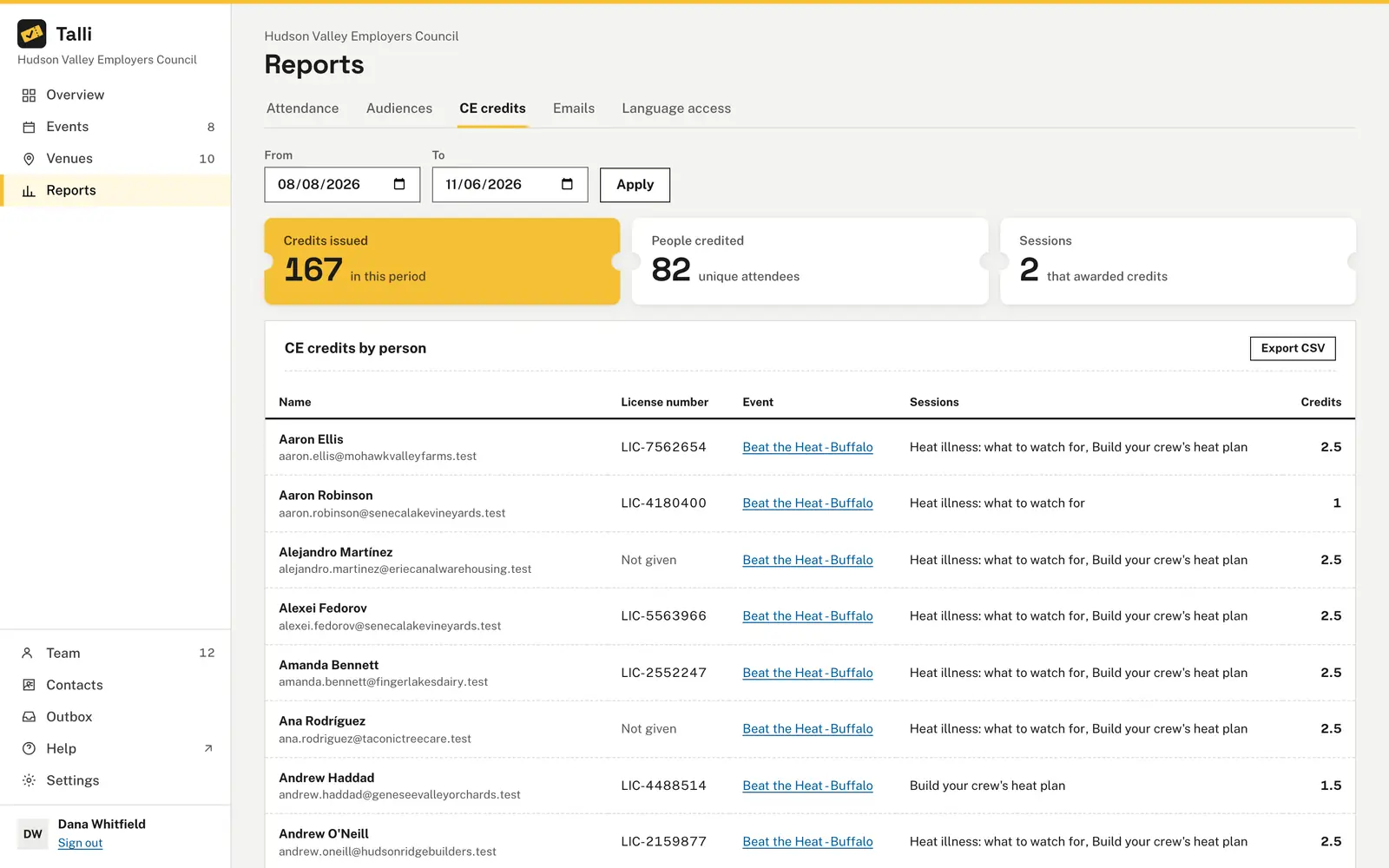
Attendees sign up for the sessions they plan to attend, such as workshops with limited seats. A scan at the session door gives them its continuing education (CE) credits. The CE credits report lists who earned what, with their license number, ready to export.
What makes session sign-up and credits hard?
Common problems with workshops and continuing education, and what Talli does about each one.
Credits depend on paper sign-in sheets
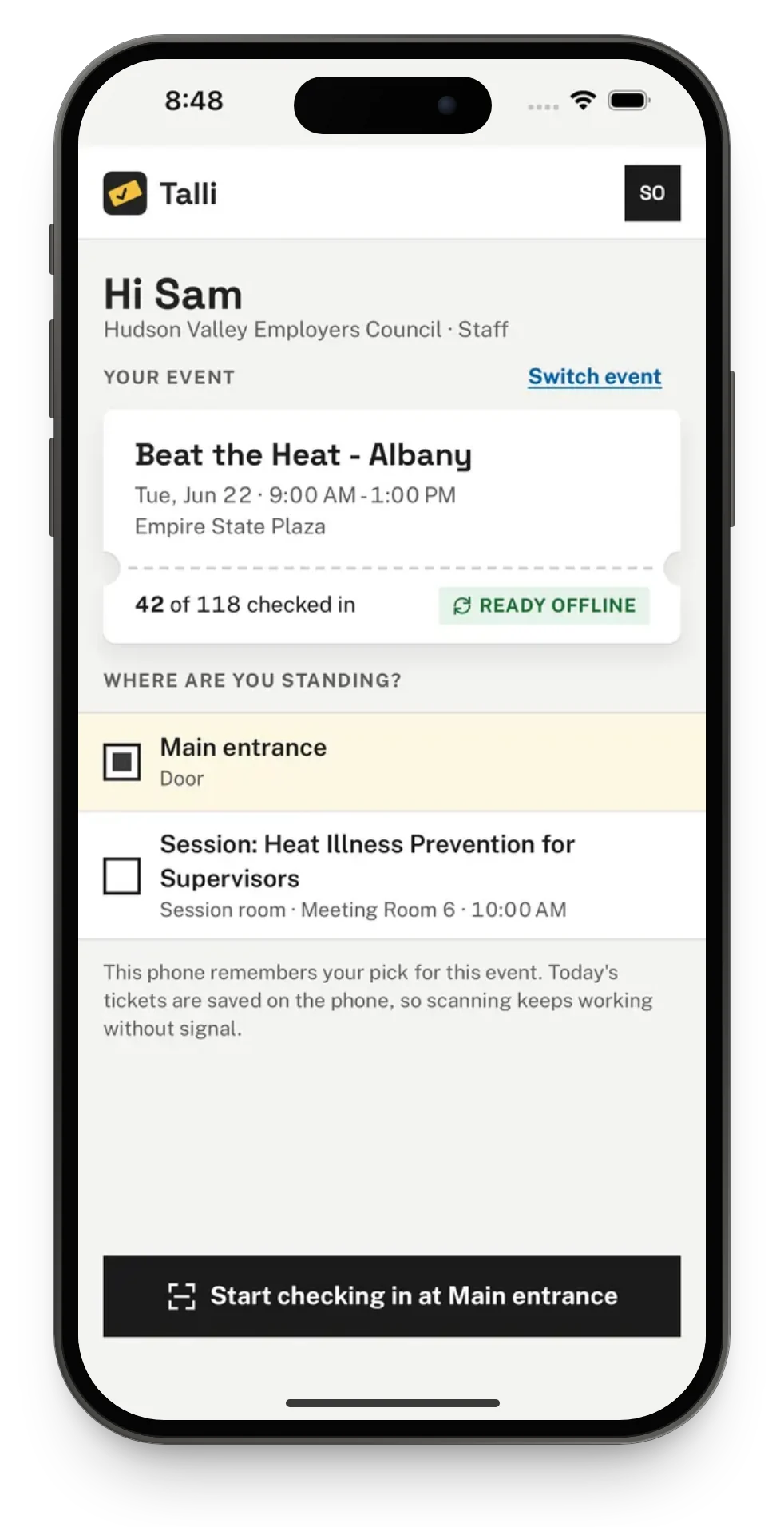
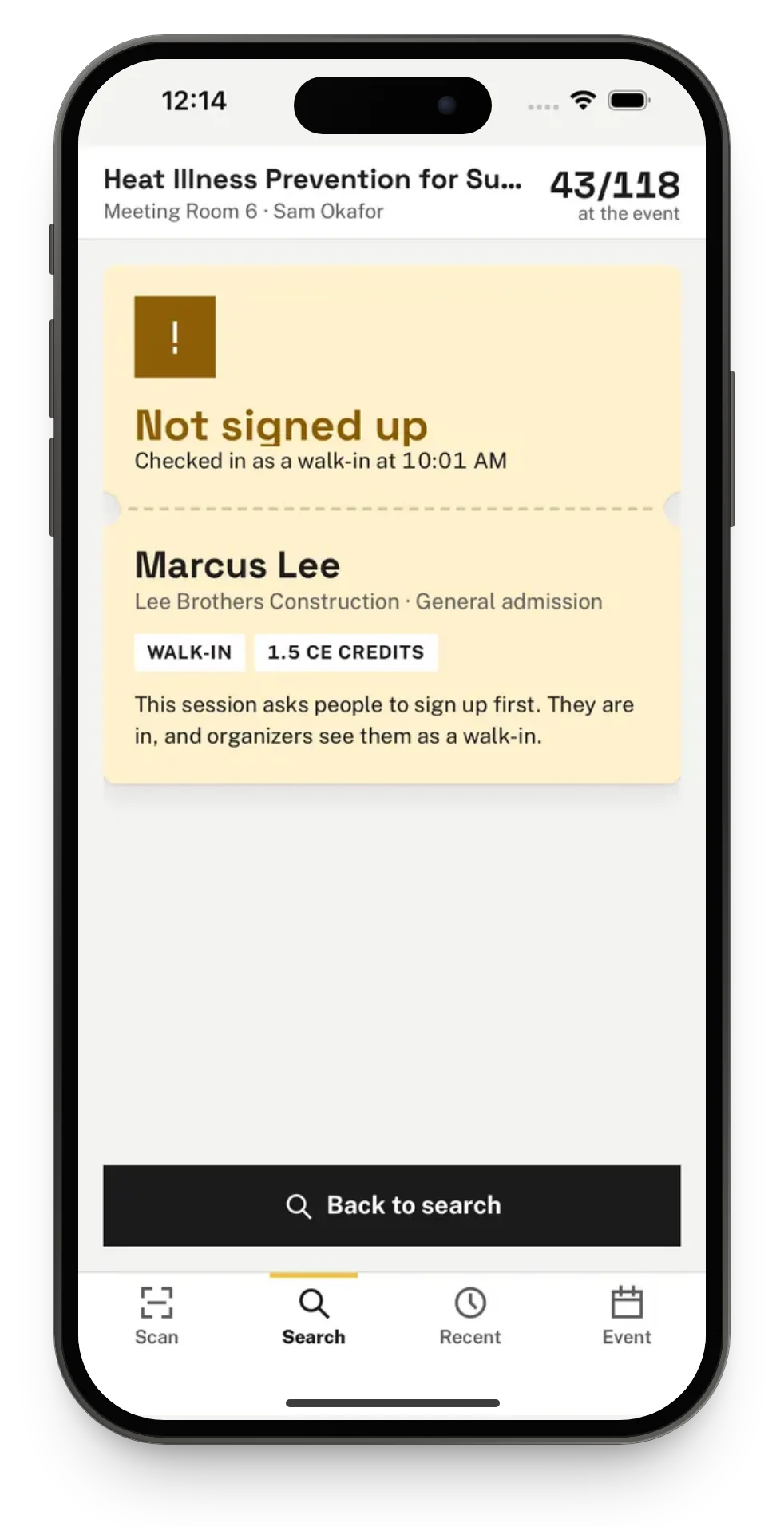
Each session that takes sign-ups or awards credits gets its own check-in entry point, named after the session. The first scan there gives the person its credits and shows them on the Welcome card. Someone without a seat at a session that requires sign-up is flagged Not signed up for this session, and still checked in and credited.
Rooms fill before you notice
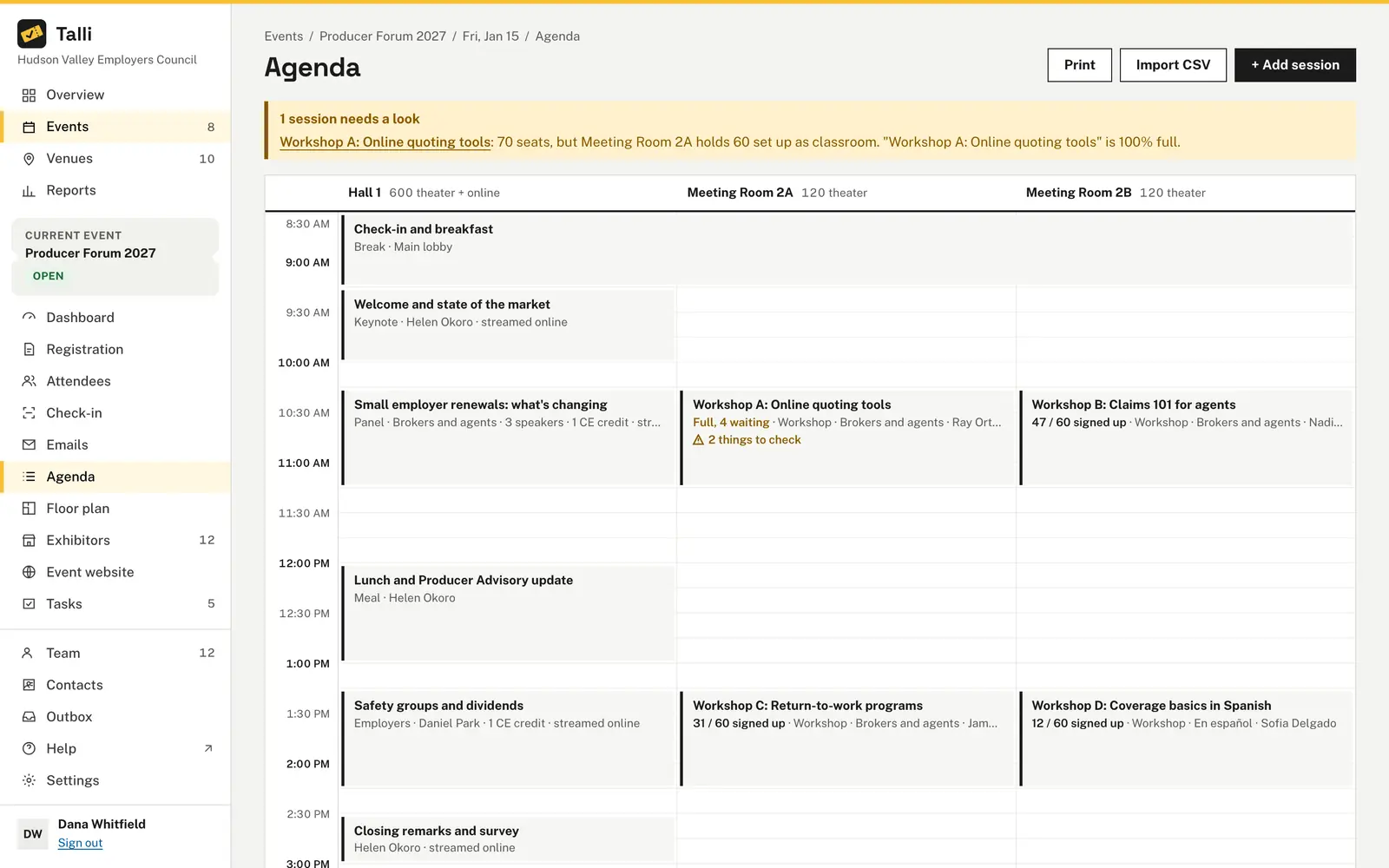
Each session card on the agenda shows its sign-ups, for example 52 / 60 signed up. At 90% of the seats the agenda warns and suggests the smallest larger room that is free at that time. Moving a session so people hold two at once warns on both.
Popular workshops overflow
A session holds as many people as its Seats, or as its room holds. When every seat is taken, the next person joins the session's waitlist, and the first people waiting get seats as spots open. Two people taking the last seat at the same moment never both get it.
Attendees double-book themselves
Nobody can hold two sessions at the same time. Talli names the session that clashes, so the attendee can cancel one first. On their ticket page, Pick your sessions shows each session's time, place, credits and seats left, in their language.
License numbers go missing
Add a short text question such as NY producer license # to the registration form and tick This is the license number. The CE credits report lists each person's answer next to their credits. Owners and admins choose Export CSV to download it.
How it works
From the agenda to a credits report.
Set up the session
On the event's agenda, choose a session or + Add session, set Session sign-up, Seats and CE credits, and choose Save session.
Ask for the license number
On the registration form, add a short text question and tick This is the license number.
Let attendees pick
Attendees tick sessions under Sessions when they register, or later under Pick your sessions on their ticket page.
Scan at the session
Staff open check-in with the session's entry point chosen and scan tickets. The first scan awards the credits.
Run the report
Choose Reports, then CE credits, set From and To and choose Apply. Export CSV downloads the file.
Frequently asked questions
Do people get credits if they did not sign up for the session?
Yes. Credits go to the person scanned, whether or not they signed up: they were there. At a session that requires sign-up, they are flagged in amber as Not signed up for this session.
What happens if a ticket is scanned twice at the same session?
The second scan shows Already checked in and awards nothing. Credits are awarded once per person and session.
Can I award credits by hand when a scan was missed?
Yes. Owners and admins can award credits by hand to a person with a confirmed registration, and revoke credits too. Every manual award and revoke is recorded in the activity log.
Which dates does the CE credits report count?
It counts sessions that start between the two dates, last day included, on the calendar of each event's time zone. A person who earned credits at two events has one row per event.
What happens when I turn off sign-up for a session?
People signed up lose their spots, so Talli asks first and says how many are affected. The session keeps its CE credits.
Run sessions and credits with Talli
Ask us for a demo, or sign in to set up your first session.