 Talli
Agenda
Build the agenda room by room.
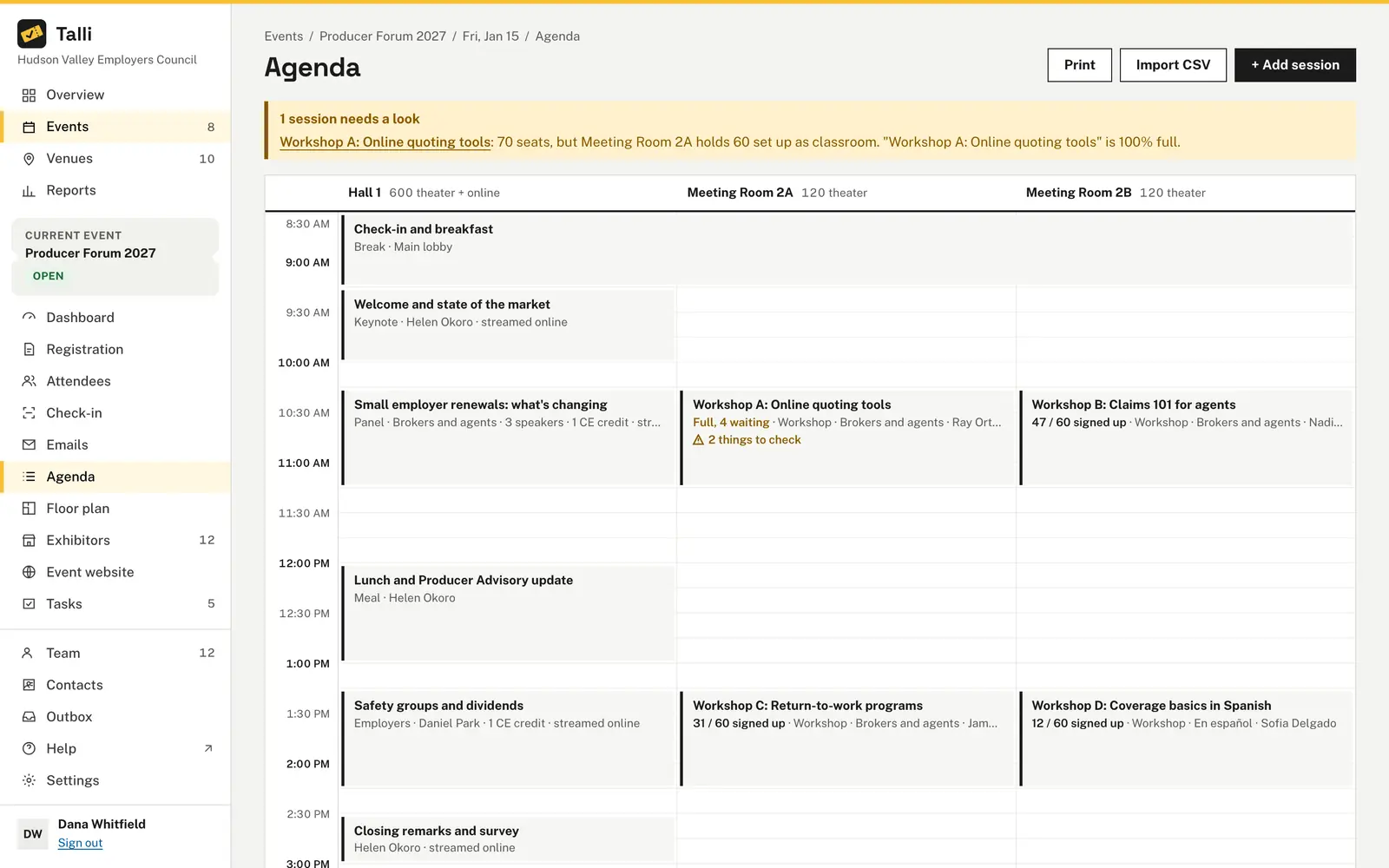
Talli lays out an event's talks, workshops, panels, keynotes, breaks and meals in a grid with one column per room. It warns you about clashes as you plan, and attendees see the agenda on the registration page and their ticket, in their language.
What goes wrong with an event agenda?
Common agenda problems, and what Talli does about each one.
The crew needs it on paper
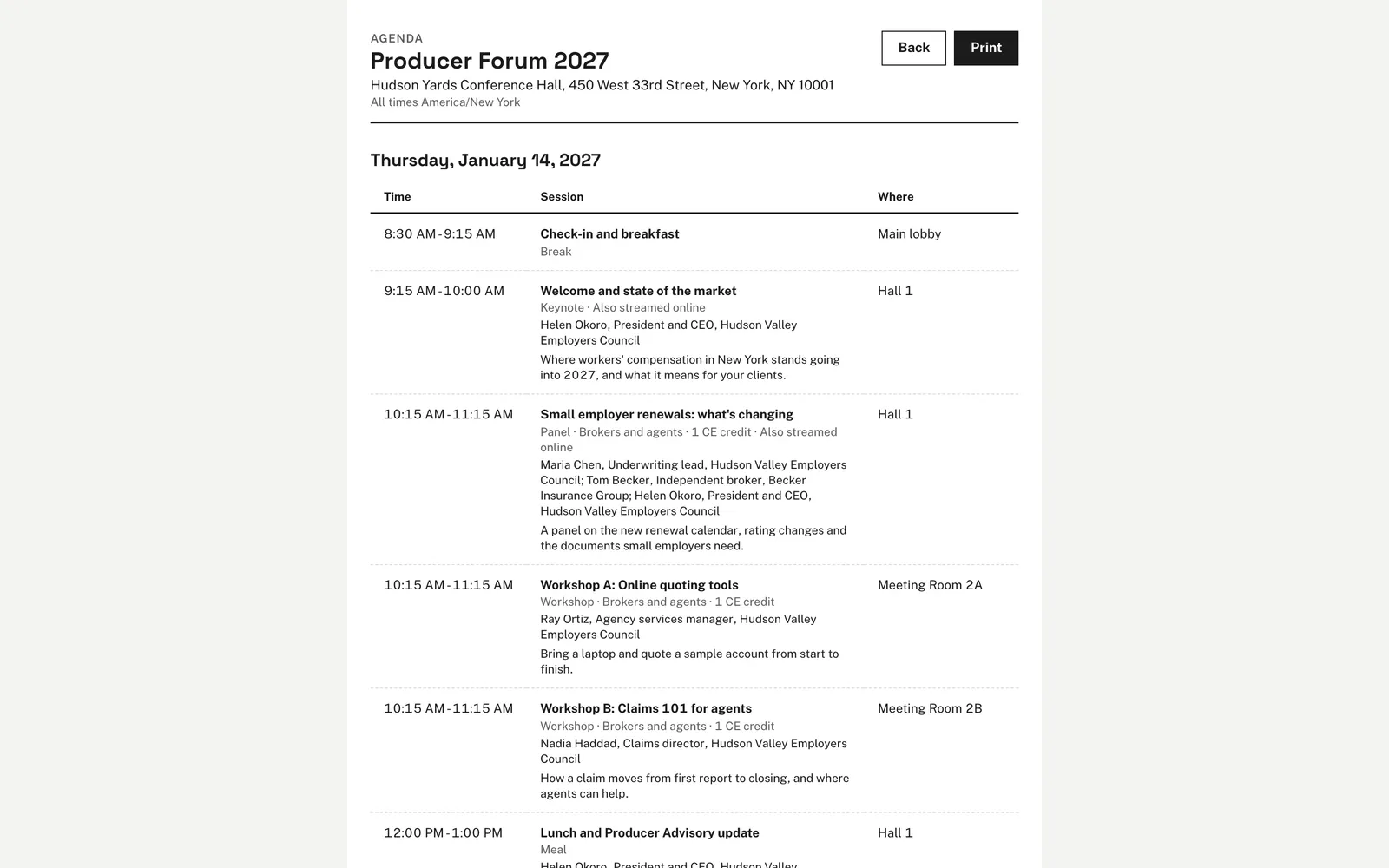
Choose Print for one table per day with times, sessions, speakers and places, sized for letter paper. Print it or save it as a PDF.
Clashes show up on the day
Talli checks the agenda each time it changes: a speaker in two places, a room used twice, sessions outside the event, more seats than the room holds, and people signed up for two sessions at once. Warnings never stop you from saving, so you decide.
Popular sessions outgrow their room
When sign-ups reach 90% of a session's seats, Talli says so and suggests the smallest larger room that is free at that time. Each column shows how many people the room seats, so you see the fit at a glance.
Typing in a long program by hand
Choose Import CSV and paste up to 200 rows with title, start, end, room, track, speakers and description. Rooms and speakers are matched by name, and if any row has a problem, nothing is imported and each problem is listed with its line number.
Speaker details get out of step
Speakers belong to your organization and are shared by all of your events. Enter a speaker once, pick them in any session, and an edit to their title, company or bio shows at every event they speak at.
How it works
From an empty grid to an agenda attendees can read.
Open the agenda
Open an event and choose Agenda in the left sidebar. Each room of the venue gets a column, and an event over several days gets one tab per day.
Add sessions
Choose + Add session, fill in the title, times, kind, room and speakers, and choose Save session. Or choose Import CSV to add many at once.
Set sign-up and credits
Turn on session sign-up as optional or required, set the seats, and add CE credits that are awarded when attendees are scanned in at the session.
Clear the warnings
Read the warnings above the grid and choose a session to fix it in the side panel.
Share it
The agenda shows on the registration page below the event's details, day by day, and a shorter version shows on each ticket.
Frequently asked questions
Is the agenda translated for attendees?
Yes. Session titles and descriptions, and speakers' titles and bios, are translated into the event's languages, and your team can review them under Translations. Rooms and speakers' names and companies are shown as written.
Can I import sessions from a spreadsheet?
Yes. Choose Import CSV and upload a file of up to 256 KB or paste up to 200 rows. Importing adds sessions and never replaces the ones already there.
Do warnings block me from saving?
No. Warnings are there so you can decide, for example when a session intentionally overflows into a hallway.
What happens to the agenda when I clone an event?
It is copied with every session, speaker and translation. Sessions keep their local time of day on the new date and go into the room of the same name at the new venue.
How many sessions can an event have?
Up to 300 sessions per event, with up to 20 speakers per session.
Plan your next program in Talli
See how the agenda grid, warnings and translations work together.