 Talli
Event management platform
Run every event from one calm place.
Talli is an event management platform for teams that run many events: registration, tickets, phone check-in, agendas with CE credits, emails, surveys and reports, in any language. You can also run it from the AI assistant you already use.
What can you do with Talli?
Talli covers an event from the first draft to the last report. Each part works on its own and shares the same attendees, venues and team.
Registration and tickets
Publish a registration page with attendee types and your own questions. Attendees get a ticket with a QR code, a waitlist takes over when seats run out, and duplicates are caught.
Registration guideCheck-in from a phone
Scan tickets with any phone camera or find people by name. Each ticket counts once, and every scan shows a clear result, from welcome to wrong event.
Check-in guideAgenda, sessions and CE credits
Plan sessions in the venue's rooms with conflict warnings. Attendees pick sessions on their ticket, and a scan at the session awards credits for the CE credits report.
Sessions and credits guideEvents in any language
Offer an event in the languages your attendees speak. Talli translates it automatically, your team reviews the translations side by side, and a glossary keeps terms consistent.
Languages guideEmails and surveys
Plan invitations, reminders and follow-ups on a timeline, with previews, tests and scheduled sends. Afterwards, ask attendees how it went in their language and read the results.
Emails guideDashboard and reports
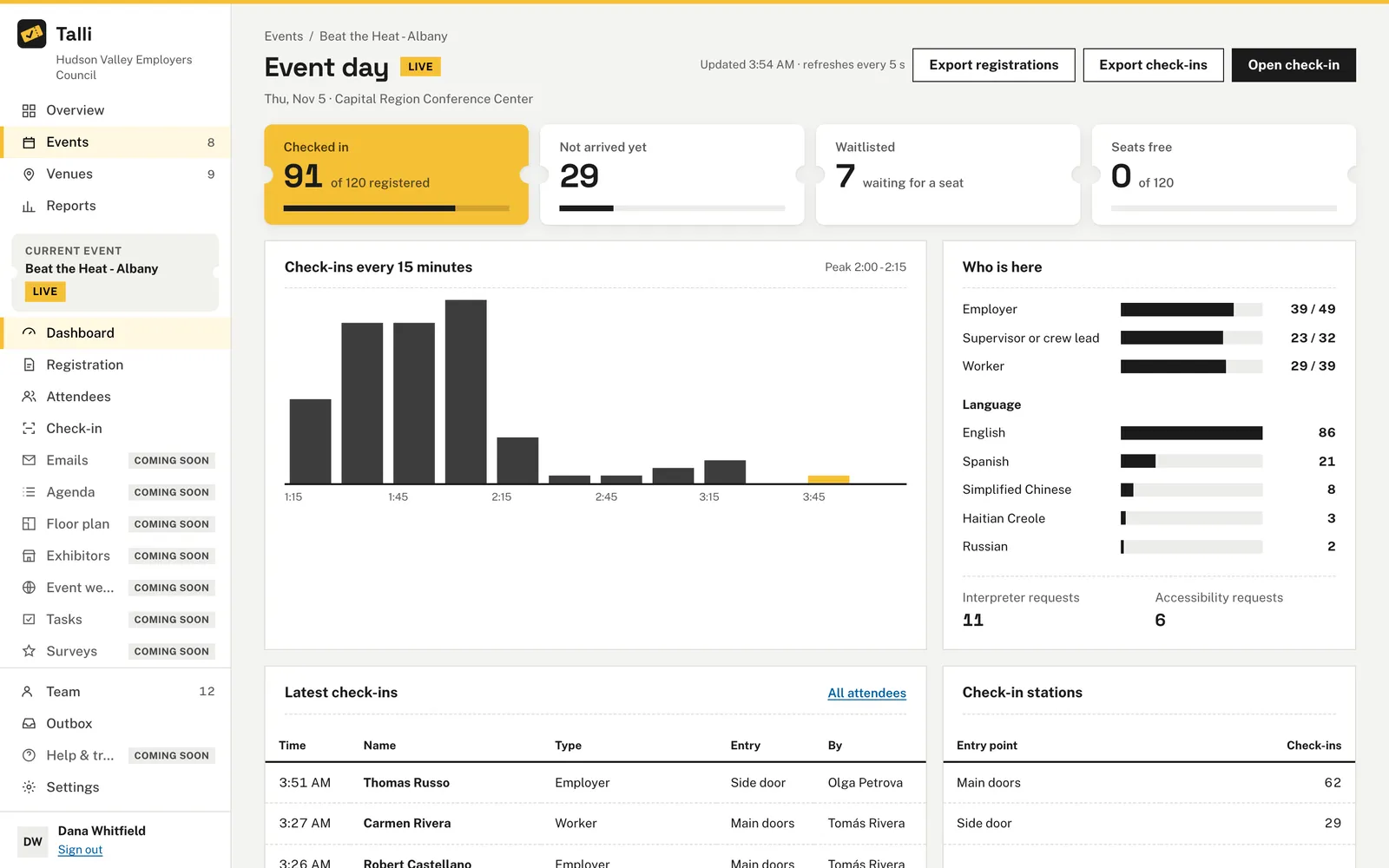
Watch check-ins arrive on a live event dashboard, compare events by date and region, and export what you need as CSV.
Reports guideHow do AI assistants work with Talli?
Connect Claude, ChatGPT or another assistant that supports MCP, and it can do anything in Talli that you can, with your role's permissions and nothing more.
- Every Talli feature is also an assistant tool, with the same inputs and permissions as the app.
- Sensitive actions, such as sending emails, publishing an event, cancelling registrations or exporting contact details, always wait for your OK.
- Connect read-only when an assistant should only look things up.
- Every change an assistant makes is recorded with who asked and which assistant did it.
- Write with AI drafts event descriptions in your tone and flags anything it could not check against the event's facts.
YouClone the spring seminar to our two other venues, then publish the original.
AssistantI created two draft copies, one per venue. Publishing needs your OK first.
Waiting for your OKPublish Spring Safety Seminar? The registration page goes live and anyone with the link can register.
Built for teams that run many events
Talli is made for organizations that run the same kind of event again and again, in many places.
Venues you set up once
Keep each venue's rooms, capacities, floor plans and files in one library, ready for every event held there.
Venues guideClone an event to many venues
Copy an event to one or many venues at once, each as its own draft on its own date.
Cloning guideChecklists and roles
Start every event with a task board from your checklist templates, and give owners, admins and staff the access they need.
Tasks guideFrequently asked questions
Does Talli need to be installed?
No. Talli runs in your web browser, and check-in works in any phone browser using the phone's camera.
Which AI assistants can connect to Talli?
Claude, ChatGPT and any other assistant that supports MCP. Each person connects their own assistant, and it works with that person's permissions.
Can attendees register in their own language?
Yes. An event can be offered in any number of languages. Talli translates it automatically, and your team can review and correct each translation.
See Talli with your own events
Ask for a walkthrough, or sign in if your organization already uses Talli.