 Talli
Offline check-in
Keep checking people in without signal.
Phones and laptops save the event's check-in list, so the door keeps moving when the connection drops. Every scan is saved on the device the moment it happens and syncs on its own when the signal is back, and organizers see every device and what it is still holding.
What happens when the signal drops at the door
Common problems with check-in at busy or remote venues, and how Talli handles each one.
The connection fails just as people arrive
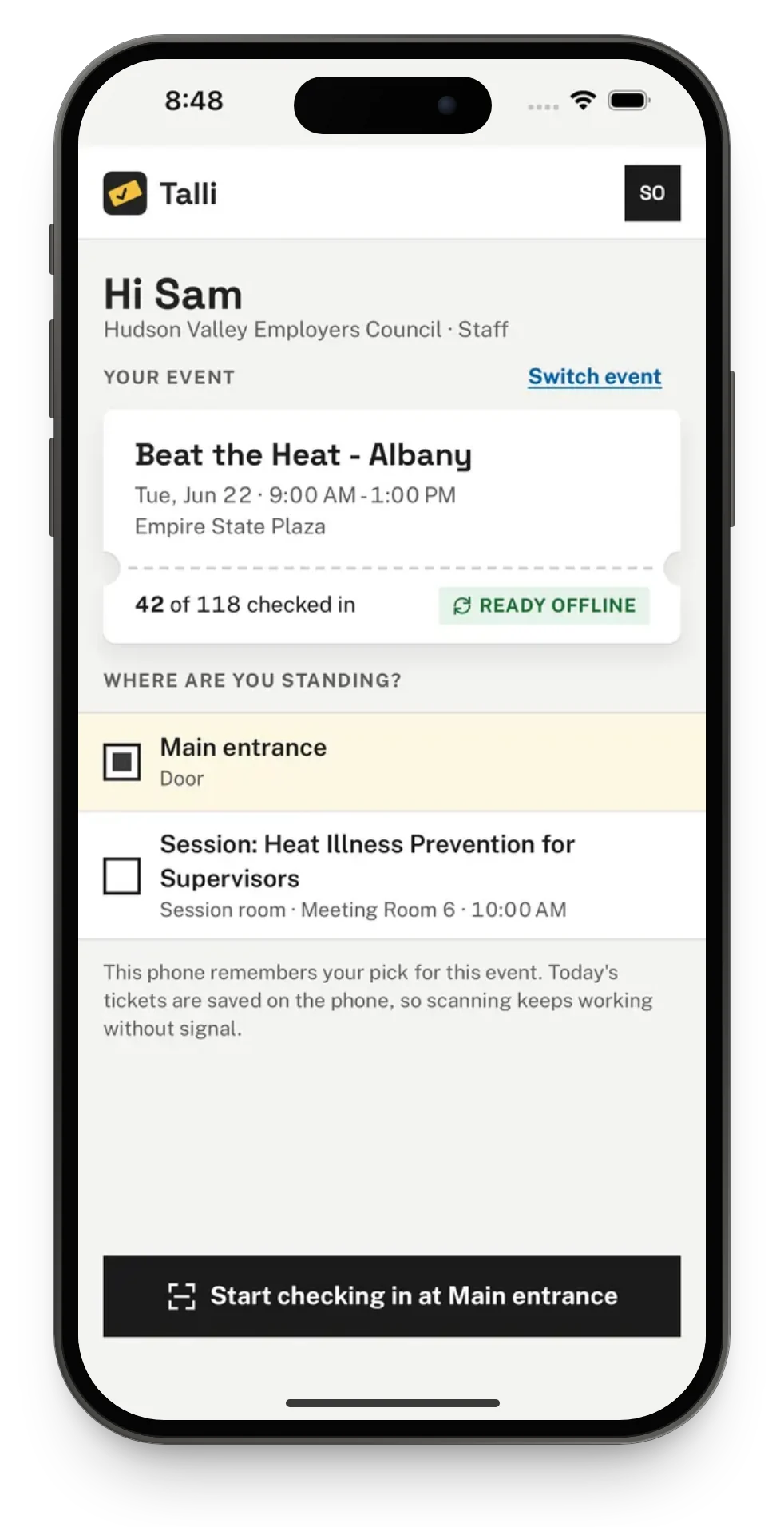
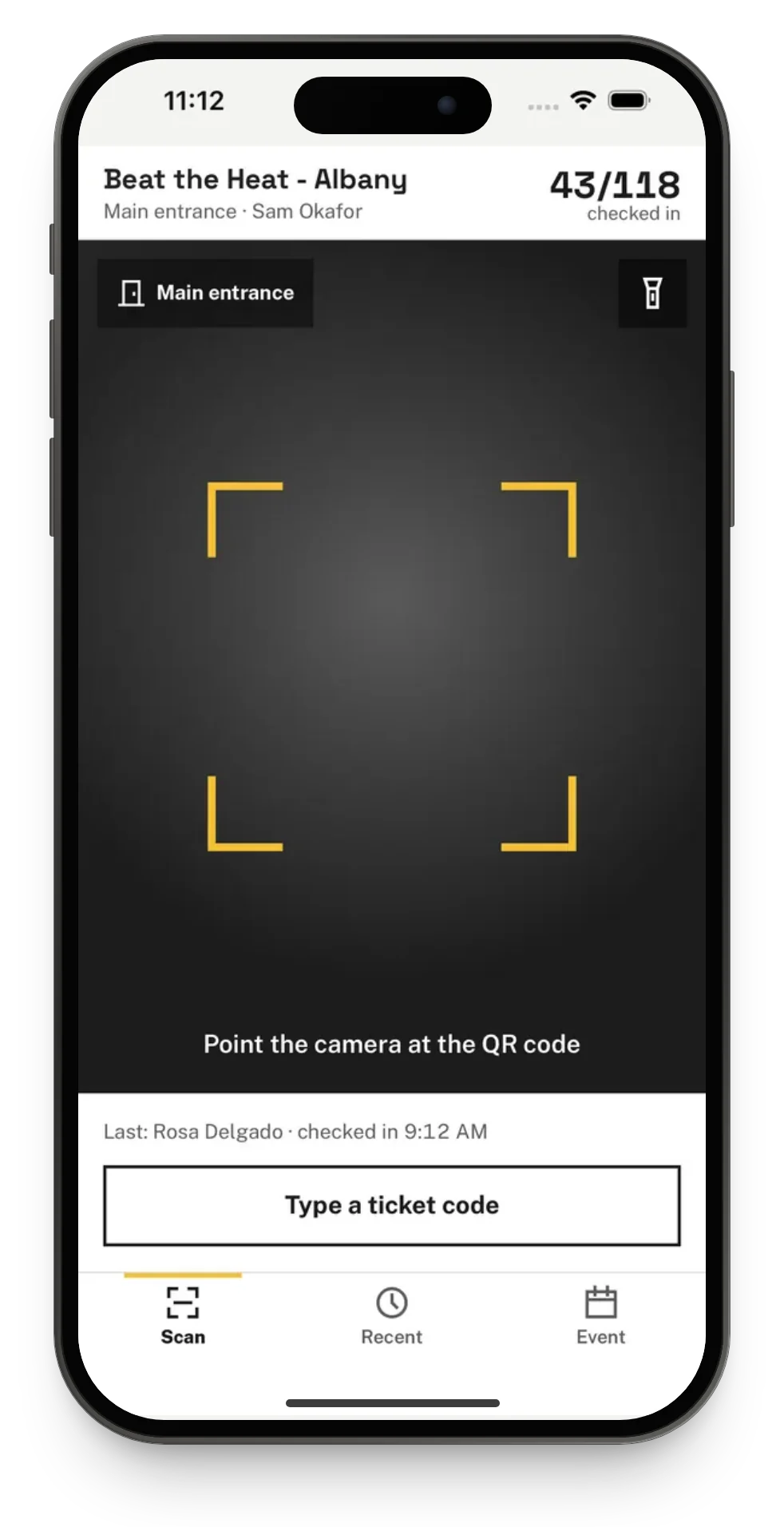
Open check-in while there is still a connection and the device saves the event's check-in list. In the iPhone app the home screen says Ready offline, and from then on the phone can check people in, and search by name, with no signal.
Two phones scan the same ticket offline
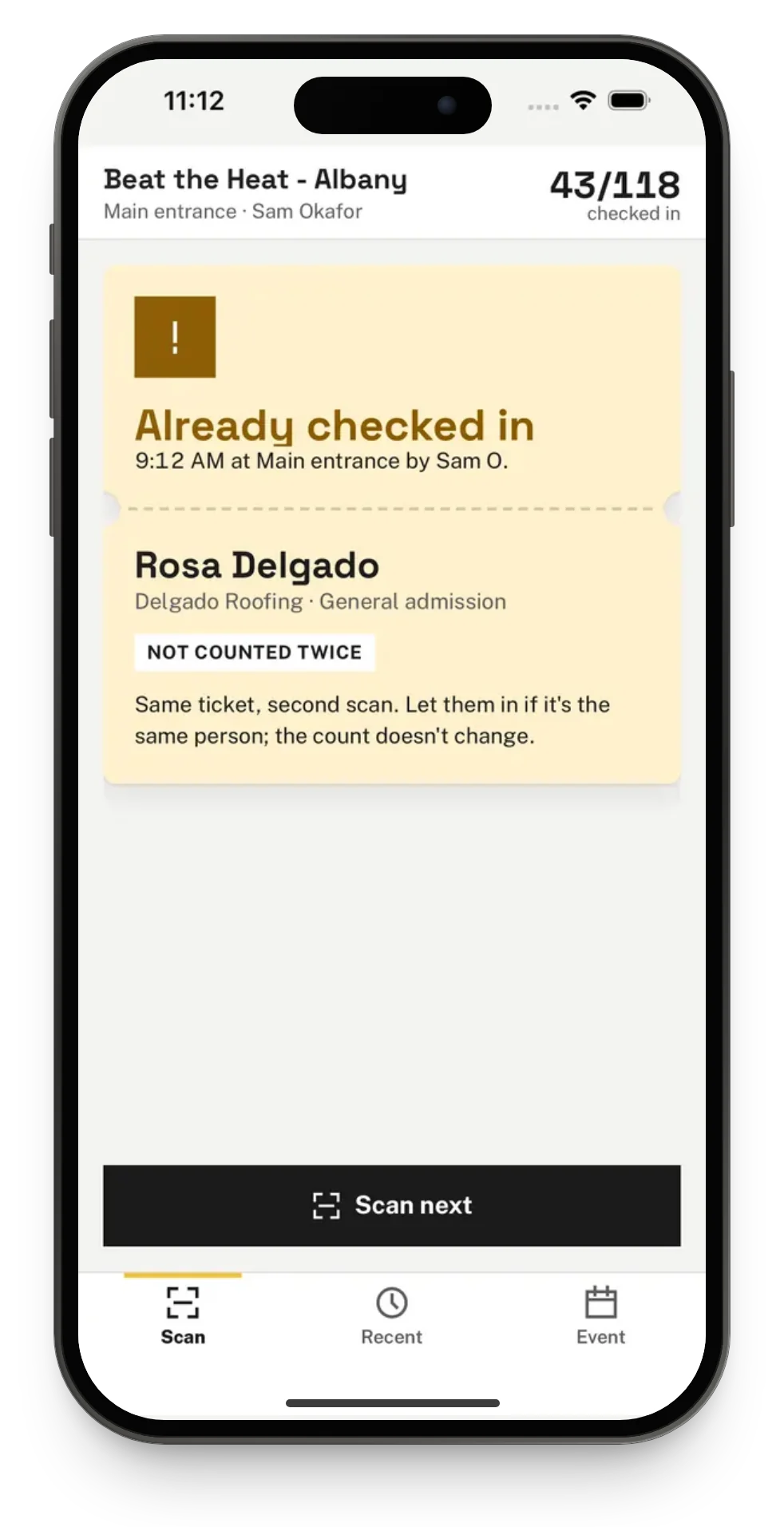
Each scan is sent once, however many times the device retries. If the same ticket is scanned on two devices without signal, the first scan to reach Talli checks the person in, and the other shows as already checked in.
Nobody knows which phone is still holding scans
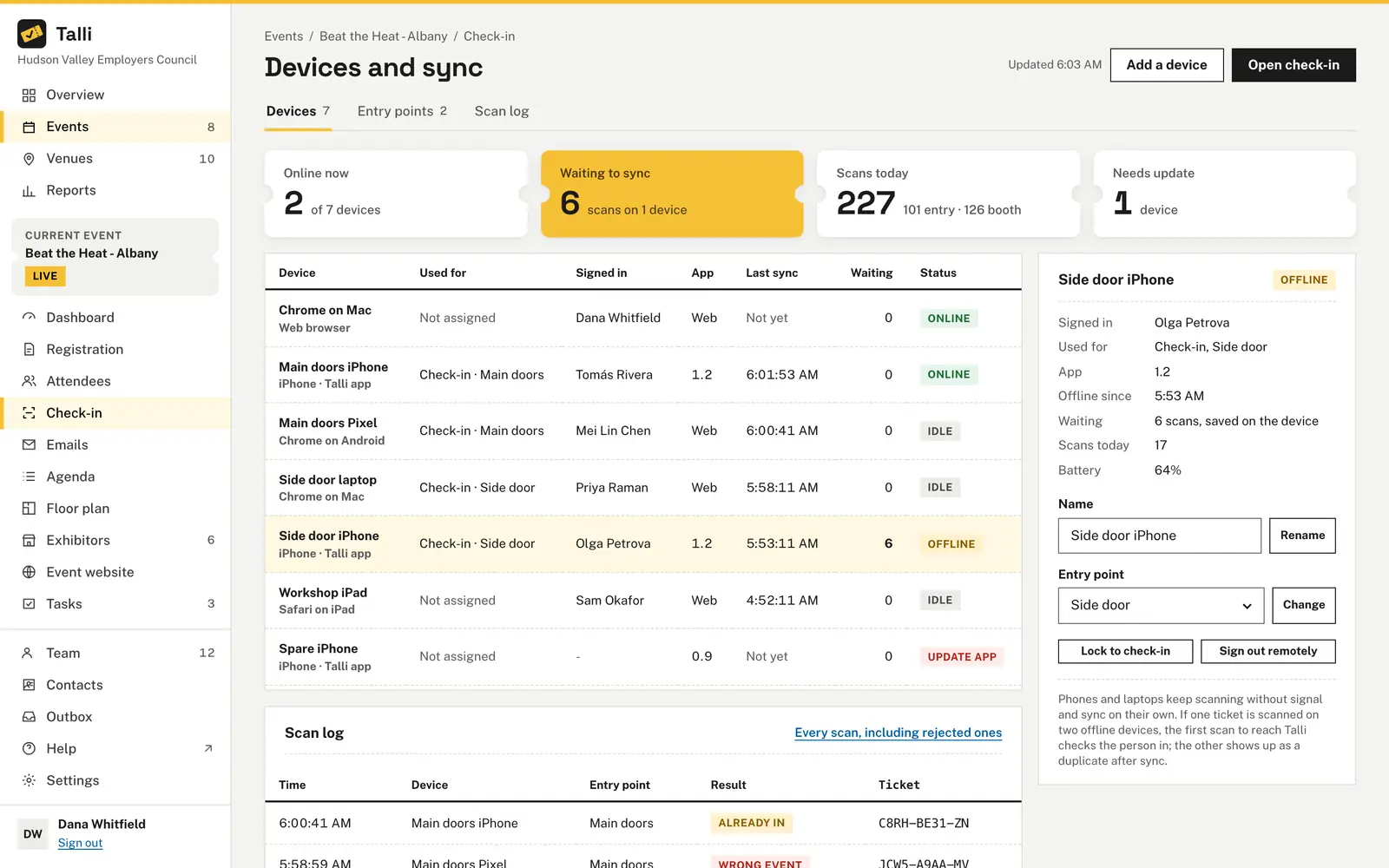
Devices and sync lists every phone, tablet and laptop at the event with its entry point, who is signed in, its app version, its last sync and the scans waiting on it. A lost or stolen device can be signed out remotely, and Talli then refuses it for good.
Scans get lost on a shared device
Signing out first sends any scans still saved. If some cannot be sent, Talli says how many and lets you stay signed in or keep them for the next sign-in. Closing the app or restarting the phone never loses a scan.
Staff see more than they need
Under Staff assignments, give each staff member the whole event or one entry point. They then see only those events and entry points, on check-in, in the phone app and in reports.
How it works
Get the list onto each device while you still have a connection, then scan as usual.
Open check-in with a connection
Open Check-in for the event, or choose the event in the iPhone app. The device saves the list and says how many people are on it.
Keep scanning offline
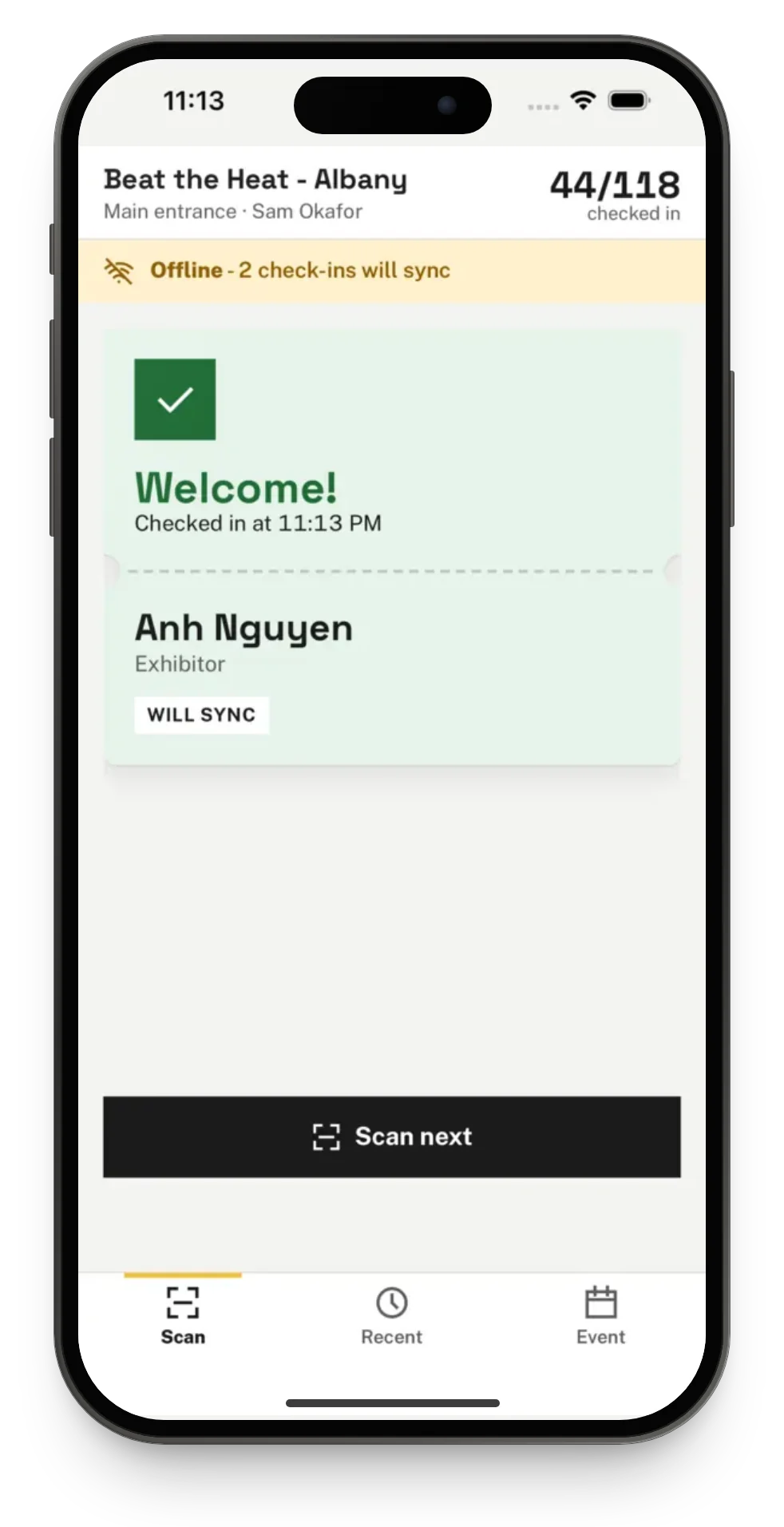
When the connection drops, a bar says Offline and how many scans are waiting, for example Offline - 3 scans waiting.
Let it sync
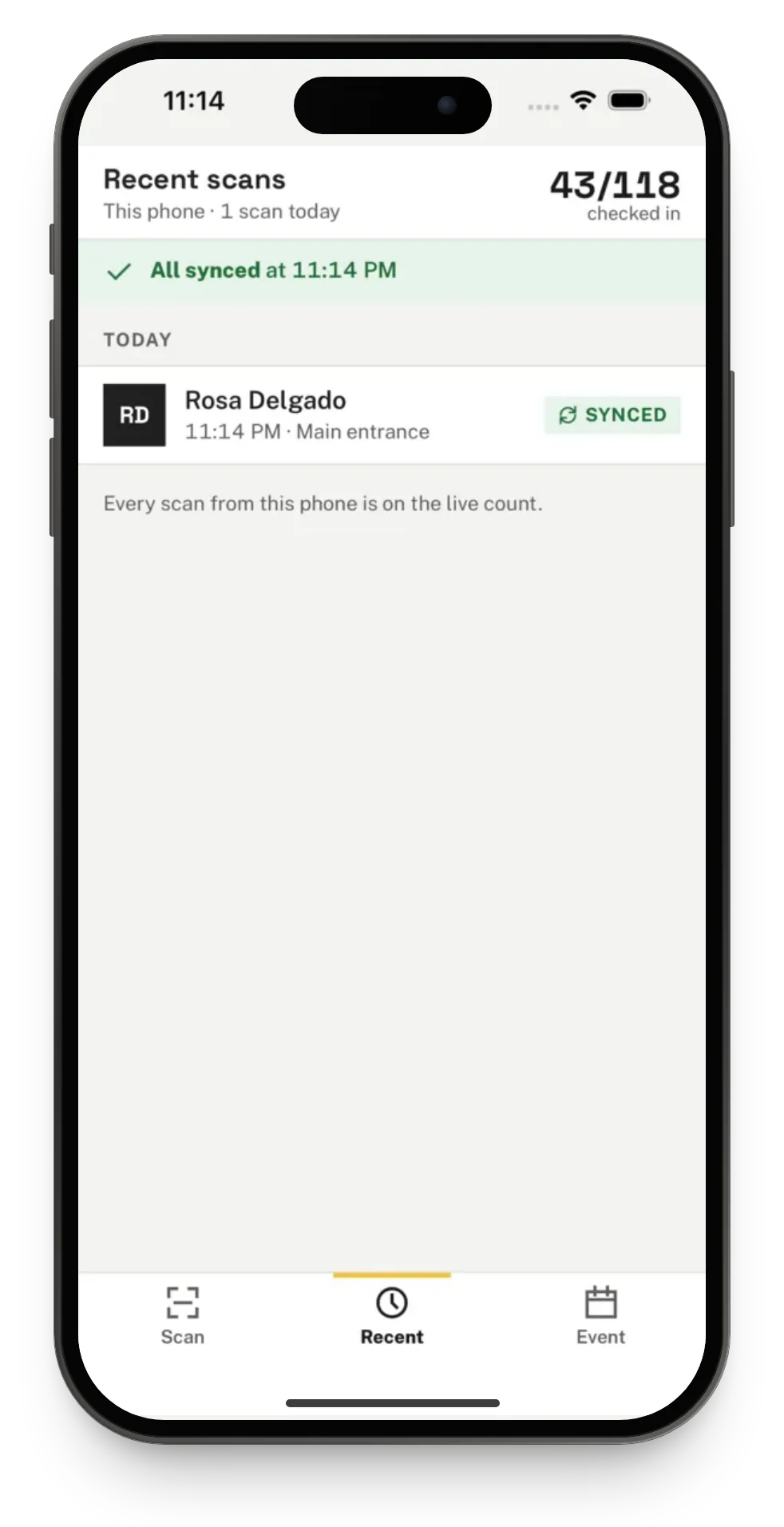
When the connection is back, waiting scans are sent on their own, in the order they were made, and Talli checks each one again.
Review from the office
Owners and admins open Devices and sync to see each device's status, and the Scan log tab to filter scans by result or entry point.
Frequently asked questions
What is stored on the device for offline check-in?
Names, ticket codes, attendee types, languages and check-in times. No emails, phone numbers or registration answers are kept on the device, and signing out always deletes the saved lists.
How do I know a scan made offline was counted?
The result card says Will sync, and a banner shows how many check-ins are waiting. Once they are sent the banner says All synced, and the Recent tab in the iPhone app shows where each scan stands.
What if a scan cannot sync?
It is never dropped quietly. In the iPhone app it shows as Couldn't sync, for example when the ticket was cancelled while the phone was offline, and Review lists only those scans with Try sending again.
What should I do about a lost phone?
Open Devices and sync, choose the device and choose Sign out remotely. The person on it is signed out at once and Talli refuses the device for good, so check people in on another device.
Does the live count include offline scans?
Scans waiting on a device are added to the count once they sync. Devices and sync shows how many scans are waiting and on how many devices.
Run the door at any venue
See offline check-in and device sync on your own event.