 Talli
Exhibitors
Manage exhibitors without the spreadsheets.
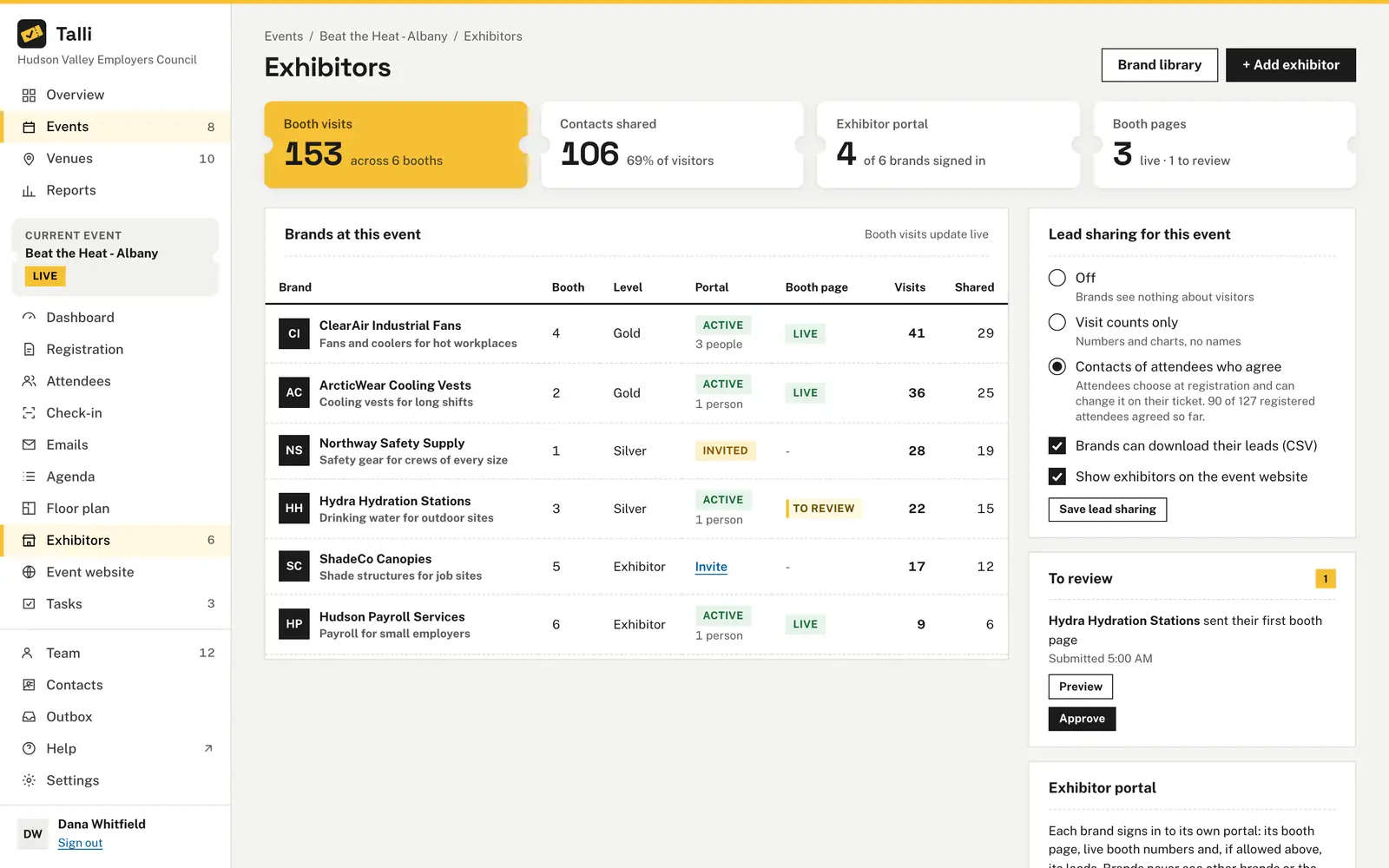
Add each exhibiting company to your brand library once, then add it to any event with a level and a booth. Invite brands to their own portal, choose what they learn about the attendees who visit, and approve their booth pages before attendees see them.
What makes exhibitors hard to manage
Common problems with exhibitors and sponsors, and what Talli does about each one.
Nobody knows who has which booth
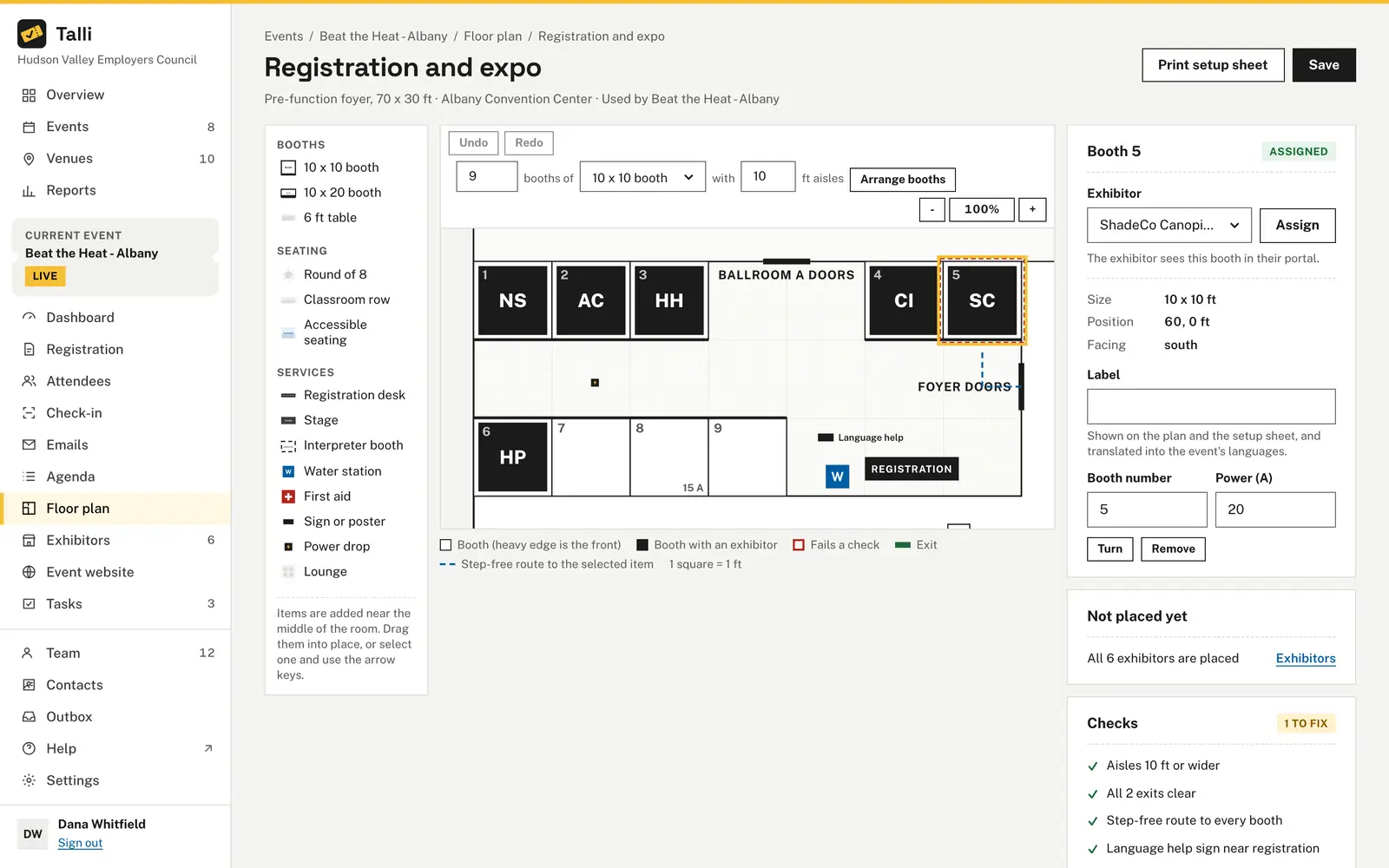
Give an exhibitor a booth from the Exhibitors page or straight from the floor plan. A booth with an exhibitor is filled dark with the brand's initials, and Not placed yet lists the exhibitors still without one.
Brands keep emailing for their numbers
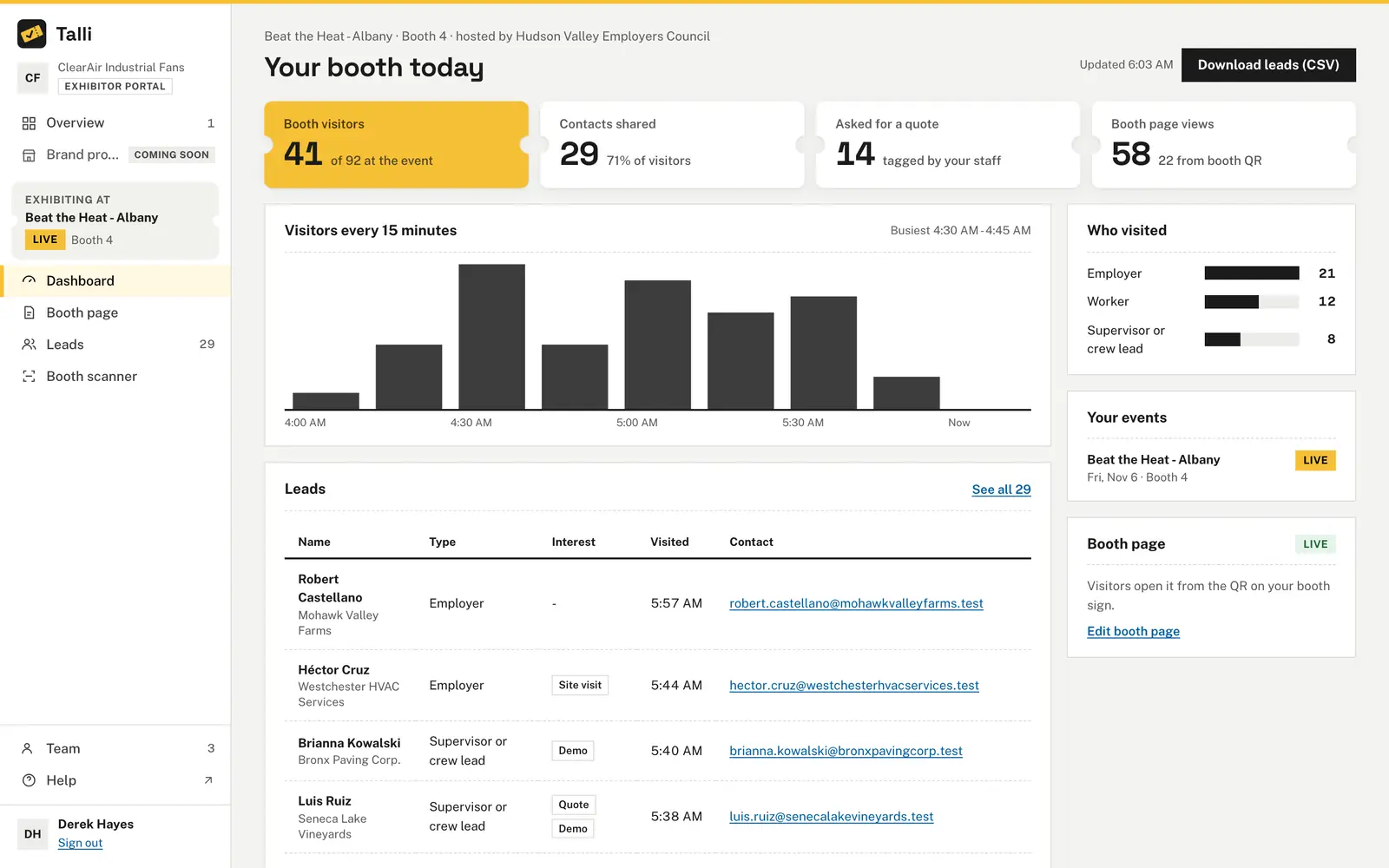
Choose Invite to email a brand's contact a sign-in link to its own portal. There it sees its booth, its booth page and, when lead sharing allows it, its leads, never other brands or the attendee list.
The same company is set up again for every event
The brand library holds every company with its tagline, website, contact and logo. Add it once and reuse it, with how many events each brand exhibits at and how many of its people use the portal.
Exhibitors want leads, attendees want privacy
Under Lead sharing for this event, choose Off, Visit counts only or Contacts of attendees who agree. Attendees opt in with an unticked box, can stop sharing on their ticket page, and Talli checks their choice every time a brand looks.
Booth pages go live unchecked
Brands send their booth page for review, and it waits under To review. Approve and publish it, translated into the event's languages, or send it back with a note.
How it works
From the brand library to a live booth page.
Add brands
In an event's Exhibitors page, choose Brand library, then + Add brand with its name, contact and logo.
Add exhibitors to the event
Choose + Add exhibitor, pick the brand, choose Gold, Silver or Exhibitor and give it a booth.
Set lead sharing
Under Lead sharing for this event, choose what brands learn about visitors and choose Save lead sharing.
Invite brands and review pages
Choose Invite, then Send invite on each brand, and approve booth pages as they arrive under To review.
Frequently asked questions
What do exhibitors see about attendees?
Only what lead sharing allows: nothing, visit counts only, or the name, organization and email of visitors who agreed to share them. Visit counts only is the default.
Can brands download their leads?
Only when you turn on Brands can download their leads (CSV), which is off by default. A download holds only what lead sharing lets the brand see.
Do exhibitors need a Talli account?
No. The brand's contact gets a sign-in link to the brand portal when you invite the brand, and the brand's account is made when the contact first signs in.
What happens to exhibitors when I clone an event?
They are copied with their level and notes, as not invited yet and without booths, and live booth pages are copied with their translations.
Bring your exhibitors into one place
See the brand library, booths and lead sharing on your own event.