 Talli
For tastings and festivals
Every table knows who stopped by.
Talli runs whisky, wine, beer and food tastings and consumer festivals. Guests register and carry their ticket on their phone, the door scans them in even without signal, and the brands at their tables scan guests in the Talli app to collect leads that follow each guest's own choice.
What gets in the way of a good tasting?
Common problems at a tasting or festival, and what Talli does about each one.
Brands go home with a pile of business cards
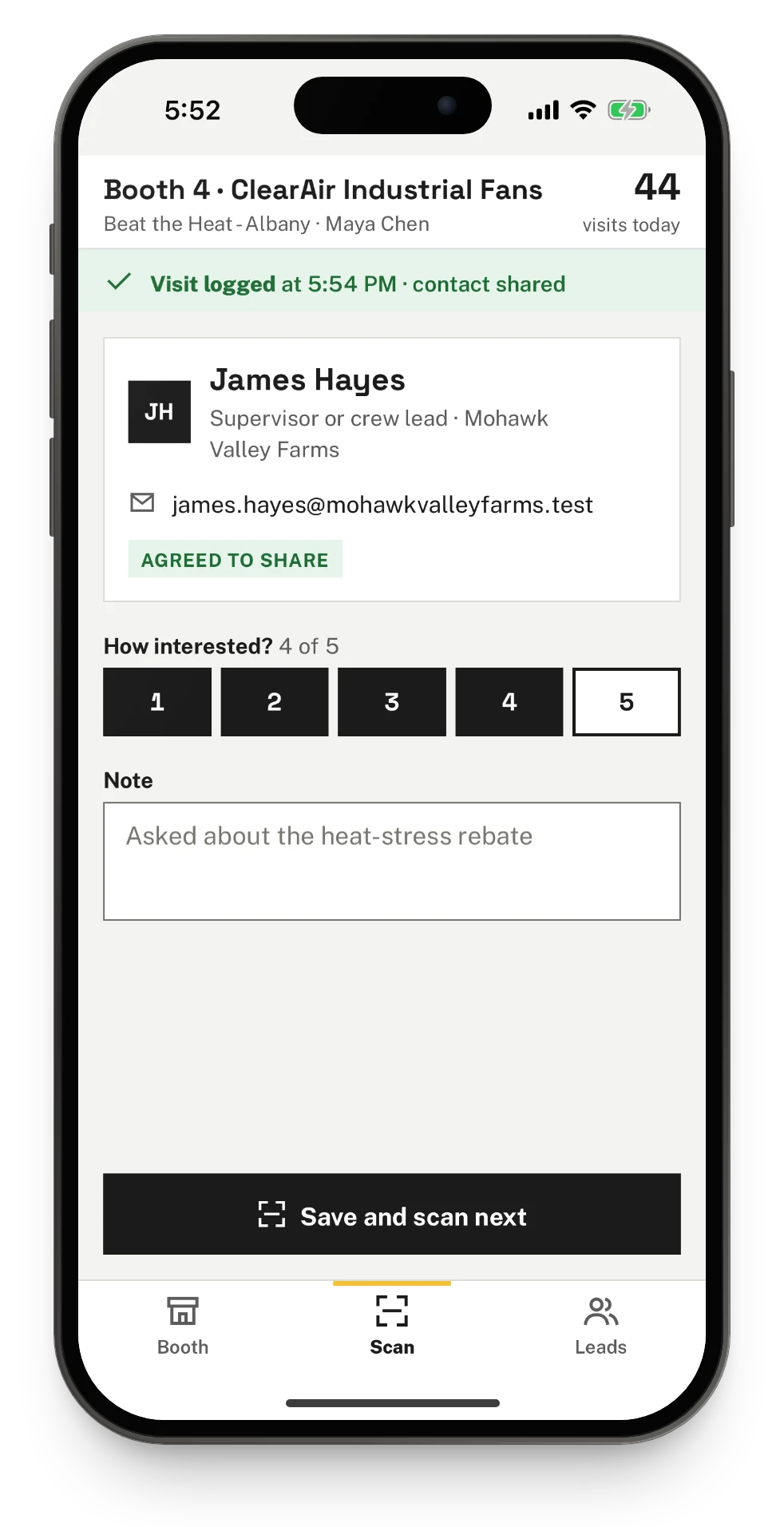
Booth staff scan each guest's ticket with the Talli app, rate how interested they were from 1 to 5 and add a note. Every phone at the table adds to the same list of leads.
Guests want to choose who gets their details
You choose what brands learn: nothing, visit counts only, or the contacts of guests who agree. Guests opt in with an unticked box when they register and can stop sharing from their ticket at any time.
There is no signal in the cellar or the hall
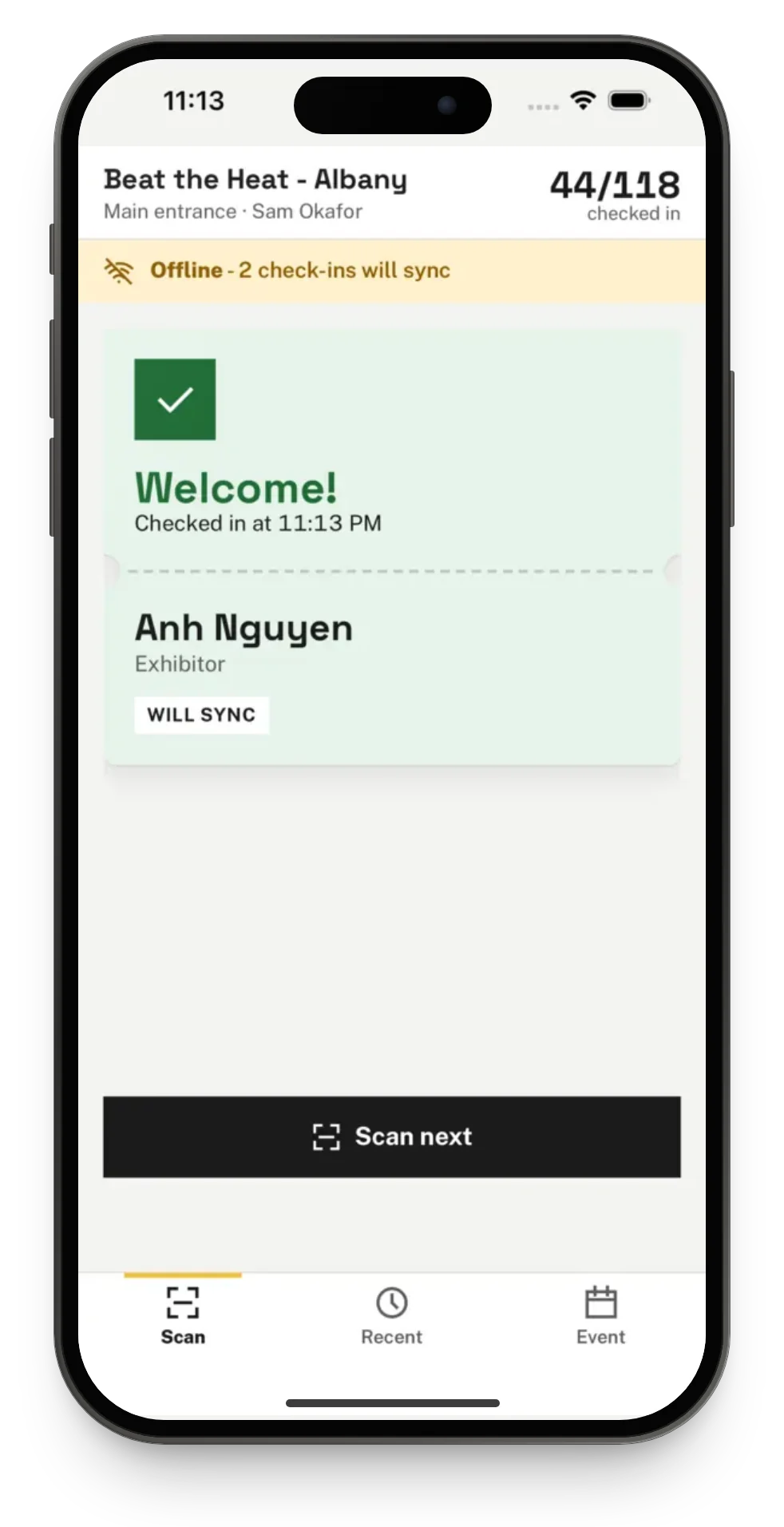
The door and the brands' tables keep scanning with no connection. Every scan is saved on the phone and sent to Talli when it is back online, and each ticket still counts once.
A line builds up at the door
Staff scan the QR code on each ticket with a phone and see at once whether the guest is in, already in or holding a ticket for another event. A ticket that will not scan can be typed or found by name.
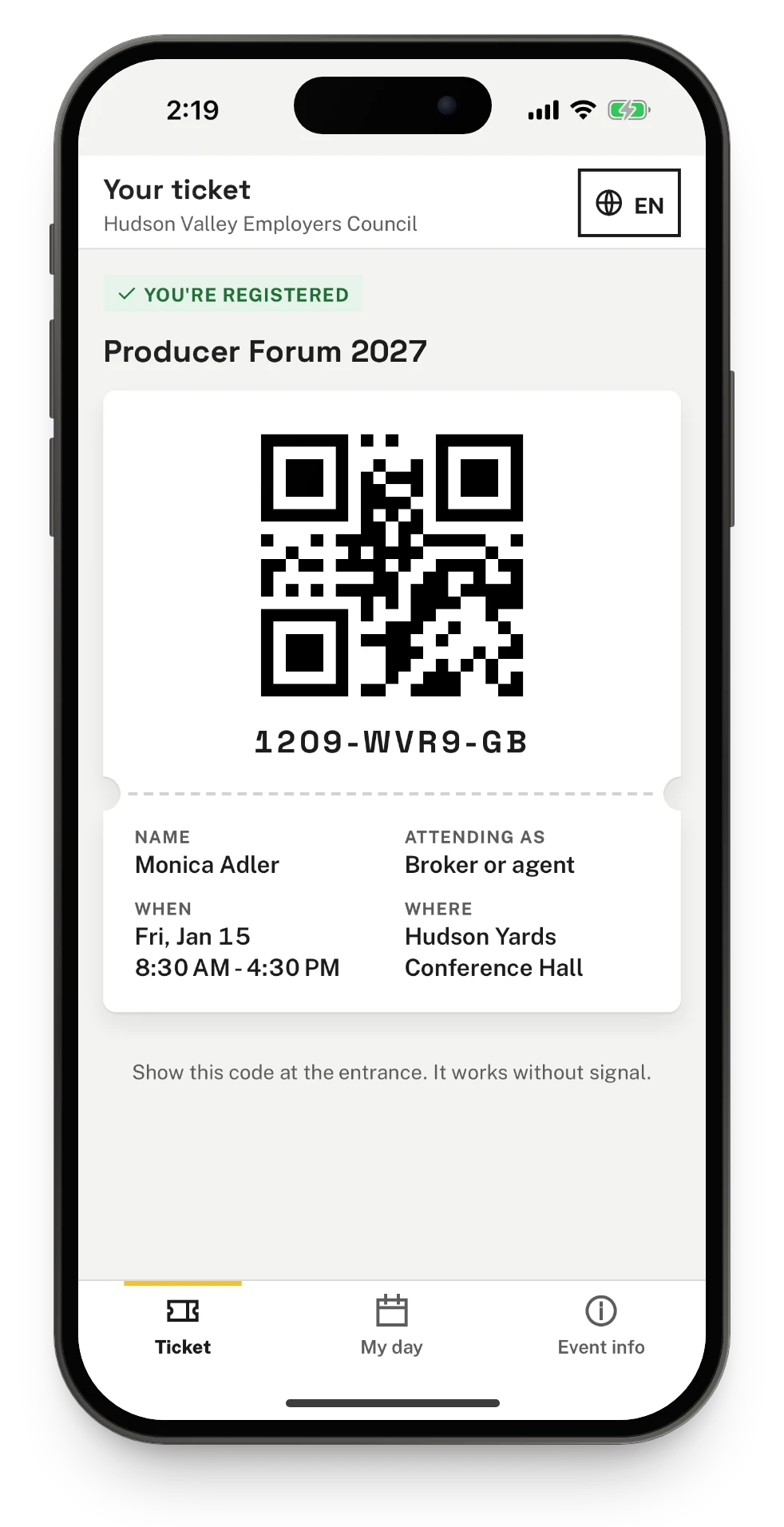
Guests cannot find their ticket email
Guests open their ticket in the Talli app with their email and ticket code, without an account. The phone keeps the ticket, and its QR code still works at the door without signal.
How do brands collect leads at their tables?
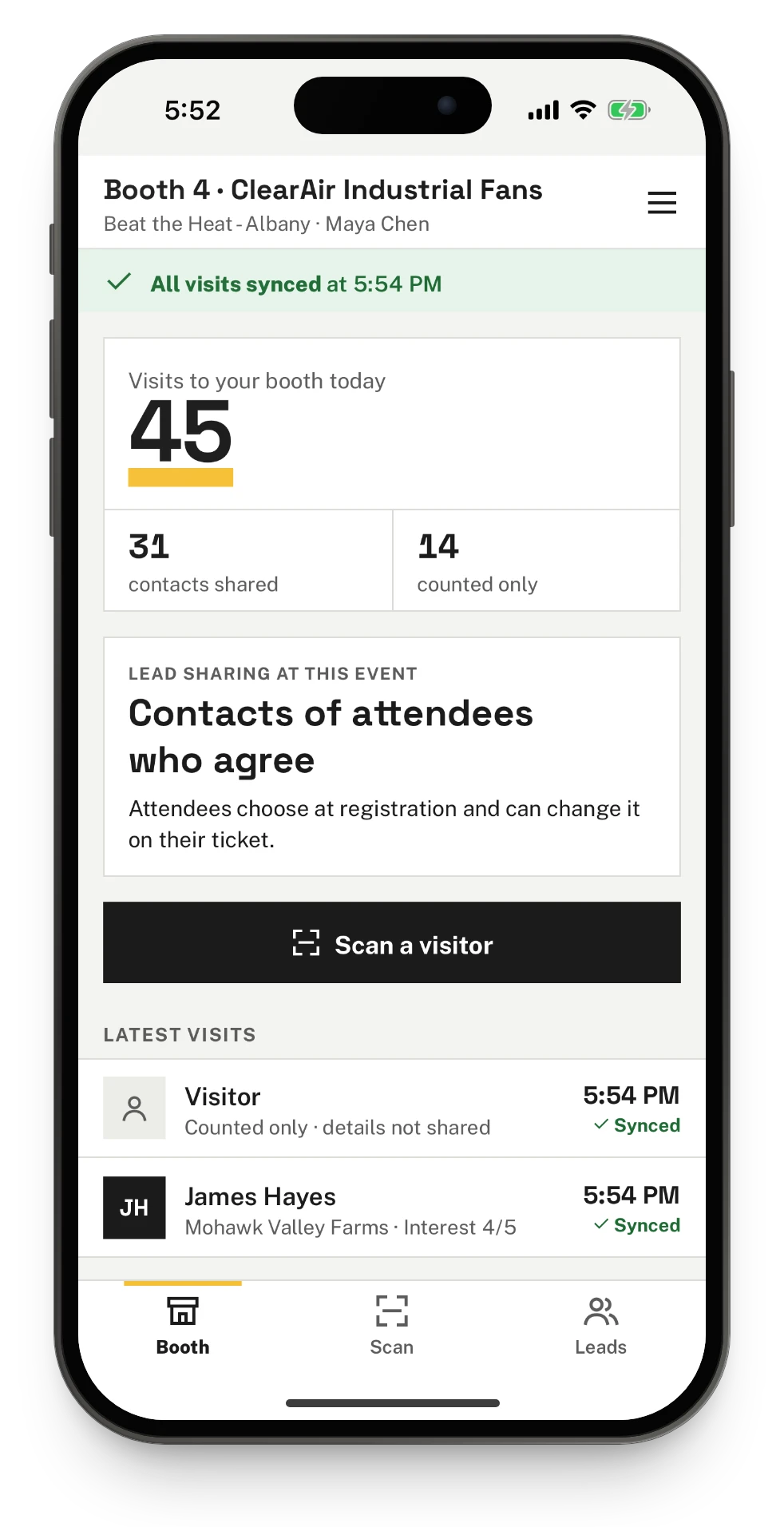
Exhibitors and their booth staff scan guests with the Talli app. Every scan counts as a visit to the table, and you decide what the brand sees about each guest.
- Add each brand once to your brand library, add it to the event and give it a table on the floor plan. Exhibitors
- Booth staff choose I'm at a booth in the app and sign in with a link emailed to the address you invited, with no password.
- When a guest agreed to share, their name, organization and email show with a rating and a note. Otherwise the visit is counted without contact details.
- The Leads tab lists every visit to the table from every phone that scans there, and the full list is also in the brand portal on the web. Brand portal
- When a guest stops sharing, their name and email leave the brand's phones too.
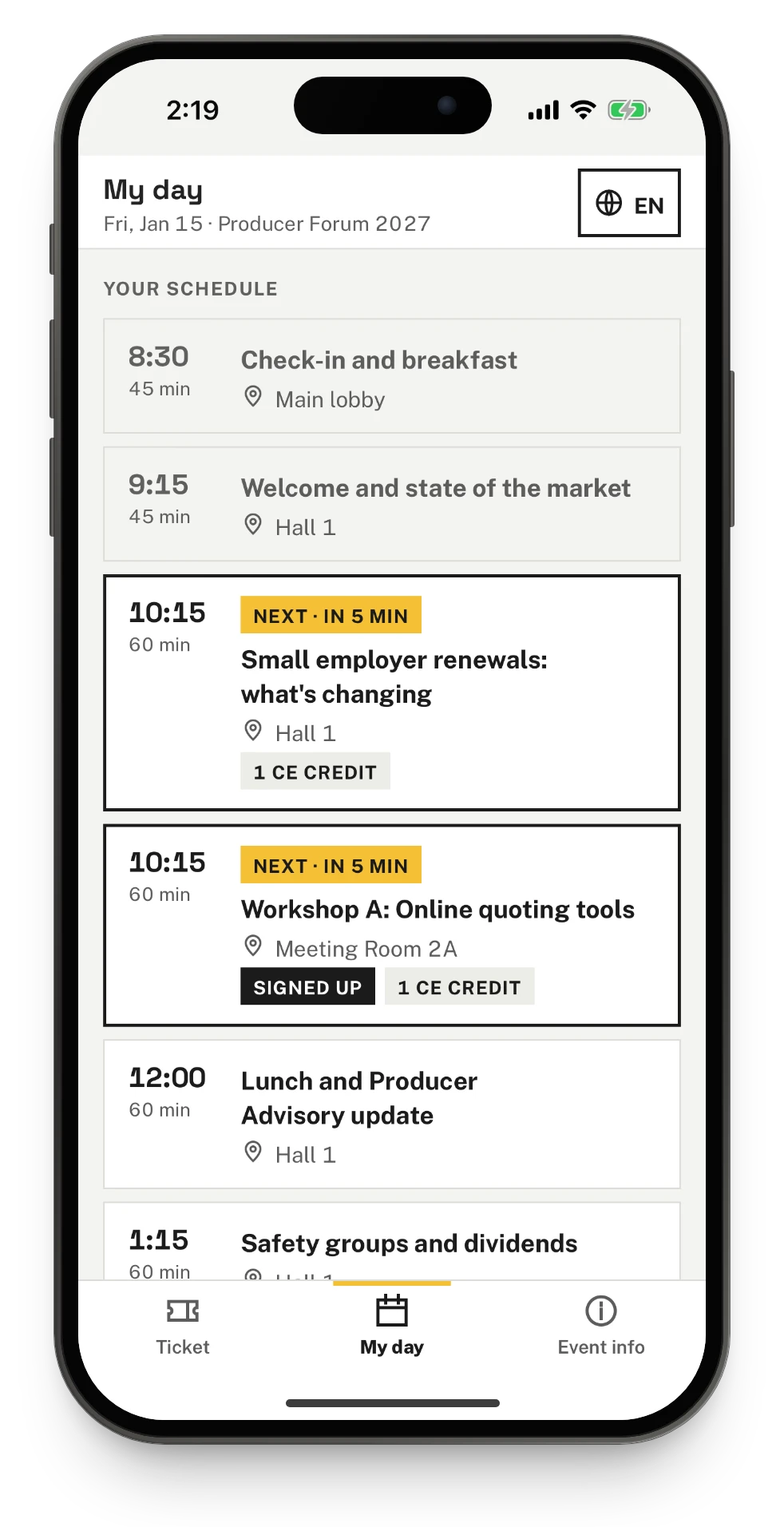
How do guests carry their ticket?
Guests register on the event's registration page and get a ticket with a QR code by email. They can also keep it in the Talli app on iPhone and Android, without an account or a password.
- Tap I have a ticket and enter the email and ticket code, or open the ticket link from the email on a phone with the app.
- The phone keeps the ticket, and opened again without signal it still shows the QR code for the door.
- My day lists the sessions open to everyone and the ones the guest signed up for, such as a masterclass with limited seats.
- The ticket and the day can be shown in each language the event offers.
What Talli gives tasting and festival teams
Registration, the door and the brands' tables work from the same guest list, so a guest counts once wherever they are scanned.
Registration with a capacity
Publish a registration page with attendee types and your own questions. Seats are counted as people submit, and a waitlist takes over when the event is full.
Door check-in on a phone
Scan tickets in the Talli app or in any phone browser, at one or more entry points, each ticket counted once.
Exhibitors and the brand library
Add a brand once and reuse it at every event, with its level, table, portal status, visits and contacts shared.
Booth scanning in the Talli app
Booth staff scan guests, rate their interest, keep notes and see the table's leads, with or without signal.
Floor plans and the venue map
Lay out the tables on the venue's plan, and let guests find a brand on the venue map from their ticket.
Offline check-in and sync
Scans are saved on the phone the moment they happen and sent when it is back online. Organizers see each phone and what is waiting on it.
Frequently asked questions
Do brands need a Talli account or a password to scan guests?
No. Booth staff choose I'm at a booth in the Talli app and enter the email address you invited. Talli emails them a sign-in link that works once, and they stay signed in until they sign out or their access for the brand ends.
What do brands learn about the guests they scan?
It depends on the lead sharing setting you choose for the event: nothing, visit counts only, or the name, organization and email of guests who agreed to share them. Guests who did not agree are counted without contact details.
Can a guest change their mind about sharing their contact?
Yes. Guests can stop sharing or start again from their ticket at any time. When a guest stops sharing, their name and email are removed from the brands' lists, including on the booth phones.
Do the door and the brands' tables work without signal?
Yes. Scans are saved on the phone and sent to Talli when it is back online, and each ticket or visit counts once. A booth scan made offline shows the guest's contact only after it syncs and Talli has checked that the guest agreed to share.
Do guests need the Talli app?
No. Guests get their ticket with a QR code by email when they register, and the same QR code works from the email, the web ticket page or the Talli app. The app keeps the ticket on the phone for when there is no signal.

Run your next tasting on Talli
See the door, the guest ticket and booth scanning on your own event, or sign in to start.