 Talli
For concerts and live shows
Get the guest list through the door, fast.
Talli handles the guest list and the door for concerts and live shows. People sign up on the event's registration page up to the capacity you set, with a waitlist when it is full, or you import your guest list from a spreadsheet. Door staff scan every ticket from a phone, and scanning keeps working without signal.



How do you build the guest list?
Talli gives you two ways to fill the list. Either way, every guest has a ticket with a QR code, and the same capacity rules apply.
People sign up on your registration page
Publish the event and share its registration page. Guests need no Talli account.
- Set a capacity for the event, and for each attendee type if you like; seats are counted as people submit, so two people never take the last seat.
- Turn on Waitlist when full, and people who come later join a numbered waitlist. Give a seat to someone waiting and Talli emails them their ticket.
- One email address registers once per event; someone who signs up again gets their existing ticket resent instead.
You import the guest list from a spreadsheet
Already have the list? Bring it into the event's Attendees page as a CSV file or pasted rows.
- First name, last name and email are required; ticket type and language are optional, in any column order.
- Import quietly, or tick Email each new attendee their ticket to send everyone their ticket.
- Importing the same file again imports nobody twice, and the result lists any lines that could not be imported and why.

What happens at the door?
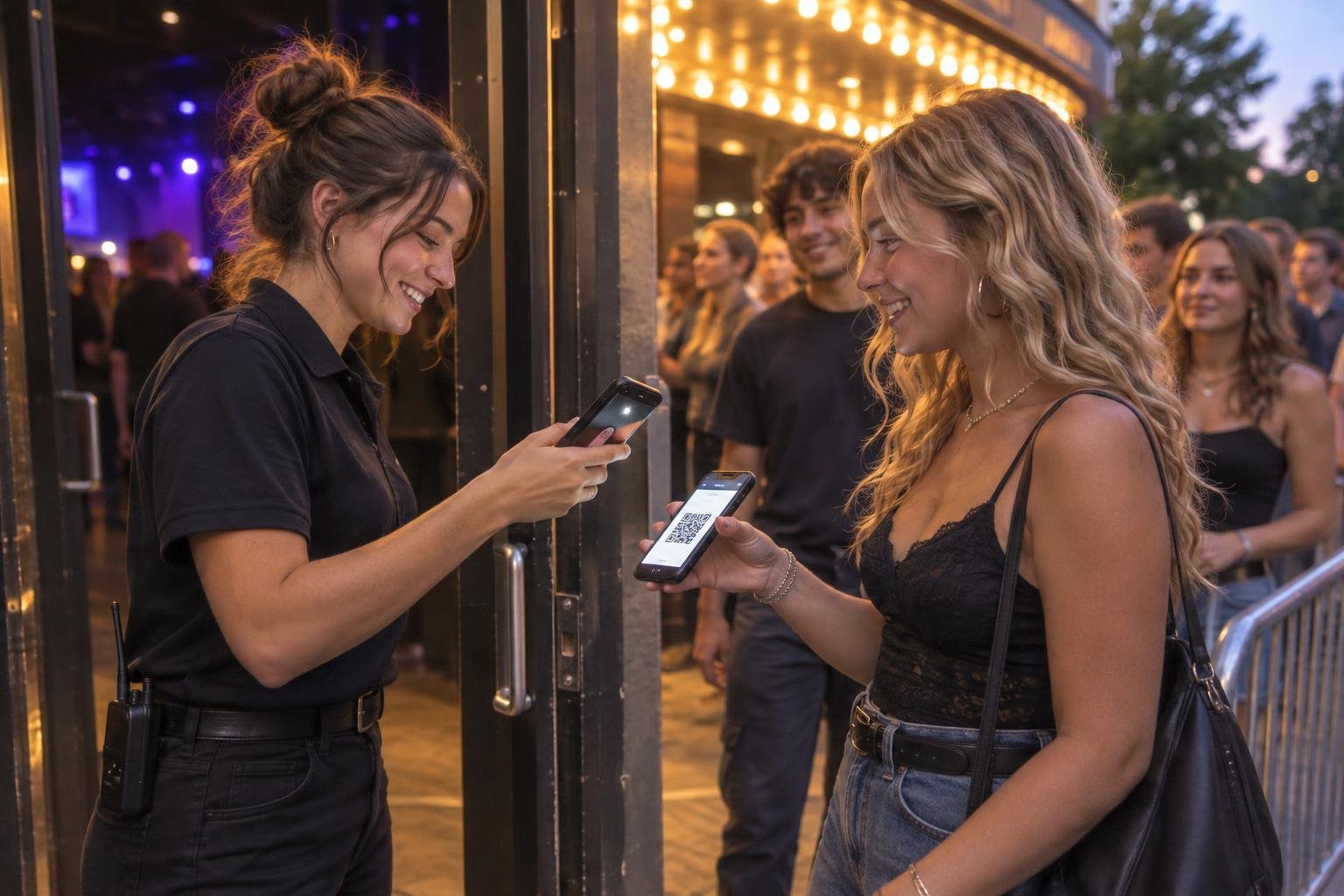
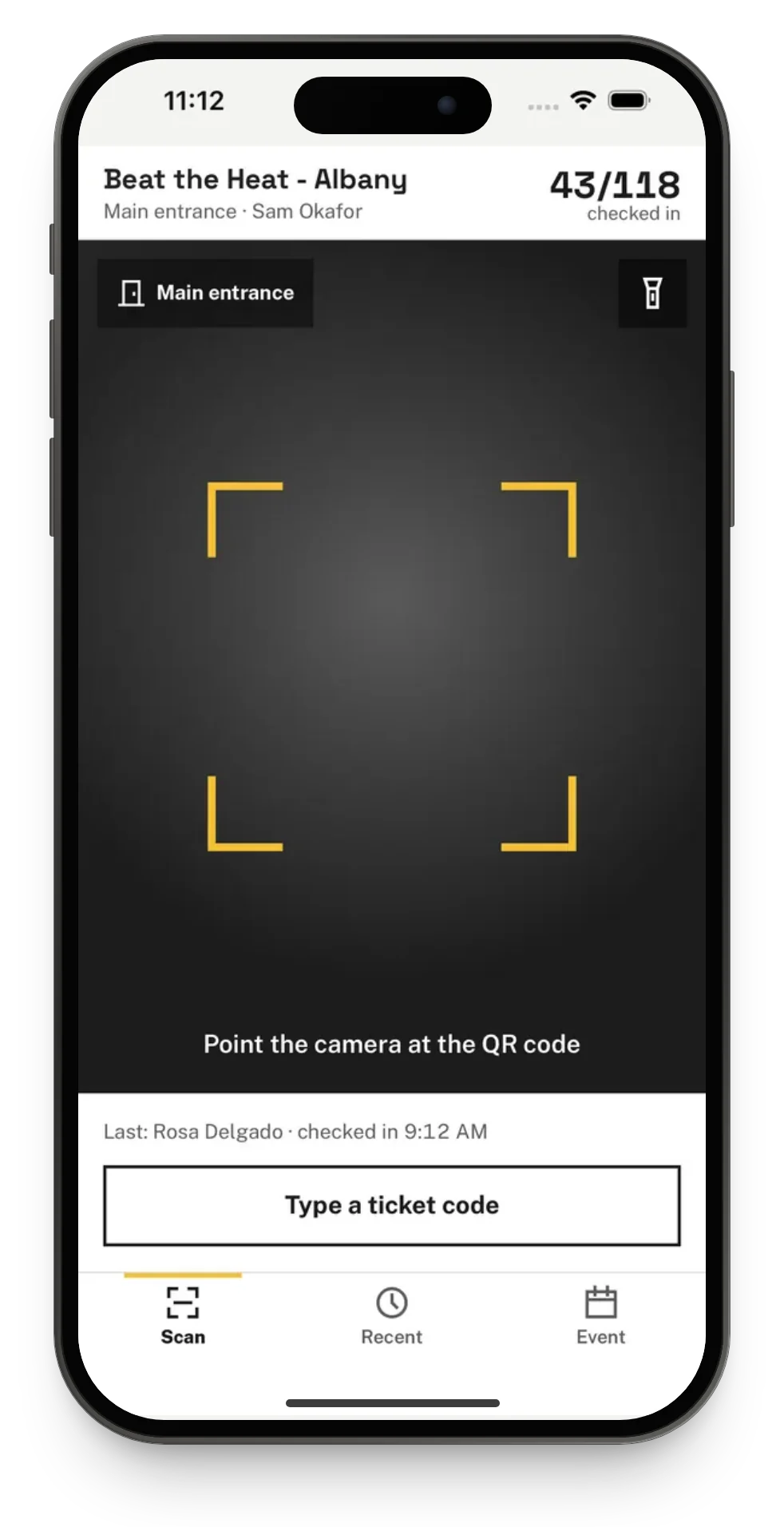
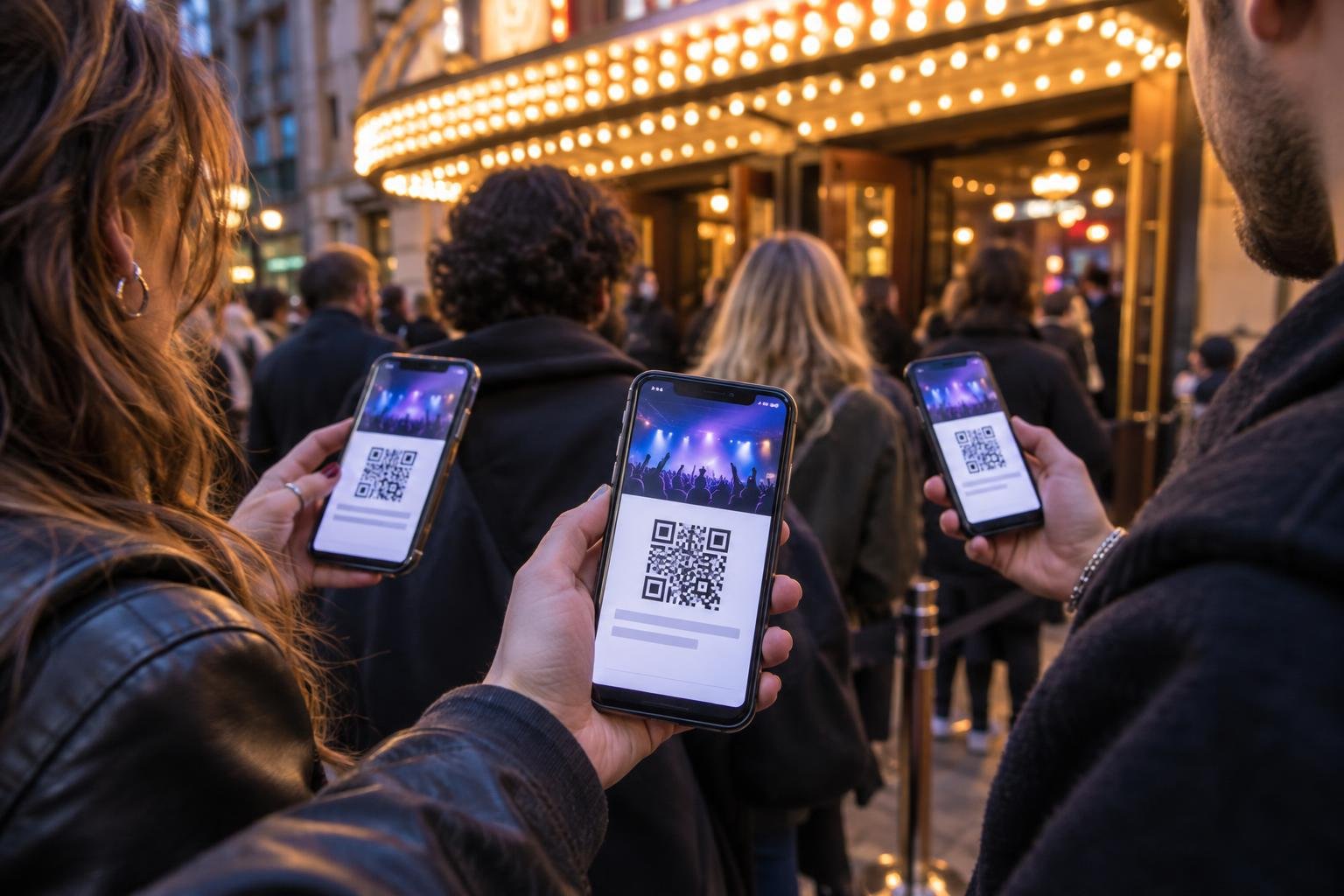
Door staff scan the QR code on each ticket, printed or on a phone, with the Talli app or any phone browser. Every scan shows a clear result, and each ticket counts once.
A clear result for every scan
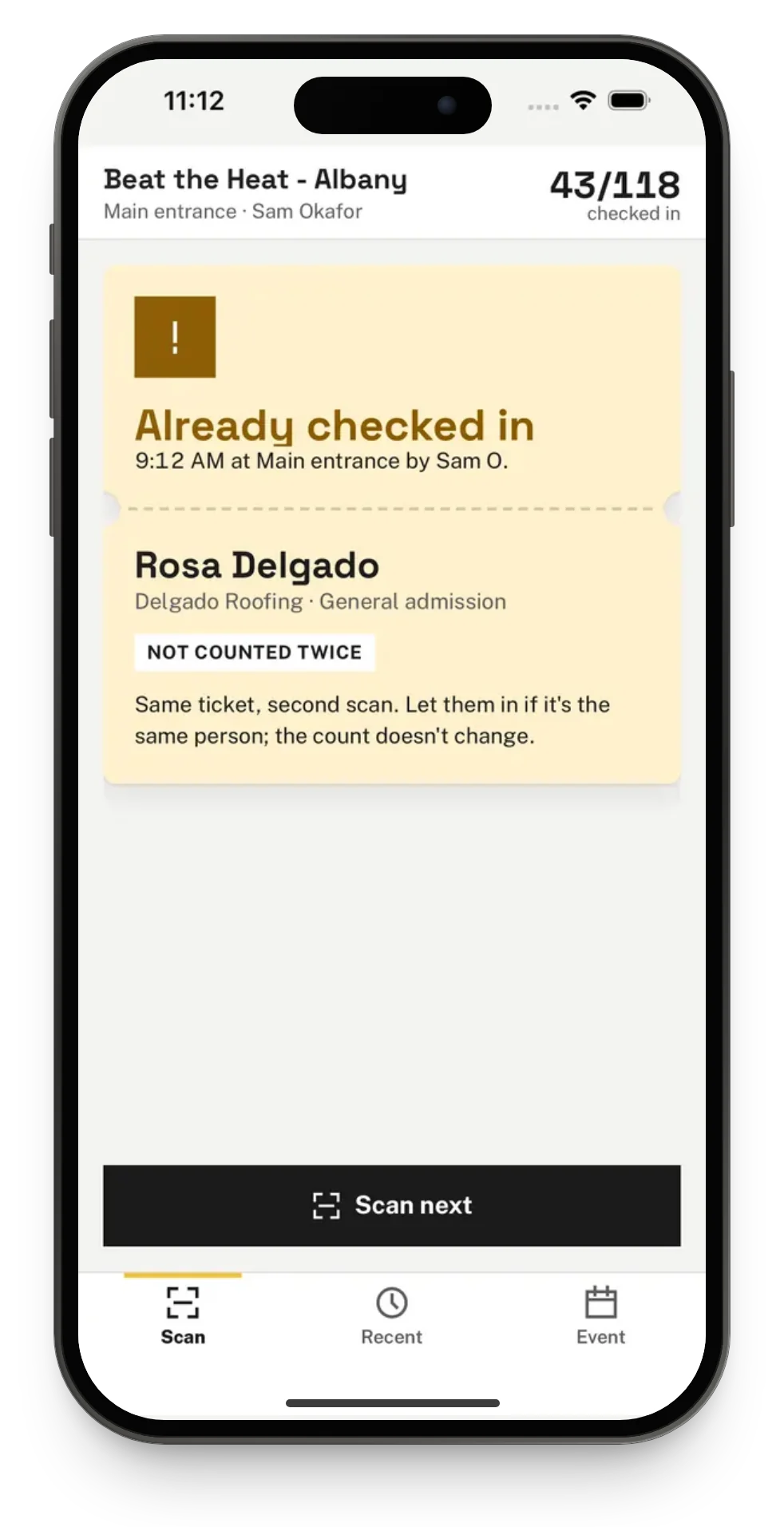
Welcome for a guest who is in, Already checked in with when and where, and a red card for an unknown code or a ticket for another event. Waitlisted and cancelled tickets are never let in by a scan.
More than one door
Give each entrance its own entry point and scan from as many phones as you need. Two phones scanning the same ticket at the same moment still count it once.
No signal at the entrance
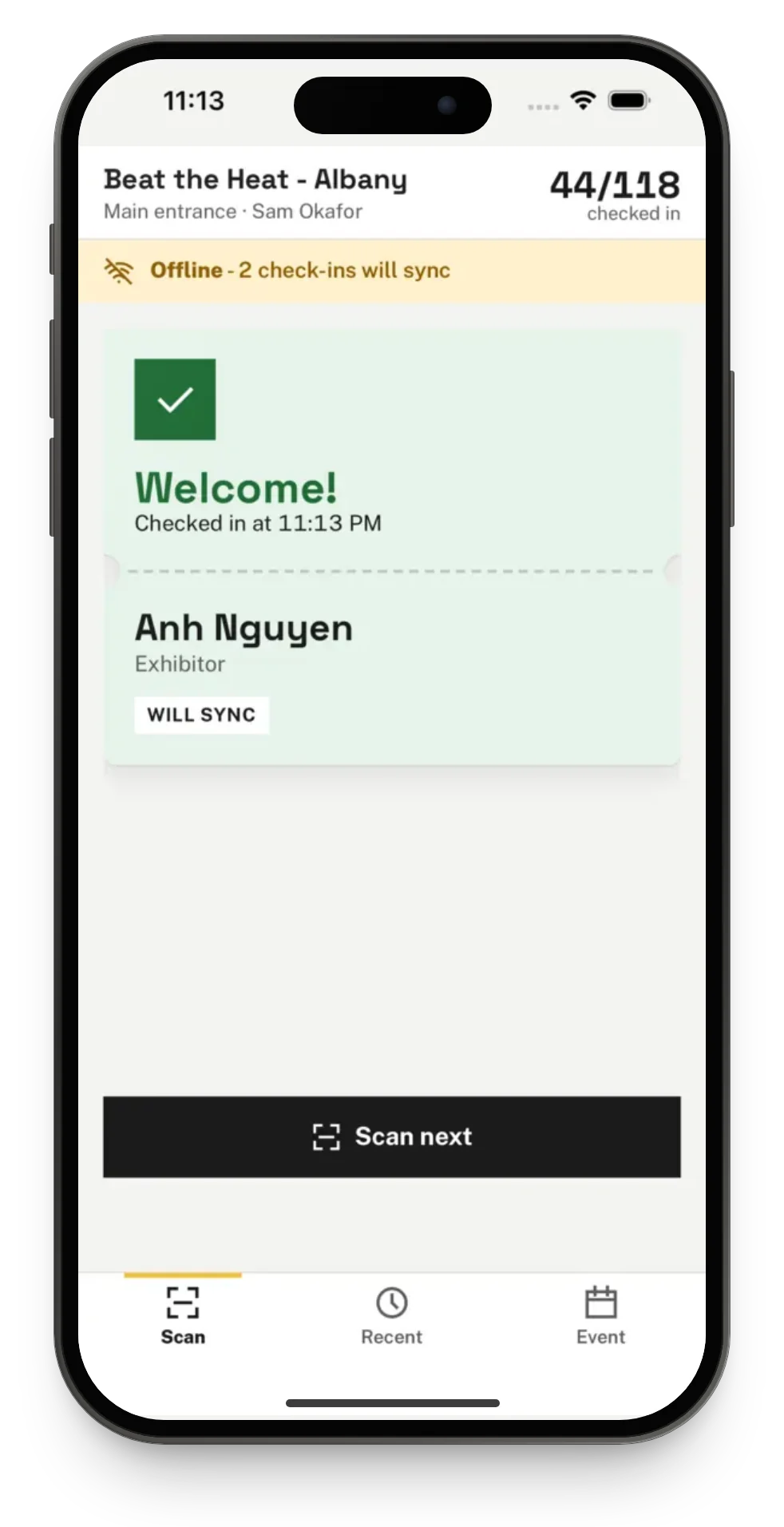
Scanning keeps working offline. The phone decides from the guest list it saved, marks the result Will sync and sends every check-in when it is back online.
A ticket that will not scan
Type the ticket code printed under the QR code, or search by name, email or organization, also without signal in the app.
See who is in
The live event dashboard shows check-ins as they arrive, and Devices and sync shows each phone and any scans still waiting on it.
Guests keep their ticket on their phone
Guests can open their ticket in the Talli app with their email and ticket code. The phone keeps it, so the QR code still shows at the door without signal.
Frequently asked questions
Can I bring in a guest list I already have?
Yes. On the event's Attendees page, open the Imports tab and choose a CSV file or paste the rows, with first name, last name and email for each guest. You can import quietly or email every new guest their ticket, and importing the same file again imports nobody twice.
What happens when the show is full?
With Waitlist when full turned on, the registration page says the event is full and offers Join the waitlist, numbered in the order people join. When a seat frees up, you choose Give a seat for someone waiting and Talli emails them their ticket. With the waitlist off, the page takes no more registrations.
Does door check-in work without signal?
Yes. Each scan is saved on the phone, decided from the guest list the phone saved, and sent to Talli when the phone is back online. If two phones check in the same ticket offline, the first scan to reach Talli counts.
Can several doors scan at the same time?
Yes. An event can have up to 30 entry points, and any number of phones can scan. Each ticket is checked in at most once, whichever phone or entry point scans it first.
Do guests need the Talli app?
No. Guests get a ticket with a QR code by email when they register, or when you send tickets with an import, and door staff scan it from the email, a printout, the web ticket page or the Talli app. Staff can also find a guest by name.

Put your next show's door on Talli
See registration, guest list import and phone check-in on your own event, or sign in to start.