 Talli
 Talli for iPhone and Android
Check people in at the door, with or without signal.
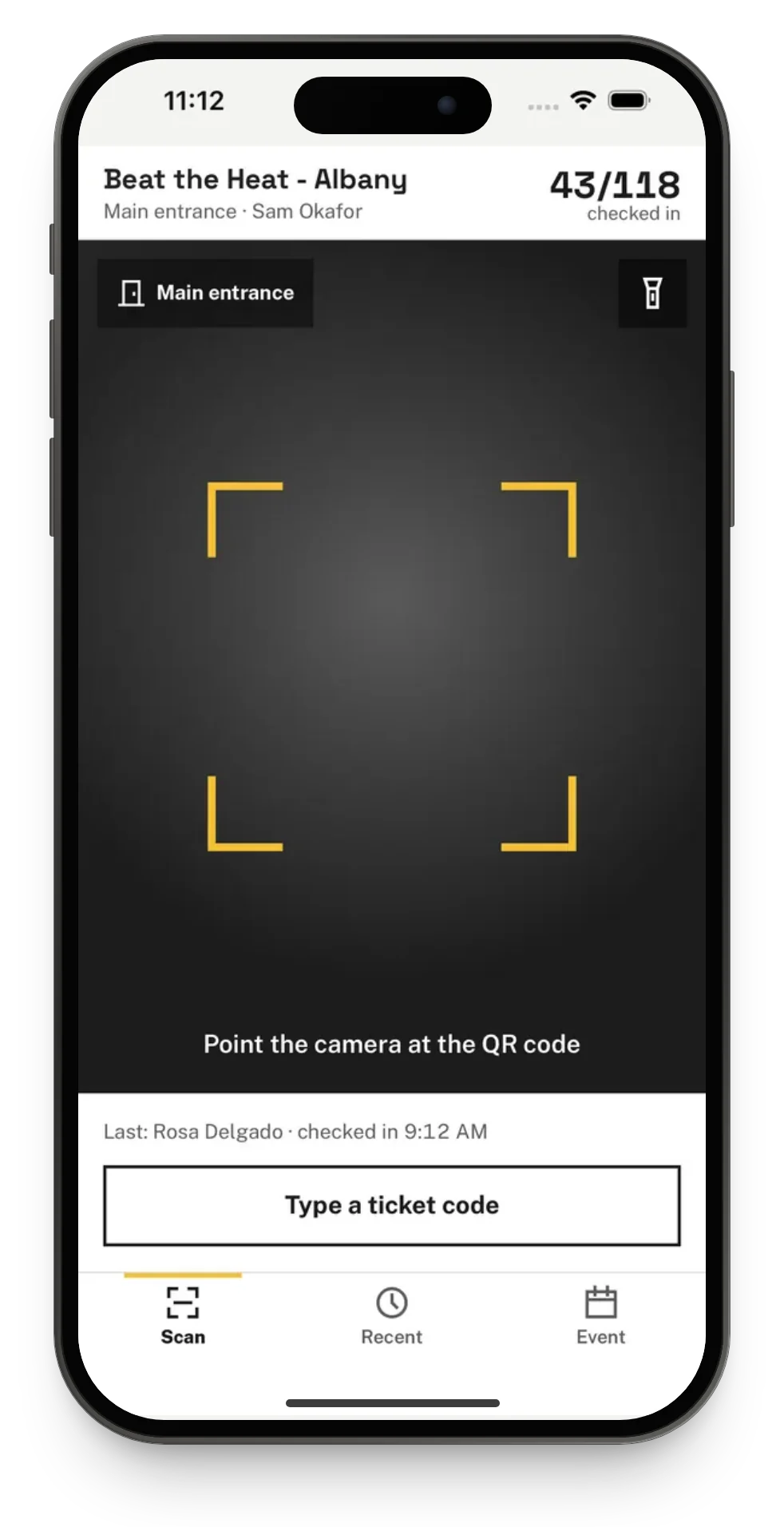
Talli is the app for the people working your door, and for the people coming to your event. The same app runs on iPhone and Android phones. Door staff scan tickets with the camera, type a code or find someone by name, and when the signal drops the phone keeps checking people in and sends every check-in to Talli as soon as it is back online.
Staff sign in with their Talli account, booth staff with an emailed link, and ticket holders need no account at all. Organizers set up events, entry points and staff in Talli on the web.
One app, on iPhone and Android
Both apps have the same screens, the same words and the same results, and they work the same way, offline too. Hand out a mix of iPhones and Android phones at the door and your staff will not notice a difference.
- Staff sign in with the same Talli account on either phone.
- Every check-in reaches the same event, whichever phone made it.
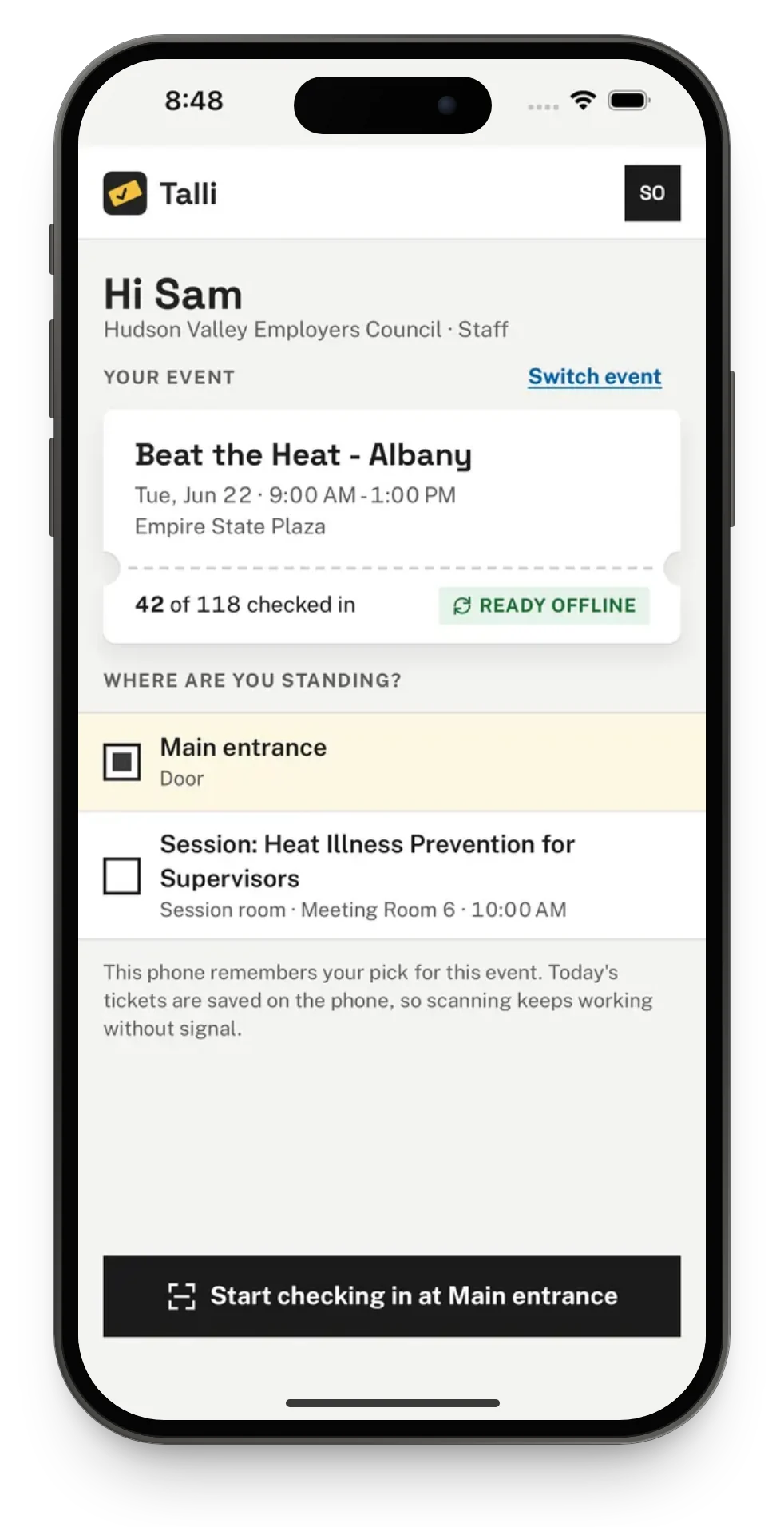
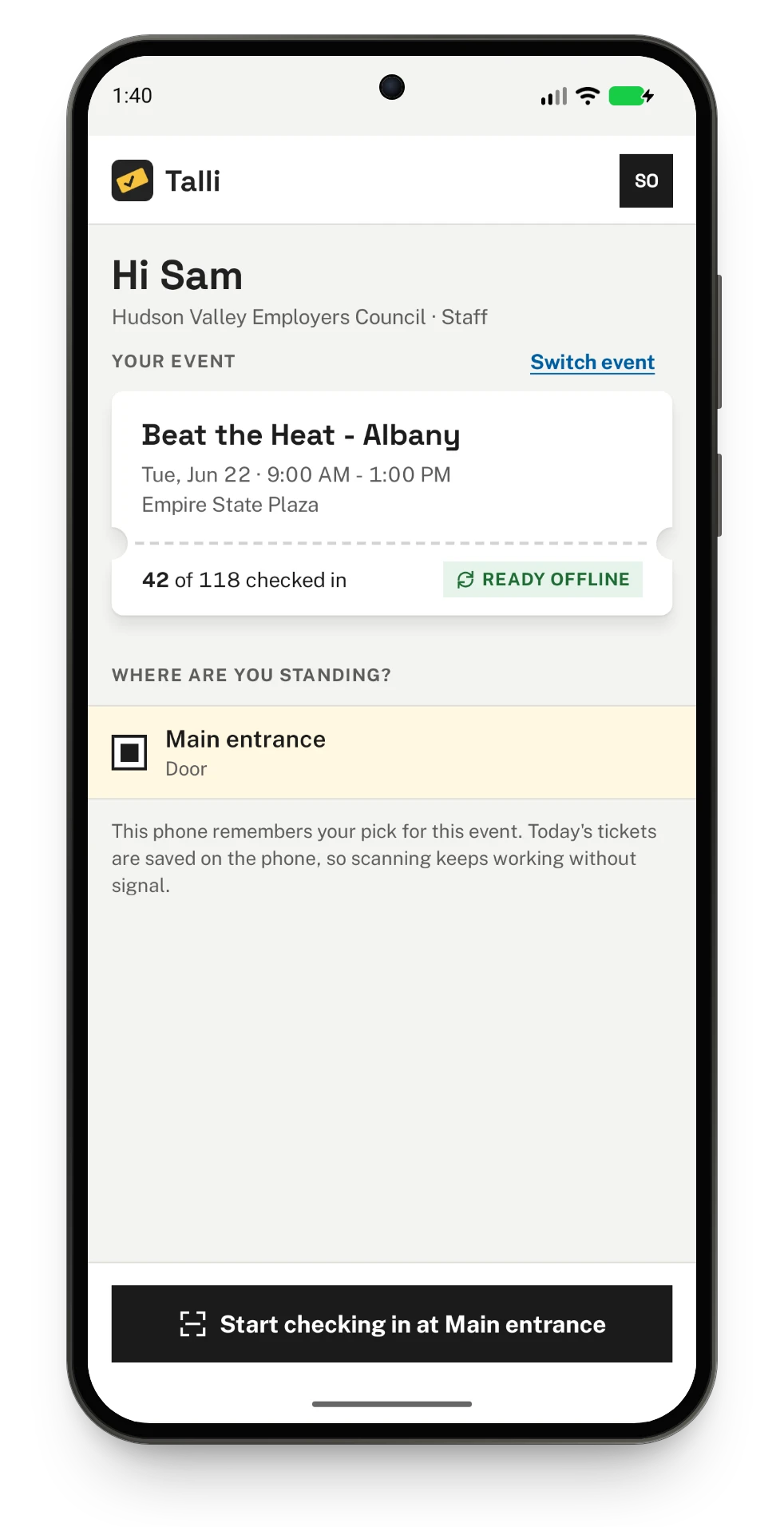
Three ways to check someone in
Every check-in counts each ticket once, whichever phone or browser checks the person in first.
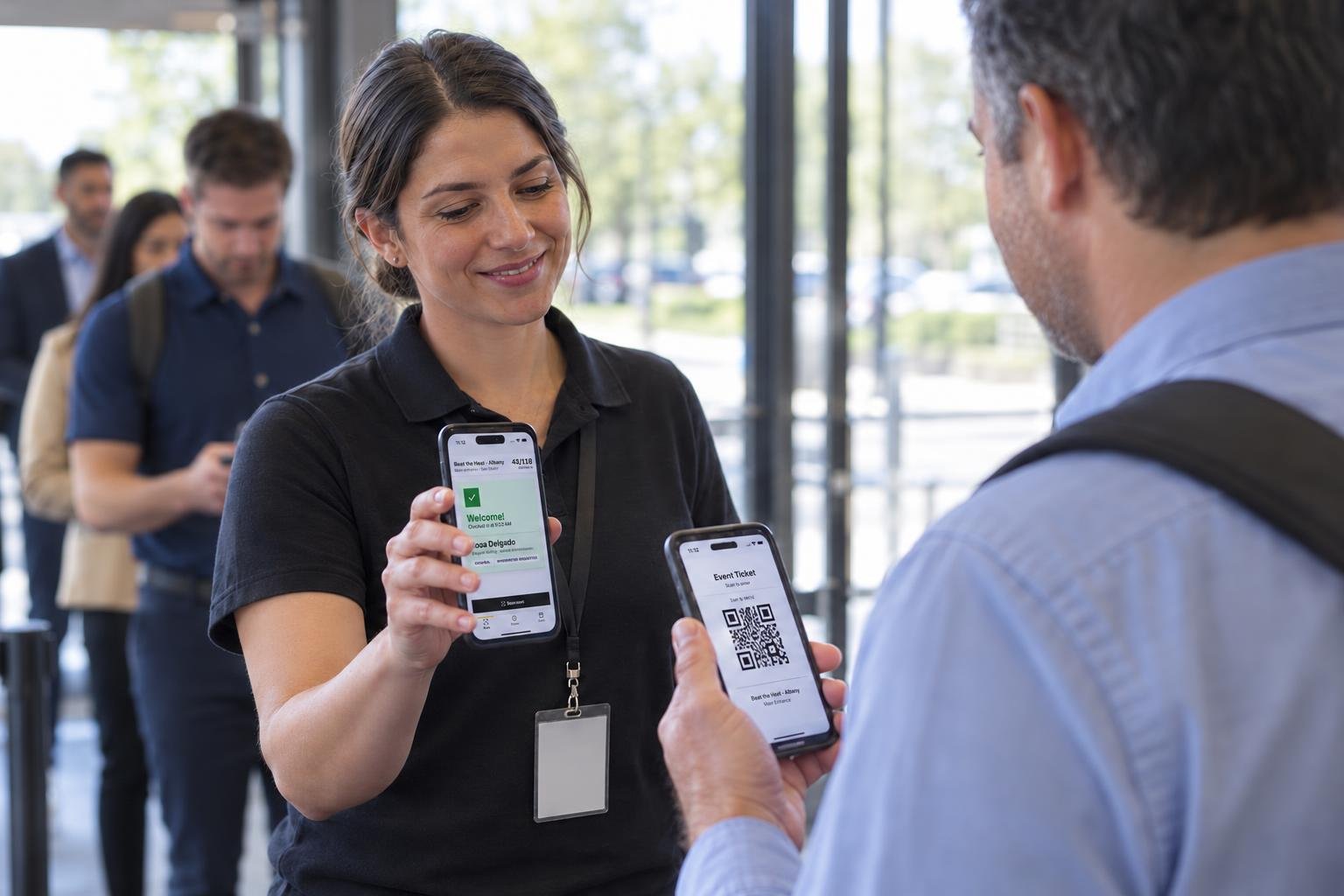
Scan the ticket
Point the camera at the QR code on the attendee's phone or printout. A ticket held in front of the camera is read once, so nobody is counted twice by accident.
Type a ticket code
Type the code printed under the QR code. Capitals and dashes do not matter, and typing works even when the camera is not allowed or not available.
Find someone by name
For someone without their ticket, search part of their name or code. Capitals and accents do not matter: "ramirez" finds Luis Ramírez. Tap Check in on their row.
A clear answer for every scan
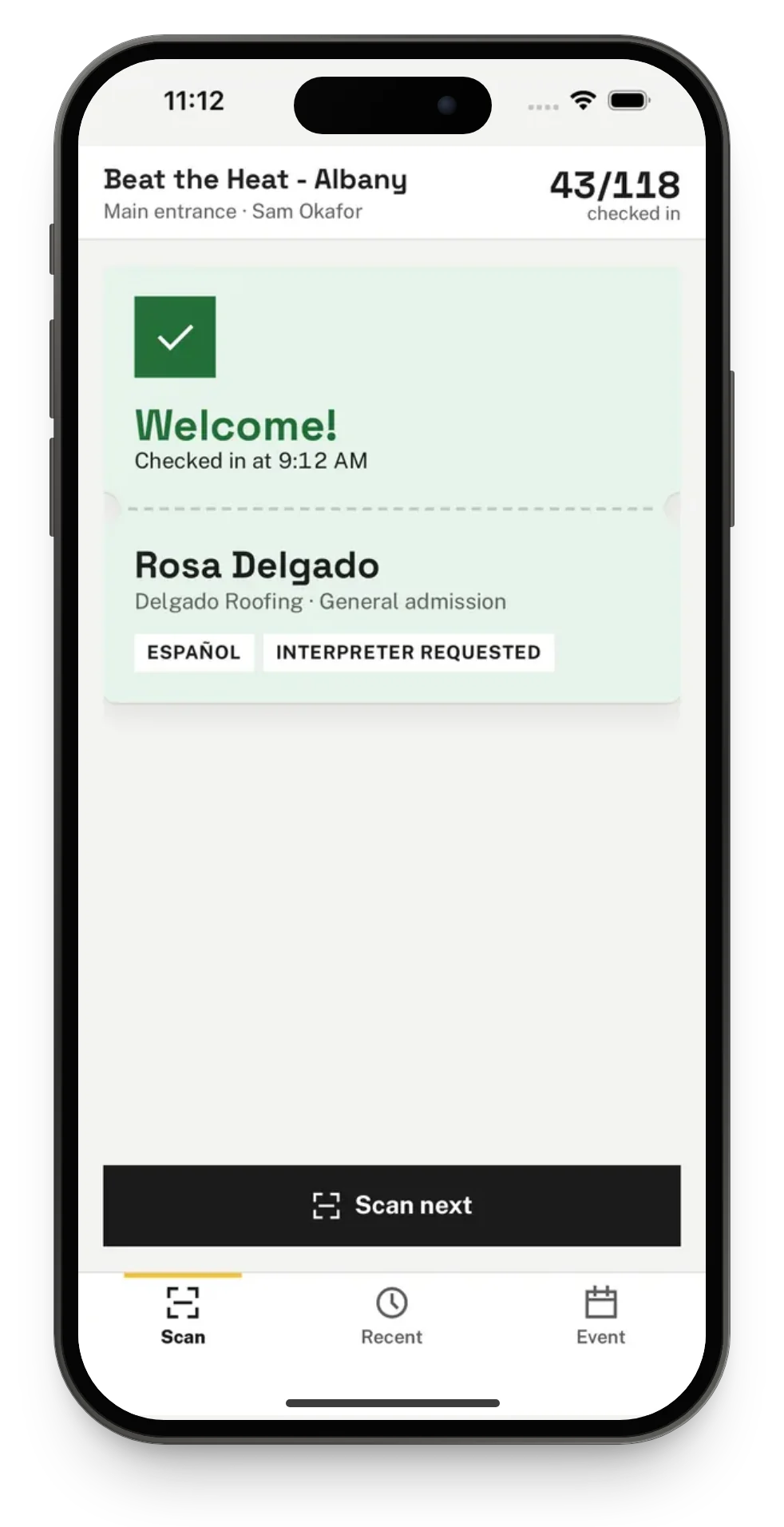
Each result has its own color, its own words and its own short vibration, so staff know what happened at a glance and keep the line moving.
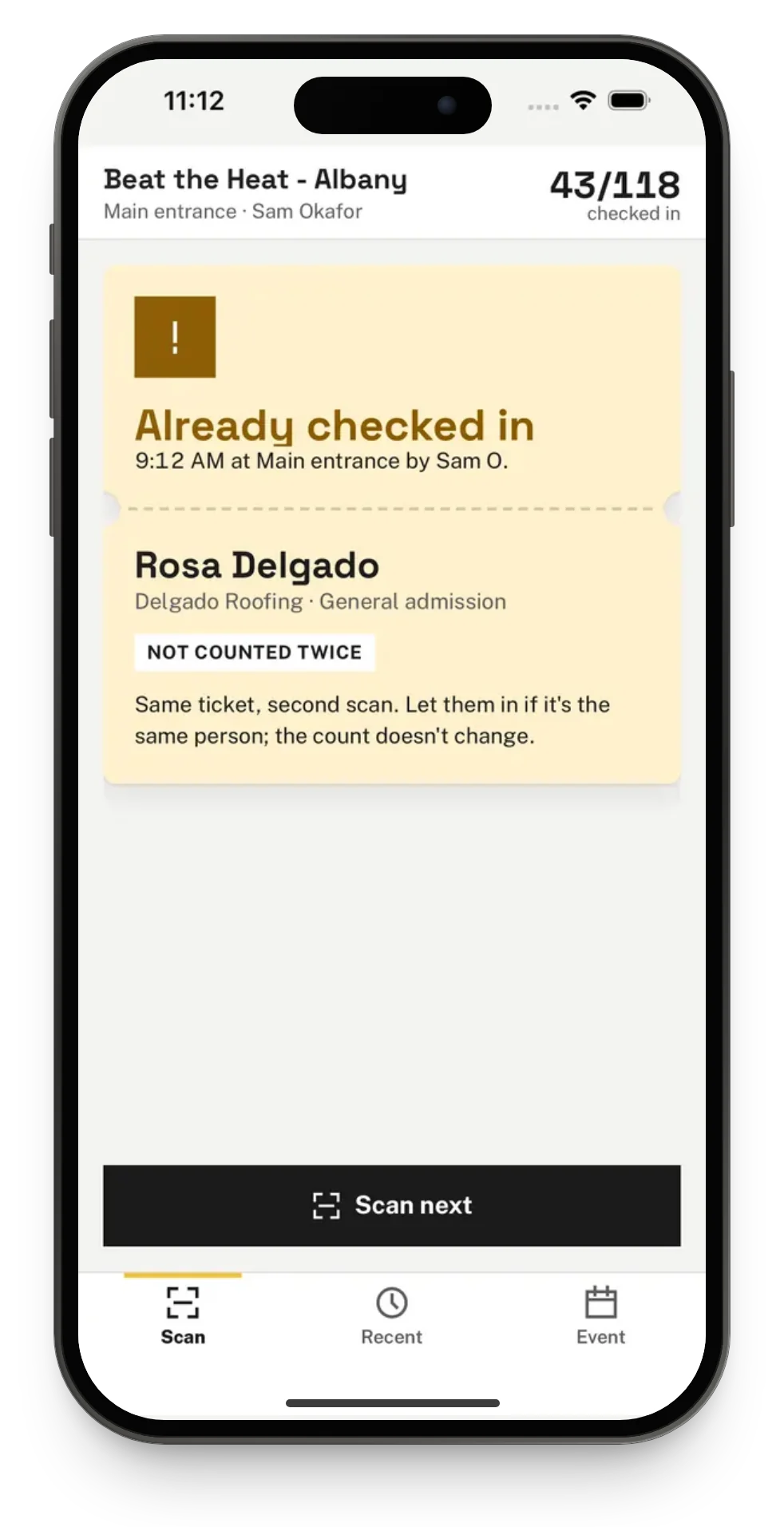
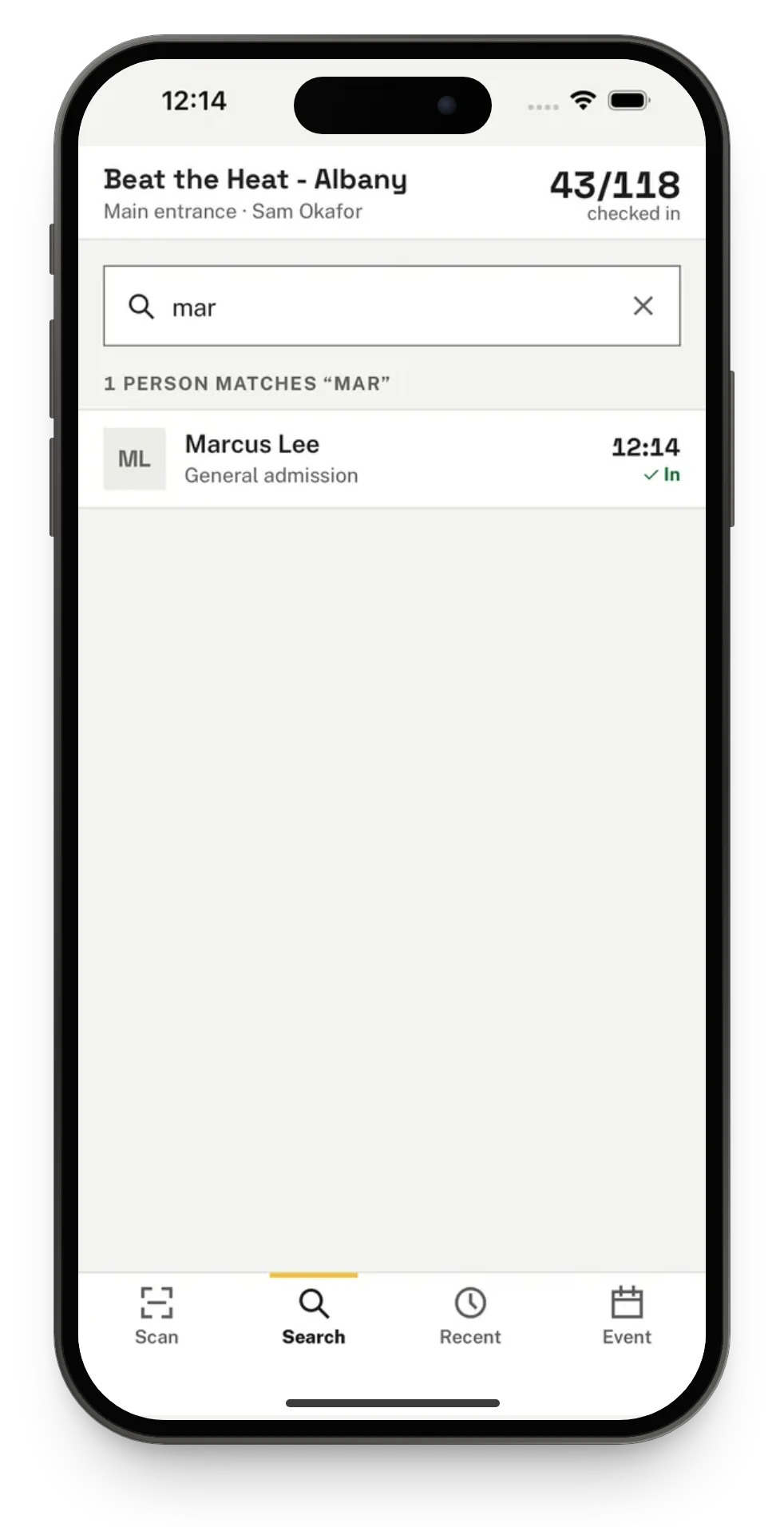
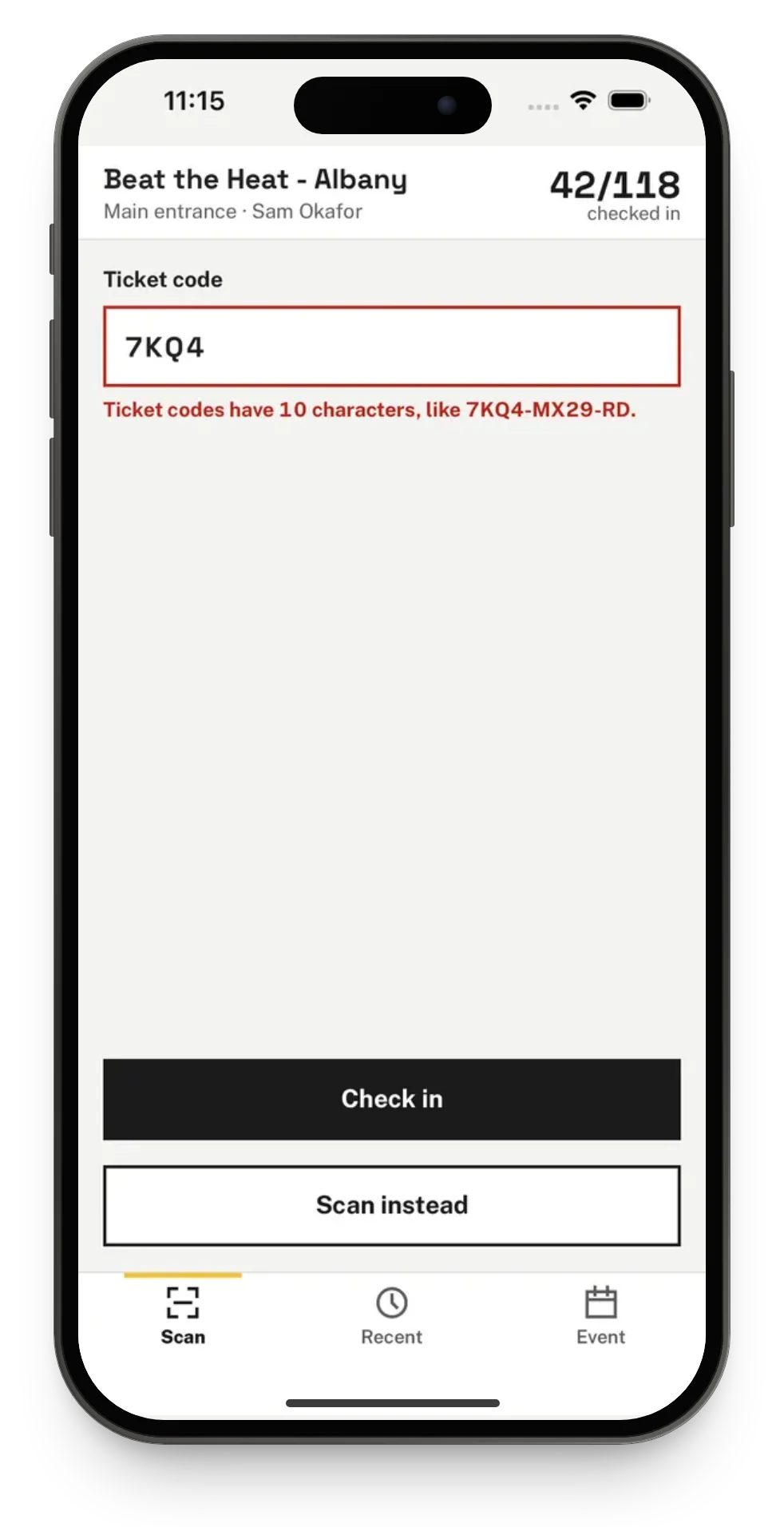
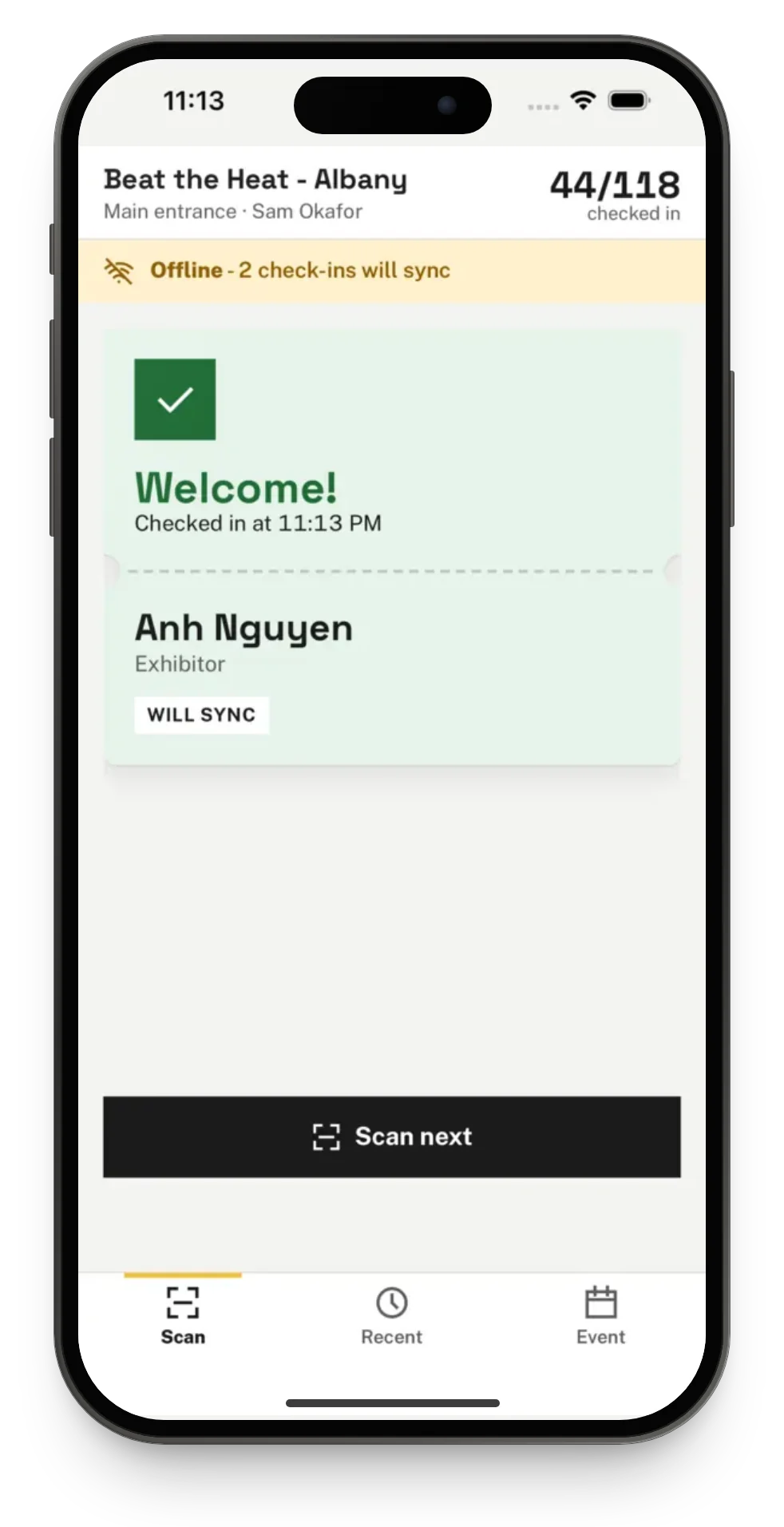
Shown on iPhone with sample data. The Android app shows the same screens.
Check in to sessions, not just the door
At an event with sessions, staff pick the session they are working at from the Event tab, then scan, type or search as at a door.
- Each check-in also checks the person in to the session and records any credit the session gives.
- Someone who did not sign up for a session that asks for sign-up is still let in. The card says Not signed up, in amber, and shows them as a walk-in.
- Someone another phone already checked in to the session gets Already checked in, so nobody is counted twice.
- A scan at a door never checks anyone in to a session.
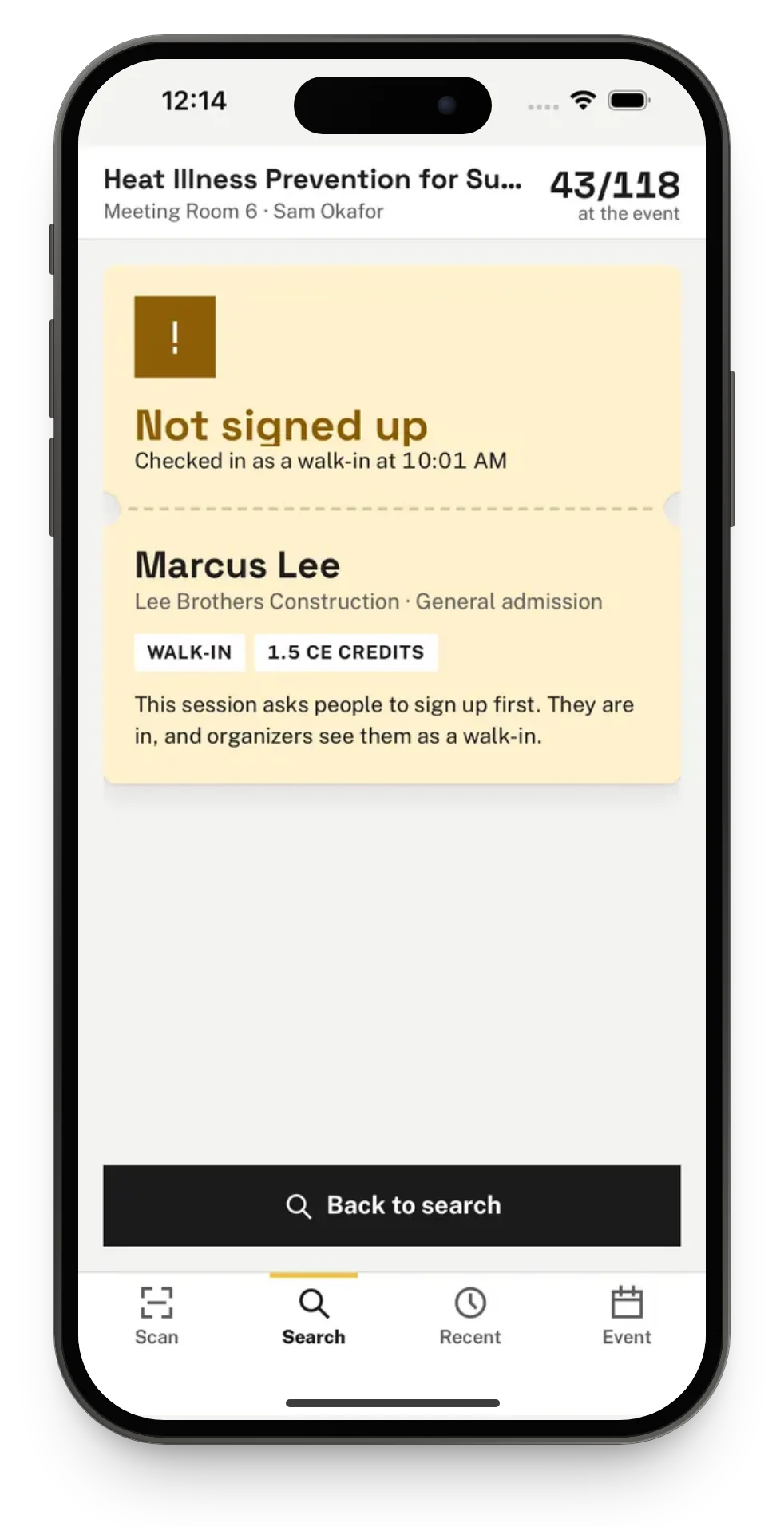
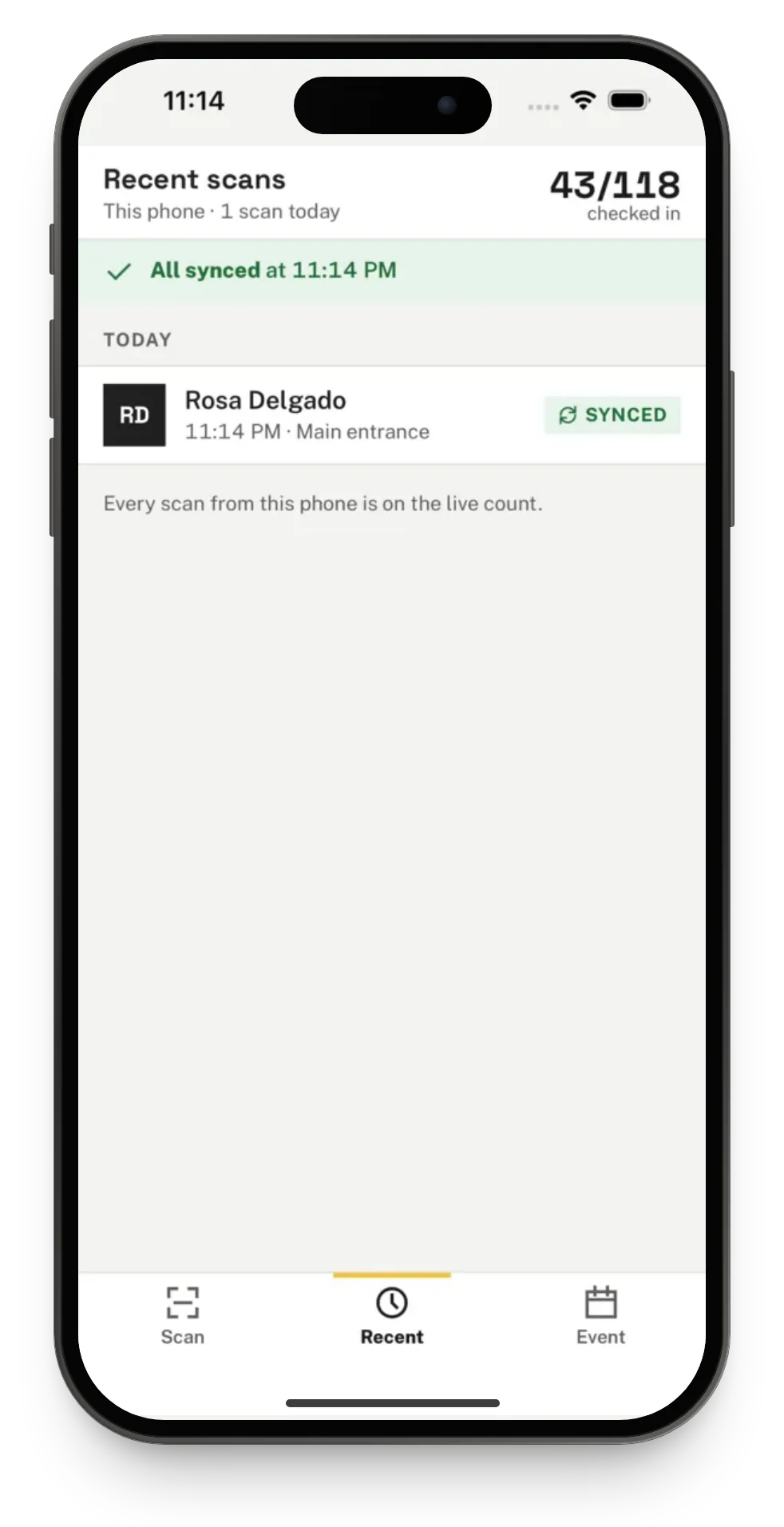
No signal? Keep scanning.
When the event is chosen, the phone saves its attendee list. From then on it can check people in with no signal at all.
- Every scan is saved on the phone the moment it happens. Closing the app or restarting the phone does not lose it.
- A banner says how many check-ins are waiting, and search works on the list saved on the phone.
- Back online, the waiting scans are sent in the order they were made, and the banner says All synced.
- If two phones scan the same ticket, the first scan to reach Talli counts. The other shows as Already in.
- Staff cannot sign out or switch events while scans are still waiting, so nothing is lost.
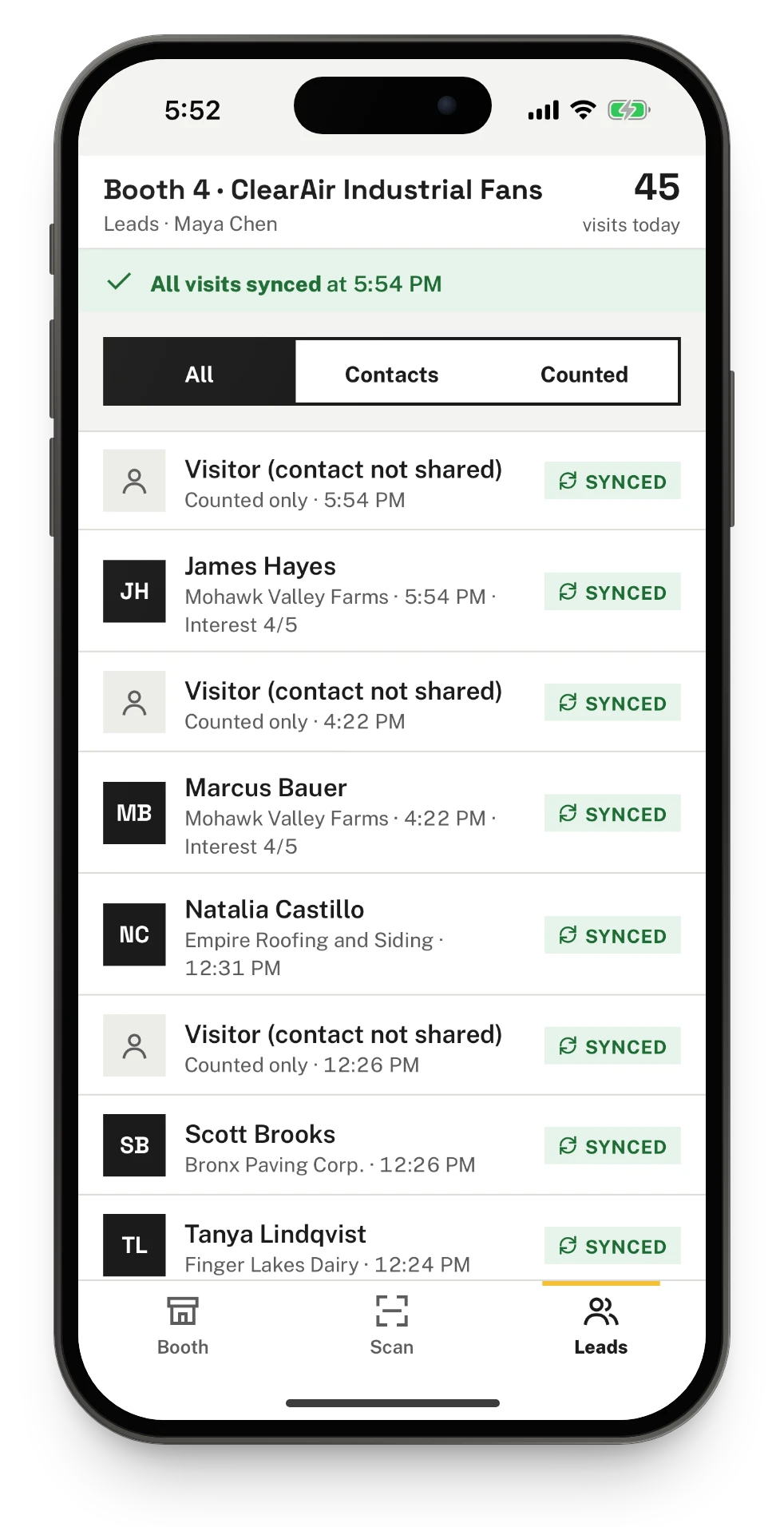
Scan visitors at the booth
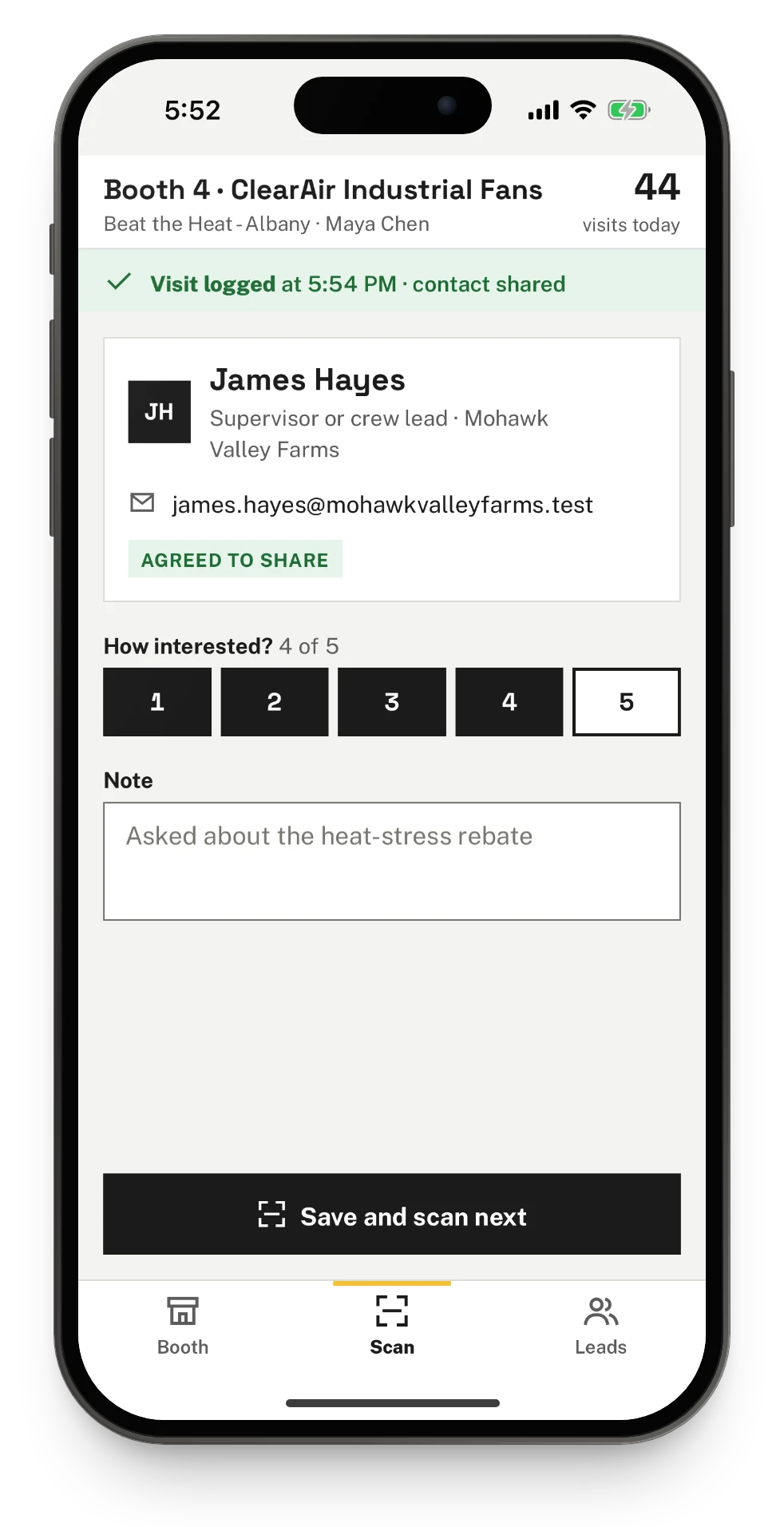
Exhibitors and their booth staff use the same app to scan visitors at their booth. Every scan counts as a visit, and the organizer decides what the brand sees about each visitor.
- Booth staff sign in with a link emailed to the address the organizer invited. No password is needed.
- When a visitor agreed to share, their contact card shows, with a 1 to 5 rating and a note. Otherwise the visit is counted without contact details.
- The Leads tab lists every visit to the booth, from every phone that scans there, with All, Contacts and Counted.
- Without signal, visits are saved on the phone and sync with their note and rating once it is back online.
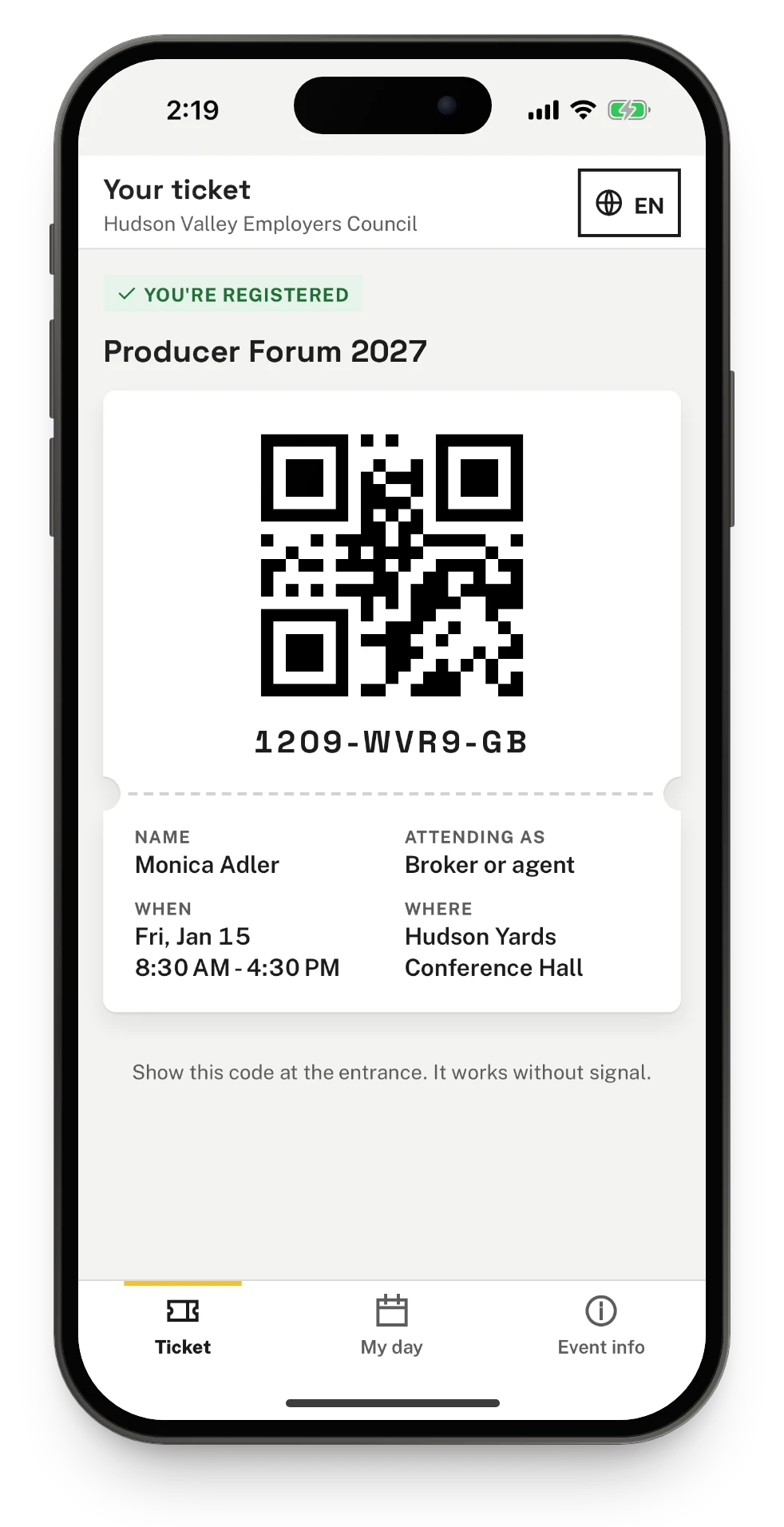
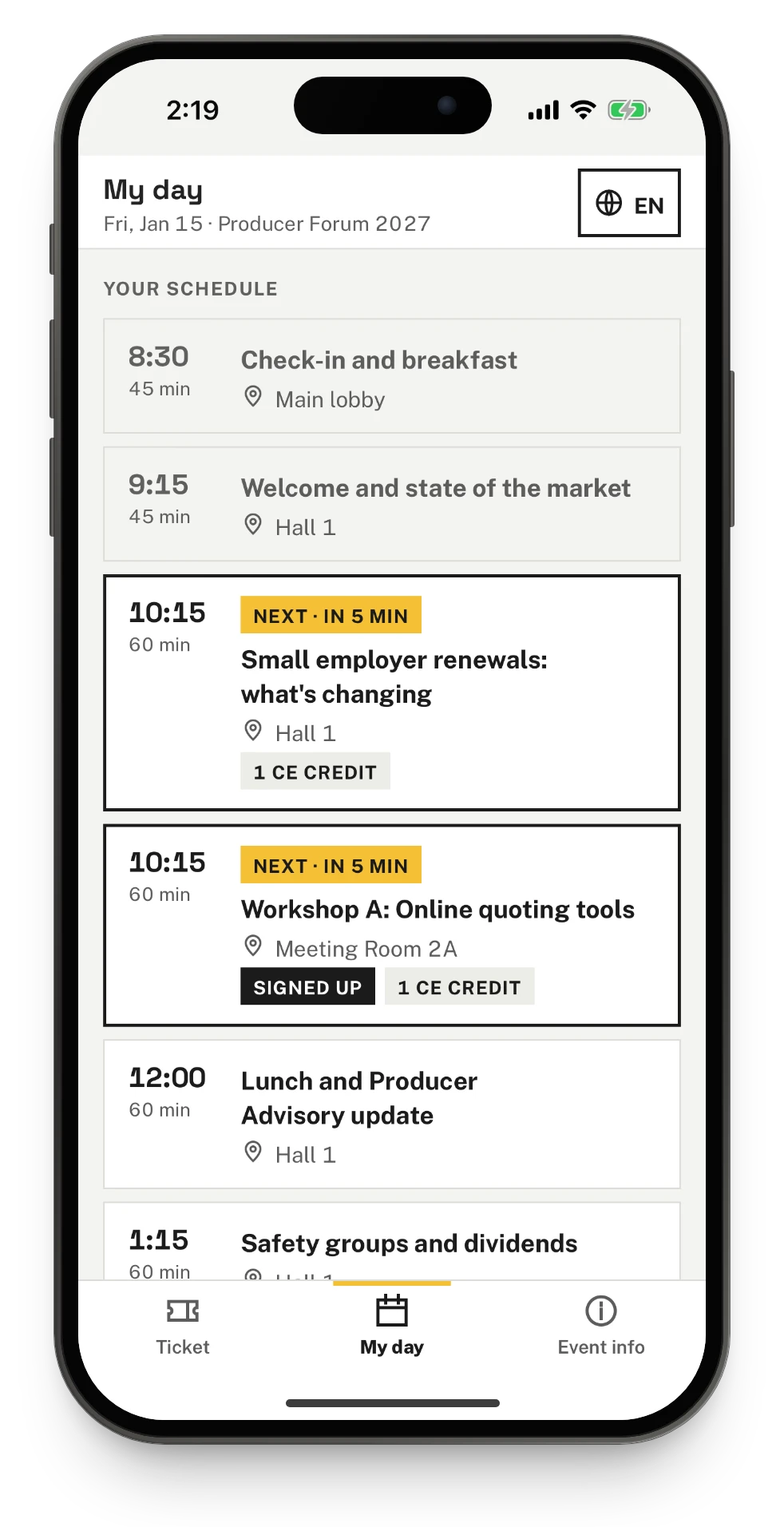
Your attendees' ticket and day
People who registered open their ticket and their day in the Talli app, without an account or a password.
- They open it from the link in their ticket email, or with their email and ticket code.
- The QR code is the same one as in the ticket email, so door staff scan it the usual way.
- My day lists their sessions by start time, marks what is on now and next, and shows any CE credits.
- The ticket and the day show in each language the event offers, and stay on the phone without signal.
Get the app
Talli is on the App Store for iPhone. On Android, Talli gives your team the app through an invitation while it is on its way to Google Play.
iPhone
Talli is on the App Store as Talli Events, free, in the United States. Updates arrive through the App Store like any other app.
Android
Talli for Android reaches your team through a Google Play internal testing invitation. They accept the invite in their Google account and install Talli from Google Play.
Made for every member of your door team
On iPhone, Talli works with VoiceOver and with the phone's text size up to the largest accessibility sizes, for door staff and ticket holders alike.
Results read aloud
With VoiceOver on, each result is read aloud, for example "Welcome! Rosa Delgado, checked in at 9:12 AM".
Large text that fits
At large sizes, rows stack their parts instead of cutting words off, and a long ticket code wraps onto more lines.
Never color alone
Colors meet WCAG contrast, every button is at least 44 by 44 points, and each result has its own words and vibration.
Organizers see every phone at the door
On the event's Devices and sync page in Talli on the web, owners and admins see every phone, tablet and laptop checking people in, and what each one still holds.
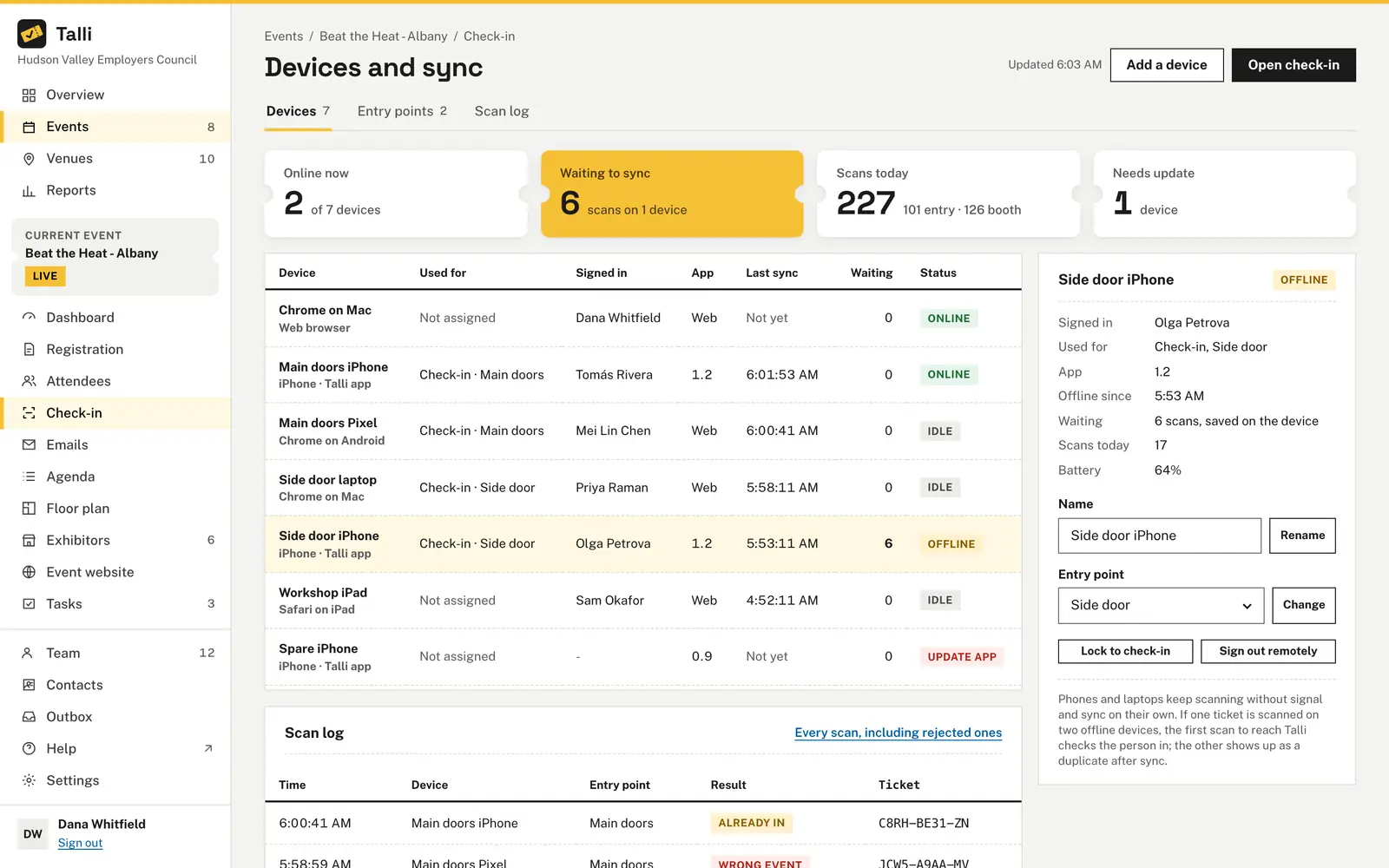
Every device, live
See which devices are online, which entry point each one is on, who is signed in, its last sync and how many scans are still waiting on it.
Sign out a lost phone
Sign out remotely signs the person out at once, and Talli refuses that device for good: it can no longer check people in, open events or search attendees.
Staff assignments
Assign each staff member to the whole event or to one entry point. They then see only the events and doors they are assigned to, in the app too.
Read the mobile app guide Devices and offline check-in Booth scanning Your ticket in the app
Frequently asked questions
Which phones does the Talli app run on?
iPhone and Android phones. Both apps have the same screens and features and work the same way, so staff, exhibitors and ticket holders can use whichever phone they have.
Does the Talli app work without signal?
Yes. When staff choose the event, the phone saves its attendee list. Scanning, typing codes and searching by name keep working without signal, and the check-ins are sent to Talli as soon as the phone is back online.
What happens if two phones scan the same ticket?
The ticket counts once. The first scan to reach Talli checks the person in, and the other scan shows as Already in.
Can a scan be lost if the app closes?
No. Every scan is saved on the phone the moment it happens, before anything is sent. Closing the app or restarting the phone does not lose it, and staff cannot sign out or switch events while scans are still waiting.
How do staff check in someone without their ticket?
They can type the code printed under the QR code, or use the Search tab to find the person by part of their name and tap Check in.
What should we do if a phone is lost?
An owner or admin opens Devices and sync for the event, chooses the phone and picks Sign out remotely. The person on it is signed out at once, and Talli refuses that device for good.
Who can sign in to the app?
Anyone in your organization with a Talli account can check people in. Staff with an assignment see only the events and entry points they are assigned to.
Can exhibitors scan visitors with the app?
Yes. Booth staff tap I'm at a booth, sign in with a link emailed to the address the organizer invited, and scan each visitor's ticket. The app shows what the event's lead sharing allows, keeps a note and rating with each visit, and lists the booth's leads.
Do attendees need an account to use the app?
No. Ticket holders open their ticket and their day with the link in their ticket email, or with their email and ticket code. The ticket stays on the phone and its QR code works at the door without signal.
How does my team get the app?
On iPhone, download Talli Events from the App Store, free, in the United States. On Android, through a Google Play internal testing invitation.
Put Talli at your door
Ask us about the Talli app for your door staff, exhibitors and attendees, on iPhone or Android, or sign in to set up your next event.