 Talli
Docs / Registration and attendees
Attendees
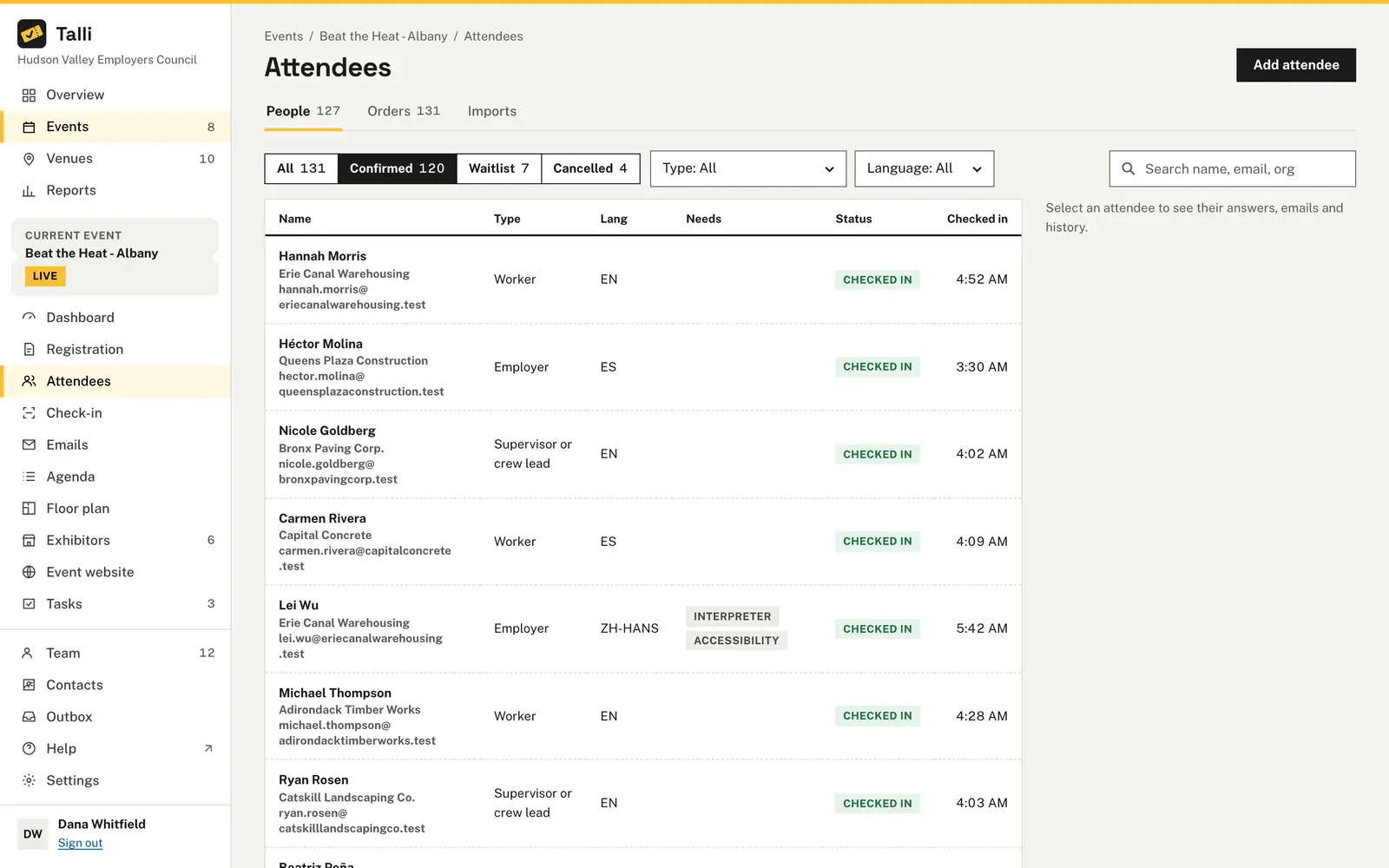
The Attendees page lists everyone who registered for an event. Open it from the event's section of the sidebar.
Who can do what
- Everyone in your organization can see the list.
- Owners and admins can add attendees, correct their details, cancel registrations and give waitlisted people a seat.
Finding people
- Use the status filter to see everyone, or only Confirmed, Waitlist or Cancelled registrations; each shows how many there are.
- Filter by attendee type or language.
- Search by name, email or organization.
- The list shows each person's organization and email, type, language, needs (Interpreter, Accessibility), status and check-in time, newest first.
Statuses read as Confirmed, Waitlist #N (their place in line), Cancelled, or Checked in once they arrive. Details pending means someone in a group order was sent a link to fill in their own details and has not yet; their seat is held, and a Details pending filter appears while there are any. See Orders and group registration.
List the attendees of the Spring Safety Seminar who registered in Spanish, with their attendee type.Select the prompt and copy it into Claude or ChatGPT connected to Talli. Uses find_registrations. Connect an assistant
One attendee's details
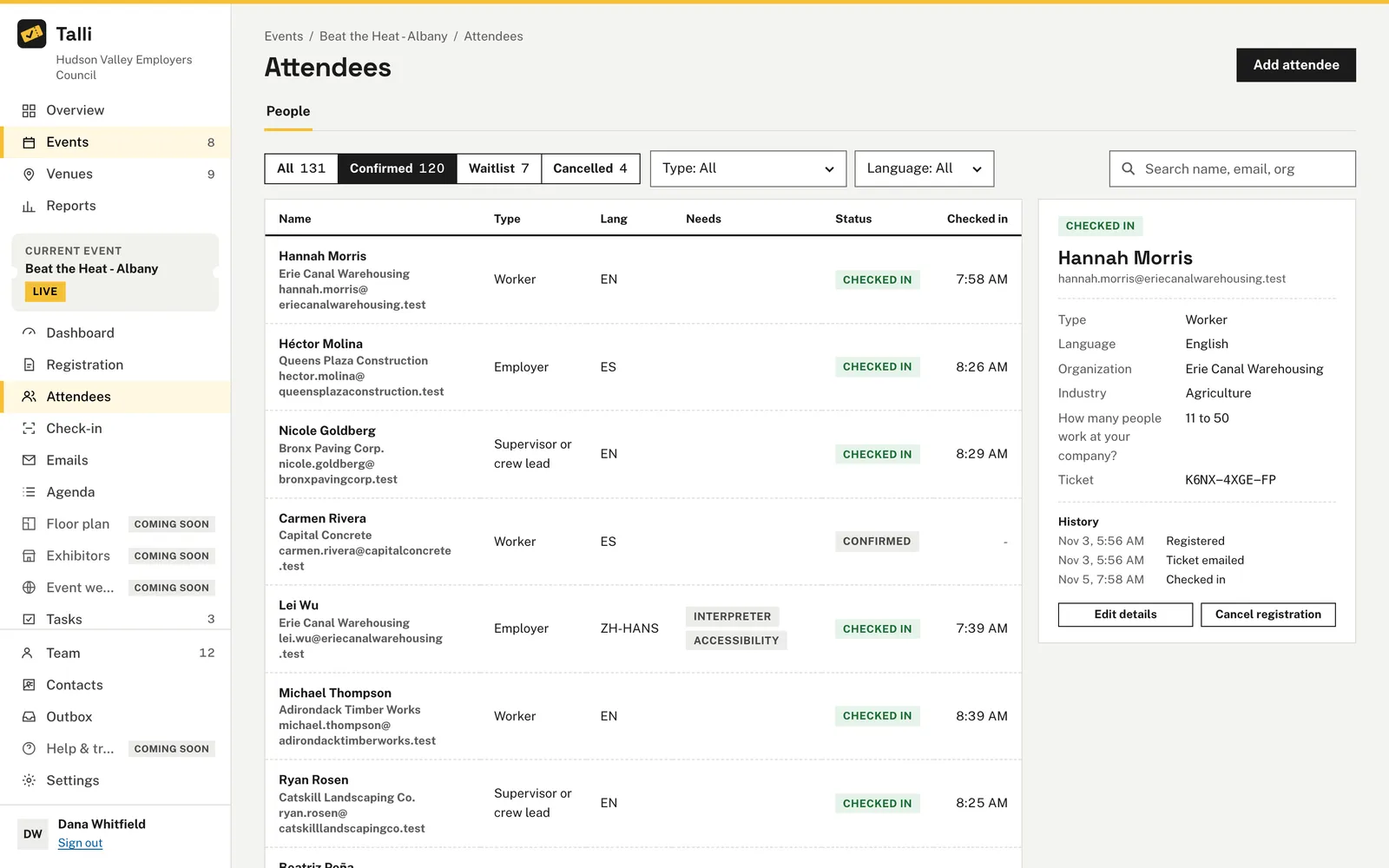
Select a row to see the attendee next to the list: type, language, organization, their answers, their ticket code and a short history (when they registered, which emails Talli sent them, when they checked in).
Adding someone
Use Add attendee for phone or walk-in registrations. Only first name, last name and email are required; choose their type and language. The same capacity rules as the public page apply: a seat while any are left, then the waitlist. With Email them their ticket ticked, Talli asks you to confirm before it emails them. An email that is already registered for the event is refused.
Register Maria Chen (maria.chen@example.com) for the Spring Safety Seminar as general admission and send her ticket.Select the prompt and copy it into Claude or ChatGPT connected to Talli. Uses get_registration_form, add_registration. Connect an assistant
Correcting details
Select the attendee and choose Edit details to fix their name, email, organization, type or language. Moving a confirmed attendee to another type needs a free seat of that type. Nobody is emailed.
Change the email on Tom Becker's registration for the Spring Safety Seminar to tom.becker@example.com.Select the prompt and copy it into Claude or ChatGPT connected to Talli. Uses find_registrations, update_registration. Connect an assistant
Cancelling and the waitlist
Choose Cancel registration and confirm: the attendee loses their seat and their ticket page says the registration was cancelled. Nobody is emailed, and nobody moves up from the waitlist on their own. To fill the seat, select someone on the waitlist and choose Give a seat: they are confirmed and emailed their ticket. If no seat is free, Talli says so and changes nothing. Nobody can be given a seat once the event is cancelled.
Coming soon
- Export to CSV.
- Emailing or checking in several people at once.
From an AI assistant
The attendees list uses the same tools as registration: find_registrations to search and filter, get_registration for one attendee's details and history, add_registration, update_registration, cancel_registration and promote_from_waitlist. Attendees added by an assistant are labelled "via Claude" (or the assistant's name) in the list. Answers marked sensitive are hidden from assistants unless an owner allows them; see AI assistants.